Clean Up a Noisy Voice Recording with AI - Podcasts, Interviews, Reels
Remove background noise from a voice recording with AI. Voice Cleaner bills per started minute; Studio steps, API code and an ffmpeg recipe for video.
 Piotr Olszewski2026-10-227 minPolski
A podcast with a humming fridge in the background, an interview recorded next to a busy road, a voiceover with laptop fan noise: all three are jobs for Voice Cleaner on Kadraris. You upload the speech, and you get the same voice back with the noise behind it pushed down. The price is $0.50 per minute of audio and each started minute counts, so a 45-minute episode costs 45 × $0.50 per minute. Below: a quick check of whether your recording is a good fit, the cost math, Studio, the API, and a two-command recipe for cleaning the sound of a video.
Is your recording a good fit?
Voice Cleaner lowers background noise under speech. On Kadraris it runs at a moderate setting (level 1 of 2). That keeps the voice sounding like a person in a room, instead of the thin, watery tone you get from denoising pushed too far. The strength is fixed, and the engine's dereverb option is not available on Kadraris yet.
Sort your problem into one of these rows:
| What you hear | Result to expect |
|---|---|
| constant hum: fan, AC, PC, mains buzz | the main use case, it handles this well |
| traffic or cafe chatter behind a speaker | background goes down, voice stays |
| echo from a bare room | not fixed, dereverb is off |
| speaker far from the mic, voice faint | not fixed, the voice stays buried |
| distortion from a mic driven too hot | not fixed, the signal itself is damaged |
| a song playing under the talk | separate it with Vocal Remover first |
The difference between the two audio tools is laid out in Voice Cleaner vs Vocal Remover.
The honest rule: denoising saves a decent take that has a noisy background. It will not turn a phone placed at the far end of a meeting table into a studio recording.
What a cleanup costs
Billing is per started minute of the file you send, always rounded up:
| Material | Minutes billed | Total |
|---|---|---|
| 40-second voiceover for a reel | 1 | 1 × $0.50 per minute |
| 12:20 interview | 13 | 13 × $0.50 per minute |
| 45-minute episode, single track | 45 | 45 × $0.50 per minute |
| same episode, each host on own track | 90 | 90 × $0.50 per minute |
| four 50-minute episodes a month | 200 | 200 × $0.50 per minute |
Silence is billed like speech, so cut the minutes before the intro and after the outro before you upload. The balance is prepaid in USD from $10, with no subscription, and it never expires. If a job fails, it costs $0.
Cleaning a file in Kadraris Studio
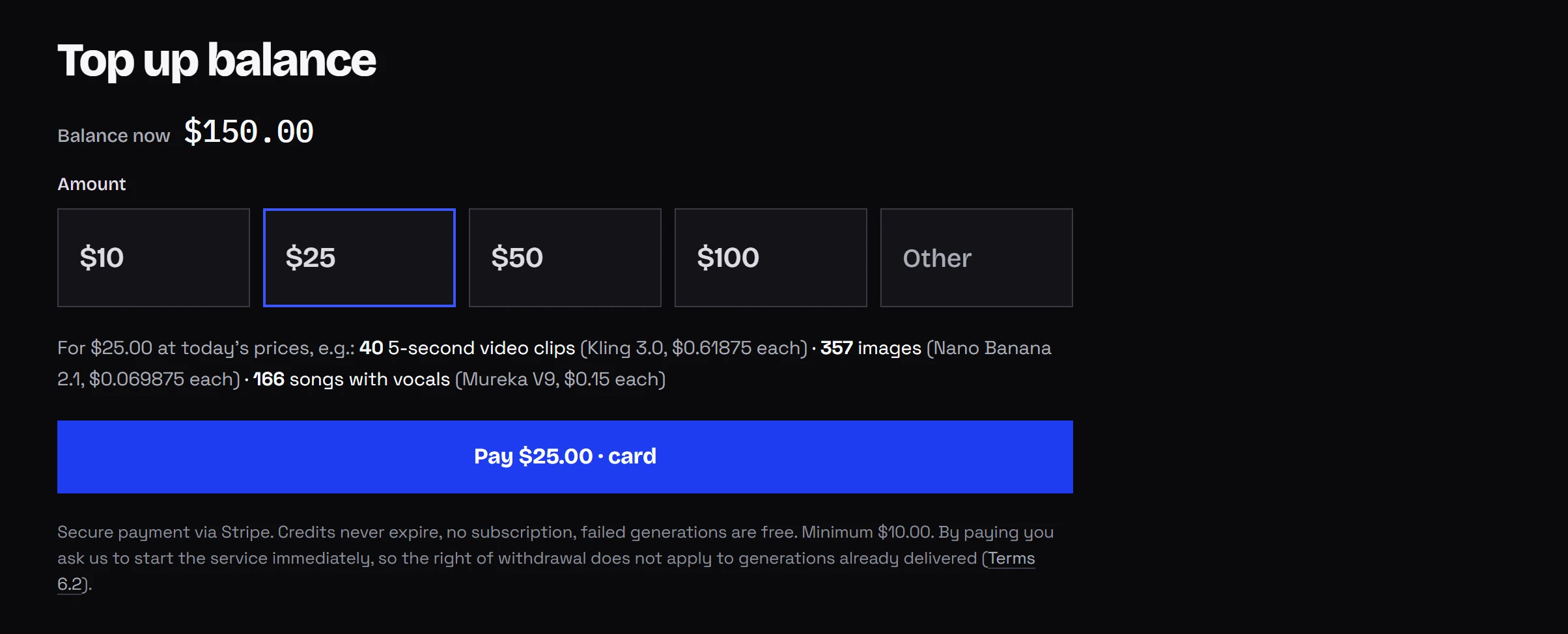
- Sign up and add funds by card (from $10).
- Open Studio, pick the Audio tab, then Voice Cleaner.
- In Source audio (URL) press Upload file and choose an MP3 or WAV up to 25 MB. For a longer file, paste a public link.
- Press Generate, then save the cleaned file from the gallery.
The price you see in Studio before the run is a reservation. Kadraris has not read the file yet, so it holds the cost of 10 minutes (10 × $0.50 per minute). Once the job ends it charges the minutes that were really started and frees the rest. A one-hour episode will end up above that hold, so leave room on the balance.
Only Studio uploads have the 25 MB cap. Uncompressed 16-bit 48 kHz stereo WAV is about 11 MB per minute, which means long WAV episodes should go on your own server or a cloud bucket with a public link.
Sending audio through the API
There is one input field, audio_url. This call also passes a webhook:
curl https://kadraris.com/v1/generate \
  -H "Authorization: Bearer $KADRARIS_API_KEY" \
  -H "Content-Type: application/json" \
  -d '{
    "model": "voice-cleaner",
    "input": {
      "audio_url": "https://your-server.com/podcast/episode-42.wav"
    },
    "webhook_url": "https://your-server.com/hooks/kadraris"
  }'
The same job in Python, checking the task until it finishes:
import os, time, requests

API = "https://kadraris.com/v1"
KEY = os.environ["KADRARIS_API_KEY"]
HEADERS = {"Authorization": f"Bearer {KEY}"}
SRC = "https://your-server.com/podcast/episode-42.wav"

task = requests.post(
    f"{API}/generate", headers=HEADERS, timeout=30,
    json={"model": "voice-cleaner",
          "input": {"audio_url": SRC}},
).json()

# check every 5 seconds
while task["status"] not in ("succeeded", "failed"):
    time.sleep(5)
    task = requests.get(f"{API}/tasks/{task['id']}",
                        headers=HEADERS, timeout=30).json()

if task["status"] == "succeeded":
    url = task["output"][0]["url"]
    # keep whatever extension the result has
    ext = url.split("?")[0].rsplit(".", 1)[-1]
    data = requests.get(url, timeout=300).content
    with open(f"episode-42-clean.{ext}", "wb") as f:
        f.write(data)
    print("cost:", task["cost"])
else:
    print("failed:", task["error"])
If you set a webhook, Kadraris sends a POST to that URL when the task ends. The body is the same JSON as GET /v1/tasks/{id}, and the x-kadraris-signature header carries an HMAC-SHA256 signature. How to check it is in the webhook docs.
For a show with two hosts, a small pipeline looks like this:
- each host records on a separate track,
- every track goes to Voice Cleaner separately, since every room sounds different,
- the webhook handler saves the cleaned files and starts the edit or a transcript,
- the mixed episode gets published.
No code needed if you prefer n8n, Make or Zapier: it is a plain HTTP call with a bearer key, see no-code integrations. The same task-and-webhook pattern for video is in async AI video with webhooks.
The audio track of a video or reel
Voice Cleaner reads audio files, not video. For a talking-head clip you take the sound out, clean it, and put it back. Every editor can export audio alone; in ffmpeg it takes two commands:
# pull the soundtrack out as mono WAV
ffmpeg -i reel.mp4 -vn -ac 1 -ar 48000 \
  -c:a pcm_s16le reel-voice.wav

# put the cleaned track back, video untouched
ffmpeg -i reel.mp4 -i reel-voice-clean.wav \
  -map 0:v -map 1:a -c:v copy \
  -c:a aac -b:a 192k -shortest reel-clean.mp4
Going mono with -ac 1 cuts the file in half. For one speaker on one mic you lose nothing, and it keeps the file under the upload cap. If the cleaned result arrives with an extension other than .wav, change it in the second command.
This is the kind of shot the recipe is meant for: one person speaking to the lens in a normal room, and a mic that hears the room too.
Get a better take before you clean it
- Bring the mic in. About a hand's width from the mouth instead of an arm's length. The voice then dominates the room and the cleaner barely touches it.
- Switch off noise sources. Fans, the fridge, phone alerts. A steady hum is far easier to remove than random pings.
- Add soft surfaces. Curtains, a rug, a full bookshelf. They reduce the echo that Voice Cleaner leaves alone.
- Leave headroom. Record a bit lower and raise the level in the edit, rather than overloading the input.
- Keep the raw file. Before publishing, compare raw and cleaned on headphones.
If you would rather skip recording and use an AI voice or soundtrack for a short, read AI TikTok and Reels videos. For per-clip production costs, see AI video cost per second.
Questions
Can I make the noise removal stronger or weaker?
No. Kadraris runs Voice Cleaner at a fixed moderate level so speech keeps its natural tone. If the result still has noise, the cause is usually the recording itself, such as a distant mic.
Should I clean each podcast track separately or the final mix?
Separate tracks give better results, because each host's room has its own noise. It doubles the billed minutes for a two-host show, so weigh that against the quality gain.
Will cleaned audio improve automatic transcripts?
When the problem is background noise, a cleaner voice is easier to transcribe. When the voice is faint or the room echoes, expect a smaller improvement.
What happens to my balance if the job fails?
Nothing is charged. The reservation made before the run is returned in full.