Short Social Clips Without a Credit Plan: A Pika Alternative
A Pika alternative for TikTok, Reels and Shorts - PixVerse V6, Seedance, Vidu, Grok Imagine and Kling Motion Control on one balance, paid per second.
 Piotr Olszewski2026-10-227 minPolski
If you make short vertical clips for TikTok, Reels or Shorts and want to pay per second instead of buying monthly credits, Kadraris gives you a handful of video models on one prepaid balance. PixVerse V6 (from $0.0405 per second) and Seedance 2.0 Mini (from $0.0784 per second) cover cheap text and photo clips, Grok Imagine Video 1.5 animates a photo with sound, and Kling 3.0 Motion Control moves a character the way a person moves in your phone video. No subscription, nothing that resets at the end of a cycle.
This guide maps typical Pika jobs to these models, shows the cost of a month of clips, and ends with an API example.
Which model for which kind of clip
| Model | Strong at | Length | Audio |
|---|---|---|---|
| PixVerse V6 | cheap text or photo clips, up to 7 images fused | 1-15 s | optional, extra cost |
| Seedance 2.0 Mini | cheap clips that follow reference photos | 4-15 s | optional |
| Vidu Q3 Turbo | quick clips, first-to-last frame moves | 1-16 s | included |
| Grok Imagine Video 1.5 | a single photo that talks | 6-15 s | yes |
| Kling 3.0 Turbo | fast Kling clips | 3-15 s | no |
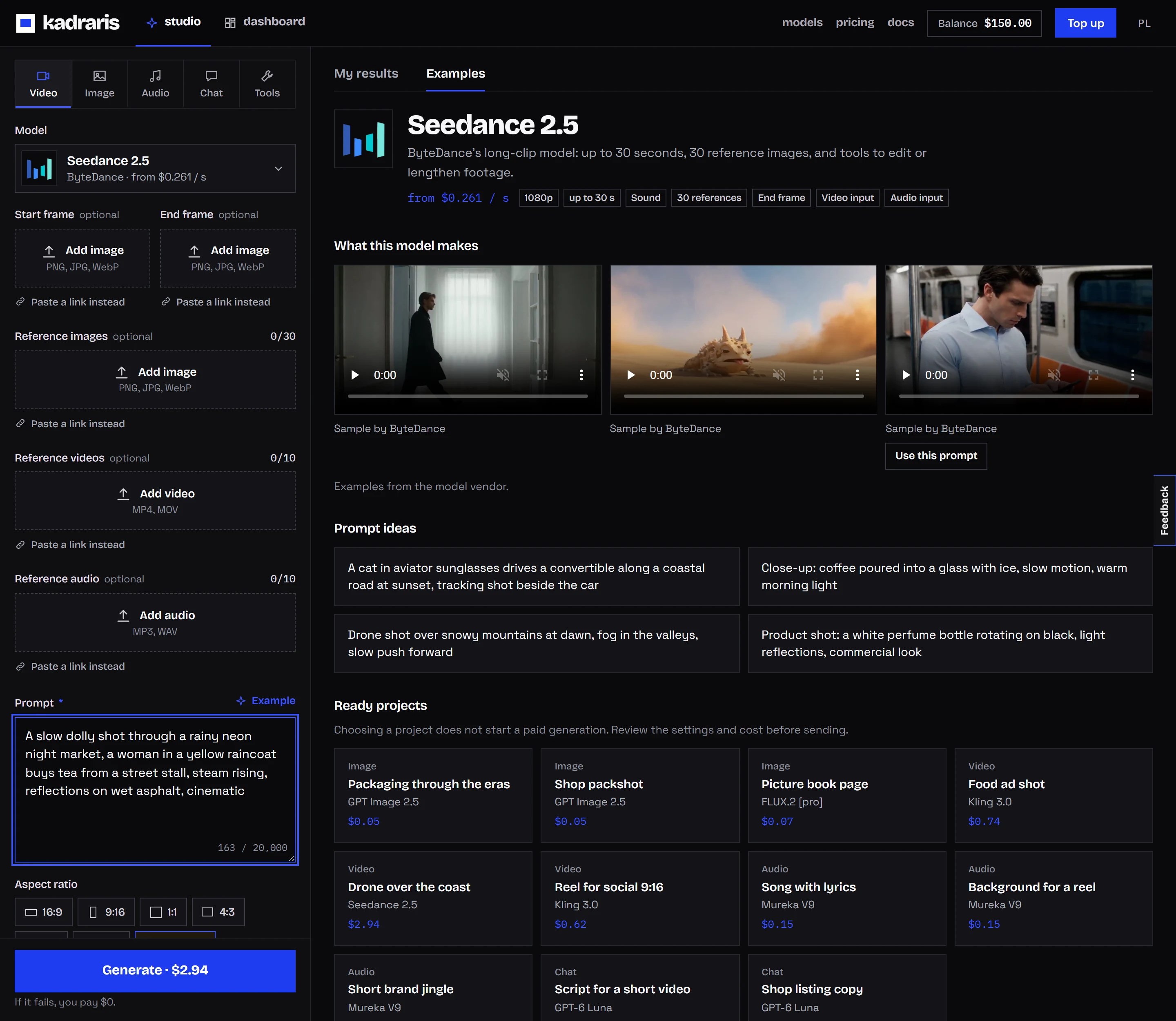
| Seedance 2.5 | longer scenes, edits, extensions | 4-30 s | yes |
Resolutions and prices per second:
- PixVerse V6: 360p to 1080p, from $0.0405 per second.
- Seedance 2.0 Mini: 480p or 720p, from $0.0784 per second.
- Vidu Q3 Turbo: 540p to 1080p, from $0.081 per second.
- Grok Imagine Video 1.5: 480p or 720p, from $0.088 per second.
- Kling 3.0 Turbo: 720p or 1080p, from $0.277 per second.
- Seedance 2.5: 480p to 1080p, from $0.261 per second.
My rules of thumb:
- Testing an idea or making bulk B-roll: PixVerse V6. A 360p draft costs very little, and only the version I keep goes out at 720p or 1080p. It handles 9:16 and 2:3, which suits TikTok and Pinterest.
- A product or character that must look the same in every clip: Seedance 2.0 Mini fed with several reference shots, at low cost.
- Sound without paying extra, plus a move from one frame to another: Vidu Q3 Turbo.
- A photo of a person who should say one line to camera: Grok Imagine Video 1.5.
- One longer scene, or swapping something inside existing footage: Seedance 2.5.
Want head-to-heads? Read PixVerse V6 vs Kling 3.0 or Grok Imagine Video 1.5 vs Seedance 2.0.
Effects as prompts, not buttons
Kadraris does not have one-click effect templates. Instead, you write the effect into the prompt or choose a model that has the capability built in:
| Job | Models | What you send |
|---|---|---|
| bring a photo to life | Grok Imagine Video 1.5, PixVerse V6, Kling 3.0 | photo as image_url |
| move from frame A to frame B | PixVerse V6, Vidu Q3 Turbo, Kling 3.0 | image_url + end_image_url |
| copy motion onto a character | Kling 3.0 Motion Control | motion in video_url, character in image_url |
| change something in footage | Seedance 2.5, Wan 2.7 Video | source video + description |
| make a clip longer | Seedance 2.5 | earlier clip in video_urls |
| switch style mid-shot | most models | describe it in the prompt |
The last row is easy to see in a vendor clip from HappyHorse 1.0: a dancer turns, and halfway through the spin the cartoon scene becomes live action. One sentence of prompt does that.
For motion transfer, use Kling Motion Control. Film a move with your phone, attach the character image, and the model makes the character perform it. You are charged by the seconds of your phone clip, not by the result.
From a still frame to motion
A lot of short AI videos begin with one good image. Back in August 2026 I animated a Grok Imagine still of a fox jumping into snow, using MiniMax H3 at 2K. One attempt. Snow flies off realistically and the fur texture survives from the still. An image model for the frame, a video model for the motion: that split is the workflow I reach for most.
Not every detail of a prompt lands. On September 27, 2026 I ran Seedance 2.0 Fast on a coffee pour: the camera move was right, but it added music I had not asked for. So I keep early drafts short and cheap. To build a full short out of several shots, see AI TikTok and Reels video; for camera language, read camera moves in AI video prompts.
Budget for a month of clips
Multiply seconds by the rate for the resolution you pick. Here is what twenty 8-second clips (160 seconds) come to:
| Model | 160 seconds |
|---|---|
| PixVerse V6 | 160 × from $0.0405 per second |
| Seedance 2.0 Mini | 160 × from $0.0784 per second |
| Vidu Q3 Turbo | 160 × from $0.081 per second |
| Grok Imagine Video 1.5 | 160 × from $0.088 per second |
| Kling 3.0 Turbo | 160 × from $0.277 per second |
| Seedance 2.5 | 160 × from $0.261 per second |
Fine print:
- These are the lowest-resolution rates. Higher resolution costs more, and so does audio on PixVerse V6.
- The exact amount shows in Studio before you press Generate.
- Top-ups start at $10, unused money stays on the account, and a failed job is free.
All rates side by side: AI video cost per second and pricing.
Where Pika stands in October 2026
Pika started out making quick, fun effect videos and has grown into a studio with several models. Based on pika.art on October 2, 2026 (prices change, so check before you buy):
- Models: its own Pika 2.5 next to Seedance 2.5, MiniMax H3, Google Omni Flash and Grok Imagine 1.5; for stills, GPT Image 2.5 and Nano Banana.
- Apps: tools for product ads, footage restyling (Reskin Video), Motion Transfer, clip extension and soundtracks.
- Plans: Starter $10 a month with 900 credits, Creator $35 with 3,150 credits, Fancy from $95. Free accounts get no monthly credits but can buy packs.
- Credit rules: plan credits reset each billing cycle and do not carry over. Bought packs last 365 days.
- Commercial use: licensed from the Creator plan up.
- API: Pika API Club for developers, plus Enterprise deals.
For creators who generate every week and like one-click effects, it is a solid product. A per-second setup tends to suit these cases better:
- Irregular output. Lots of clips in one week, none the next. Credits reset, a Kadraris balance stays.
- Automation. A single key runs video, image, music and chat models, and every task reports
estimated_costbefore rendering. - Mixed tools. Your first-frame still, the clip itself, background music and the captions written by a chat model all come out of one balance.
- Prices in money. Studio puts a dollar amount on the button, not a credit count.
Generating a vertical clip from code
For a content pipeline, a clip is a single request. here PixVerse V6 turns a product still into a 9:16 clip:
curl https://kadraris.com/v1/generate \
  -H "Authorization: Bearer $KADRARIS_API_KEY" \
  -H "Content-Type: application/json" \
  -d '{
    "model": "pixverse-v6",
    "input": {
      "prompt": "A backpack turns slowly on a mint pedestal, soft studio light, camera circles it, bright social style",
      "image_url": "https://example.com/files/backpack.png",
      "duration": 8,
      "resolution": "720p",
      "aspect_ratio": "9:16"
    }
  }'
You get a 202 with the task id and estimated_cost. Read the finished file from GET /v1/tasks/{id}, or let a webhook deliver it. See the tasks docs for statuses and async AI video with webhooks for signed callbacks.
Questions
Which model should I try first for TikTok clips?
PixVerse V6. It supports 9:16, has a low-cost 360p mode for drafts, and lets you render the final version at 720p or 1080p. If the clip needs speech from a photo, switch to Grok Imagine Video 1.5.
Can I get the same aspect ratio as my photo?
Often automatically: several models copy the ratio of the photo you animate. Start from a vertical frame if you want a vertical clip.
Is there a trial or free credit?
No. Kadraris has neither a free tier nor welcome credit. You start with a $10 top-up, which stays on your account until used, and only finished seconds are charged.
Does it plug into n8n or Make?
Yes. The API is plain REST with a Bearer key, so a standard HTTP Request node works. Setup steps are in the no-code guide.