Codex CLI with Kadraris MCP - Images, Video and a Second Opinion From Claude
Connect OpenAI Codex CLI to the Kadraris MCP server: one key to render images and video and to ask Claude or Gemini. config.toml, env vars, Windows.
 Piotr Olszewski2026-10-226 minPolski
Codex CLI talks to Kadraris through MCP. Put your key in the KADRARIS_API_KEY variable and run codex mcp add kadraris --url https://kadraris.com/mcp --bearer-token-env-var KADRARIS_API_KEY. After that, Codex can render images and video (for example Nano Banana Pro at from $0.07 per image), look up prices and ask Claude, Gemini or another GPT model for a second opinion. The coding itself still runs on Codex's own OpenAI model, and the next section explains why.
The limit to know first
This is the question I get most, so here it is up front: no Kadraris model, Claude included, can become the main model inside Codex.
Codex does allow custom providers in config.toml under [model_providers]. But OpenAI's current documentation lists "responses" as the only supported wire_api, which means the Responses API at /v1/responses. Kadraris offers two chat formats, OpenAI Chat Completions (/v1/chat/completions) and Anthropic Messages (/v1/messages), and no Responses API. Codex would get a 404.
In practice:
- Codex keeps billing the way it does today, through your ChatGPT account or an OpenAI key.
- Inside Codex, Kadraris is a toolbox reached over MCP, not the model doing the thinking.
- For a terminal agent that runs fully on Kadraris tokens, use Claude Code instead: Claude Code + MCP for AI video and the Claude Code docs.
- Editors such as Cursor, Cline, Continue, Aider, OpenCode and Zed can use Kadraris models through a base URL; see Integrations.
What the server adds to Codex
Codex writes and repairs code well. What it lacks out of the box: rendering media, knowing prices across vendors, and asking a model from another company. The Kadraris MCP server fills those gaps:
| MCP tool | What Codex does with it |
|---|---|
search_models, get_model | finds a model for the job and reads which values it accepts |
estimate_cost | prices a job in advance and returns a confirm_token; no charge |
generate | submits an image, video or song |
wait_for_task, get_task | collects the result of a job that takes longer |
get_balance | reports how much is left |
chat | sends a question to any chat model in the catalog |
All of it is paid from one prepaid USD balance. No subscription, no expiry, and failed generations cost nothing.
1. A key with a monthly cap
- Create an account, confirm the email and add funds (from $10).
- Open API keys in the dashboard.
- Name it
codexand set a Monthly limit, for example15dollars. - Press Create key and copy the
sk-kd-...value; it is shown once.
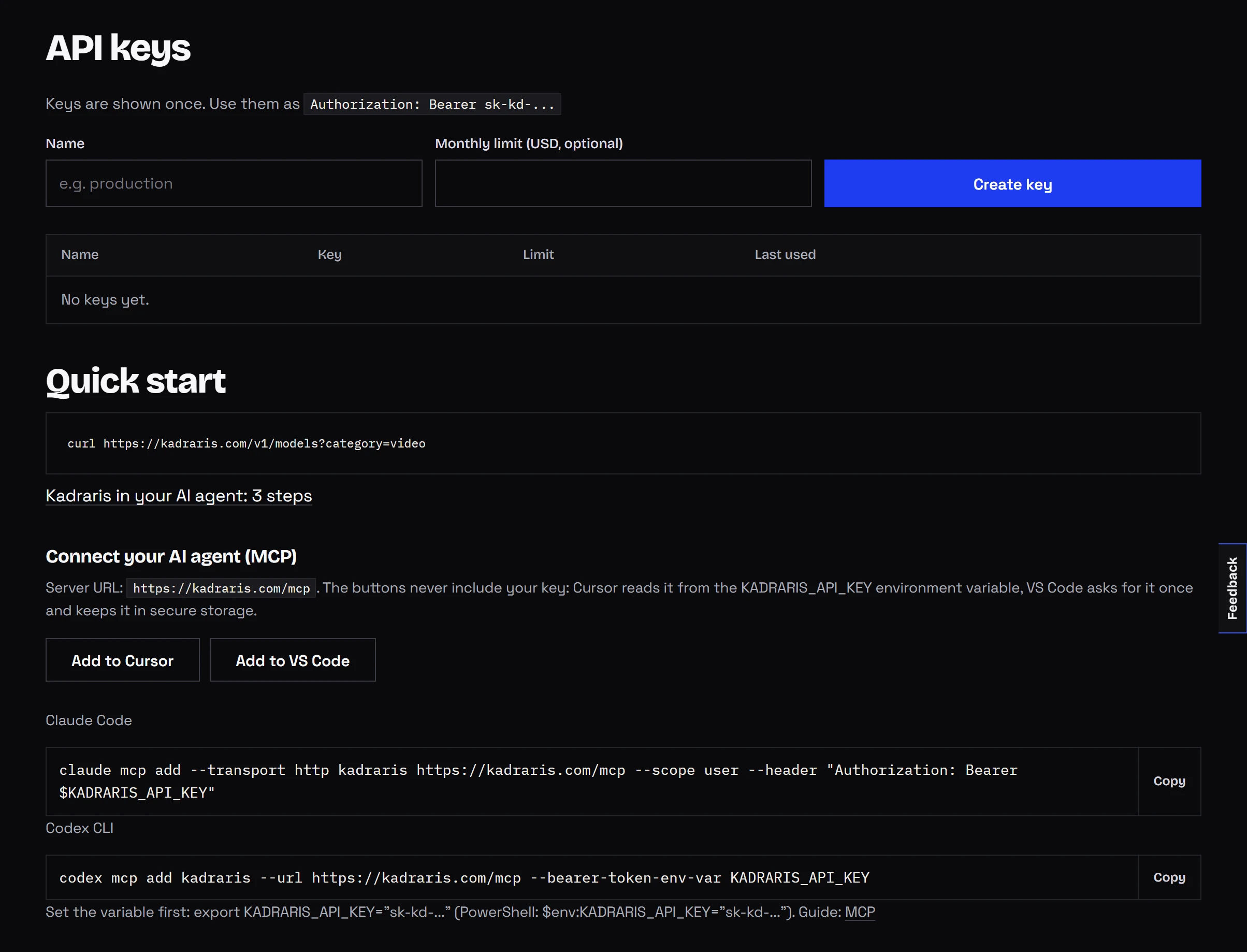
Do not skip the cap. An agent that can render video may start three clips when you meant one.
2. Store the key in an environment variable
Codex never writes the key into its config. config.toml only names the variable; the value lives in your system.
Windows PowerShell
[Environment]::SetEnvironmentVariable(
  "KADRARIS_API_KEY", "sk-kd-...", "User")
Open a new PowerShell window, then confirm:
echo $env:KADRARIS_API_KEYmacOS and Linux
# on Linux this is usually ~/.bashrc
echo 'export KADRARIS_API_KEY="sk-kd-..."' >> ~/.zshrc
source ~/.zshrc
echo $KADRARIS_API_KEY
3. Register the server
The command is identical on every system:
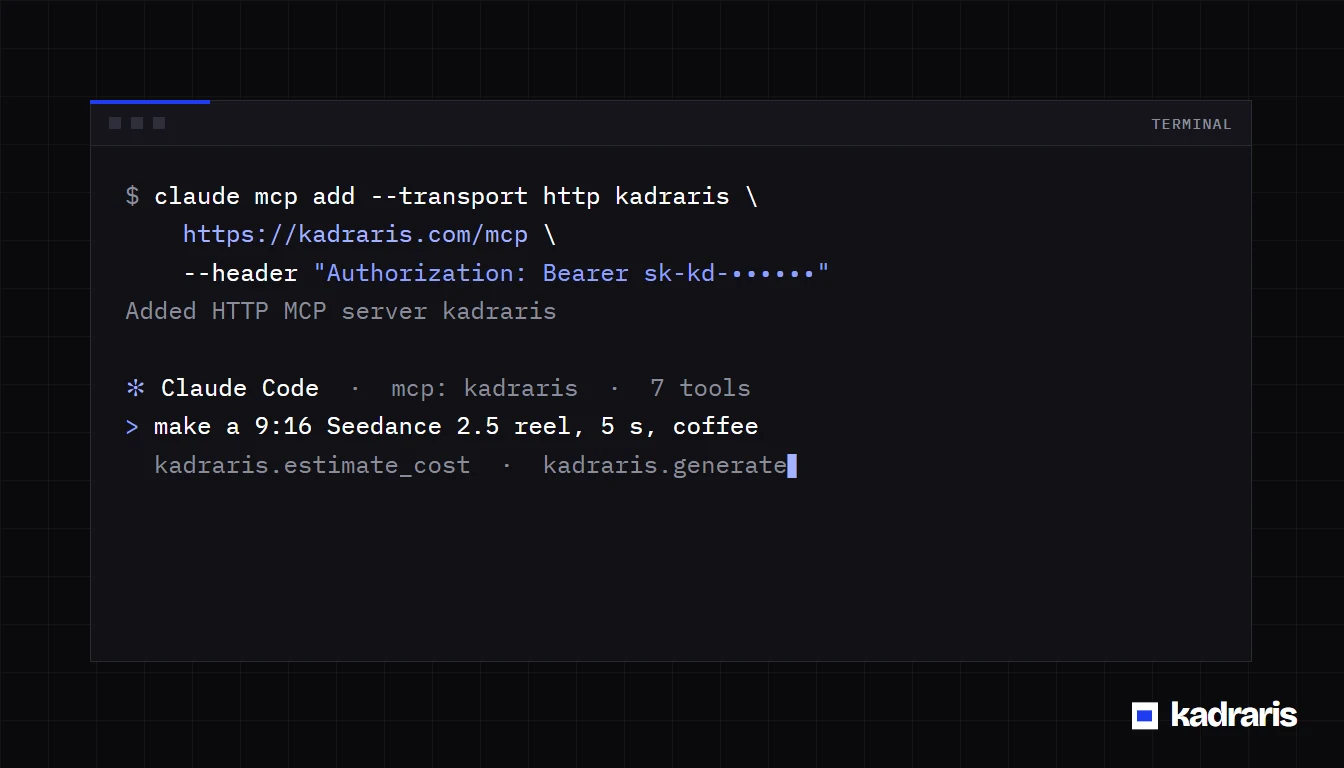
codex mcp add kadraris \
  --url https://kadraris.com/mcp \
  --bearer-token-env-var KADRARIS_API_KEY
It writes this block into ~/.codex/config.toml (on Windows, C:\Users\<you>\.codex\config.toml):
[mcp_servers.kadraris]
url = "https://kadraris.com/mcp"
bearer_token_env_var = "KADRARIS_API_KEY"
Typing the block in by hand works just as well. Then check:
codex mcp listStart codex and try a request that costs nothing:
Call get_balance on the kadraris server and tell
me what is left.
4. The first image
Images are the easiest start, because they usually finish while generate is still waiting and come back with a link straight away.
Make a 16:9 hero image for the site in this repo:
a bright bookshop interior, late afternoon sun,
nobody in the frame. Quote it in Nano Banana Pro
and in GPT Image 2.5, show both prices, wait for
my choice, then render and save it as
public/img/hero.webp.
Codex runs estimate_cost for both models, shows the amounts and stops. Once you choose, generate returns the link and Codex saves the file into the project.


Rates: Nano Banana Pro from $0.07 per image, GPT Image 2.5 $0.05 per image. Which one suits which job is covered in GPT Image 2.5 vs Nano Banana Pro vs FLUX.2.
Video takes one extra step
A clip takes longer than generate waits, so the tool hands back a task id and Codex picks up the result with wait_for_task or get_task.
Render a 5 s vertical Seedance 2.5 clip at 720p:
rain running down a cafe window, a neon sign
blurred behind it. Price first. When it finishes,
save it as media/rain.mp4.
Seedance 2.5 costs from $0.261 per second. If the job fails, the held amount comes back in full.
Asking Claude, Gemini or GPT from inside Codex
The chat tool lets Codex get a second opinion without you changing windows. Codex writes the code with its own model; you ask it to have another model check the work:
Use the chat tool to ask claude-sonnet-5 whether
this migration is safe on a table with 2M rows.
Put its answer next to yours.
Other ideas:
- "Ask gemini-3.6-flash for five names for this function and choose one."
- "Have deepseek-v4-flash translate
locales/en.jsoninto German." - "Send this diff to gpt-6-sol and ask for a three-point review."
Those calls run through Kadraris and are billed by the tokens of the chosen model, from the same balance as your images:
| Model | Rate |
|---|---|
| Claude Sonnet 5 | $3.24 / $16.20 per 1M tokens |
| GPT-6 Sol | $2.16 / $10.80 per 1M tokens |
| Gemini 3.6 Flash | $0.79 / $3.95 per 1M tokens |
| DeepSeek V4 Flash | $0.135 / $0.27 per 1M tokens |
The idea of one API serving many chat models is explained in one API for AI models.
AGENTS.md so Codex knows the API
Codex reads AGENTS.md from the repo automatically, and Kadraris publishes a ready one:
curl -fsSL https://kadraris.com/agents.md -o AGENTS.mdInvoke-WebRequest -Uri "https://kadraris.com/agents.md" `
-OutFile "AGENTS.md"It lists the endpoints, examples and cost rules. Add your own lines underneath, such as "quote every video and wait for my approval" or "save images as .webp in public/img/". It also lets Codex write working code against the Kadraris API without MCP, for example a script that renders a batch of thumbnails. More in AGENTS.md docs.
When it does not work
| Symptom | Fix |
|---|---|
kadraris not connected in codex mcp list | Codex cannot see KADRARIS_API_KEY; open a new terminal or source ~/.zshrc |
401 | typo in the key, or it was revoked in the dashboard |
402 | balance too low |
403 | the key reached its monthly cap |
404 after adding [model_providers.kadraris] | Codex calls /v1/responses, which does not exist here; delete that section and use MCP |
| Codex ignores the tools | name them: "use the generate tool on the kadraris server" |
The reference with every variant: Codex CLI with Kadraris. A shorter walkthrough focused on project images is in Codex project images.
Questions
Is my key stored in config.toml?
No. The file only holds the variable name in bearer_token_env_var; the key itself stays in the environment. You can back up or share the file safely.
Do I still need an OpenAI account?
Yes, Codex itself needs a ChatGPT login or an OpenAI key. Kadraris only bills what goes through its tools.
What does an image from Codex cost compared with Studio?
The same. A Nano Banana Pro image is from $0.07 per image whether you make it in Codex, Studio or the API, and estimate_cost shows the amount before anything is charged.
Can Codex send a local file to a video model?
Yes. Ask it to call upload_file on the file first; the tool returns a URL that Codex then passes as the model's image or video input.