Nano Banana Pro, GPT Image 2.5 or FLUX.2? Test Results on the Same Prompts
Nano Banana Pro, GPT Image 2.5 and FLUX.2 on identical prompts: accented text, edits, references, speed and per-image price, plus a Python script to compare.
 Piotr Olszewski2026-10-2211 minPolski
My verdict after running the same prompts through all three: Nano Banana Pro gave the strongest single frames and wrote accented letters without mistakes. GPT Image 2.5 costs the least of the three and also spelled every word right. FLUX.2 is good at photoreal scenes assembled from several reference photos, but it trips on diacritics. If you mainly edit photos with a prompt, FLUX.1 Kontext is worth a look too.
Per image on Kadraris: $0.05 per image for GPT Image 2.5, from $0.07 per image for Nano Banana Pro, from $0.0688 per image for FLUX.2 [pro]. First the quick picks, then the test, then each family in detail.
Quick picks by job
- Posters, labels or signs with accented text: either GPT Image 2.5 or Nano Banana Pro. Neither made a letter error in my runs.
- The single best-looking image: Nano Banana Pro, top average in my ranking.
- Lots of images on a tight budget: GPT Image 2.5. Lowest price here, and it stays flat when you raise quality.
- Several variants in one call, or very wide banners like 8:1: Nano Banana 2, up to four images per request.
- A long series of revisions on one creative: GPT Image 2.5 Sunburst (designed for it) or Nano Banana Pro (in my edit test it left more of the untouched area intact).
- A scene put together from many product photos: the [pro] or [max] tier of FLUX.2, with up to 8 references and solid photorealism.
- Quick tweaks to one recurring character: FLUX.1 Kontext, which edits without masks and takes a seed.
- Rough drafts and prompt testing: none of the above. Z-Image Turbo does it for less, see the Z-Image Turbo API guide.
How I tested
I publish my image-model comparisons on promptowy.com, which is in Polish. On 27 September 2026 I gave eight API models five identical prompts, 16:9, one attempt each, with no picking of the best take:
- a market scene in Warsaw,
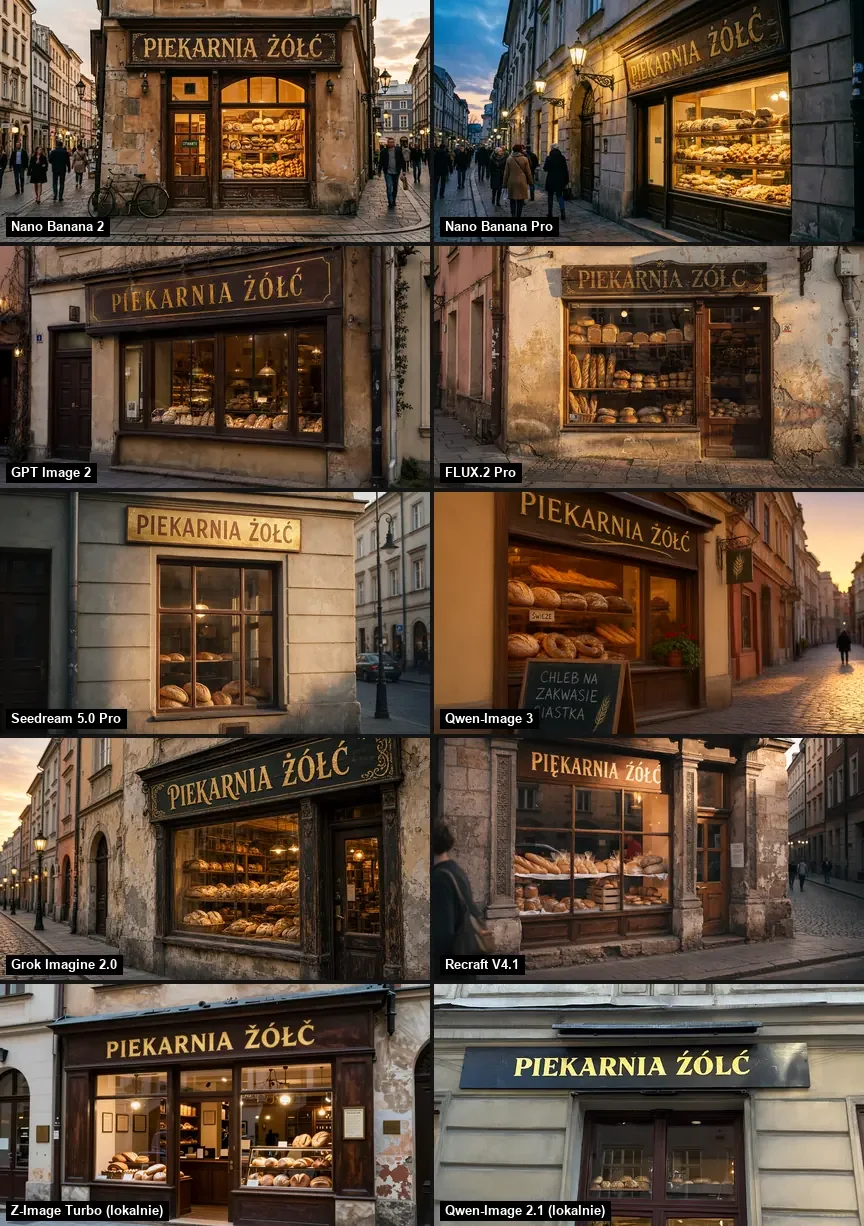
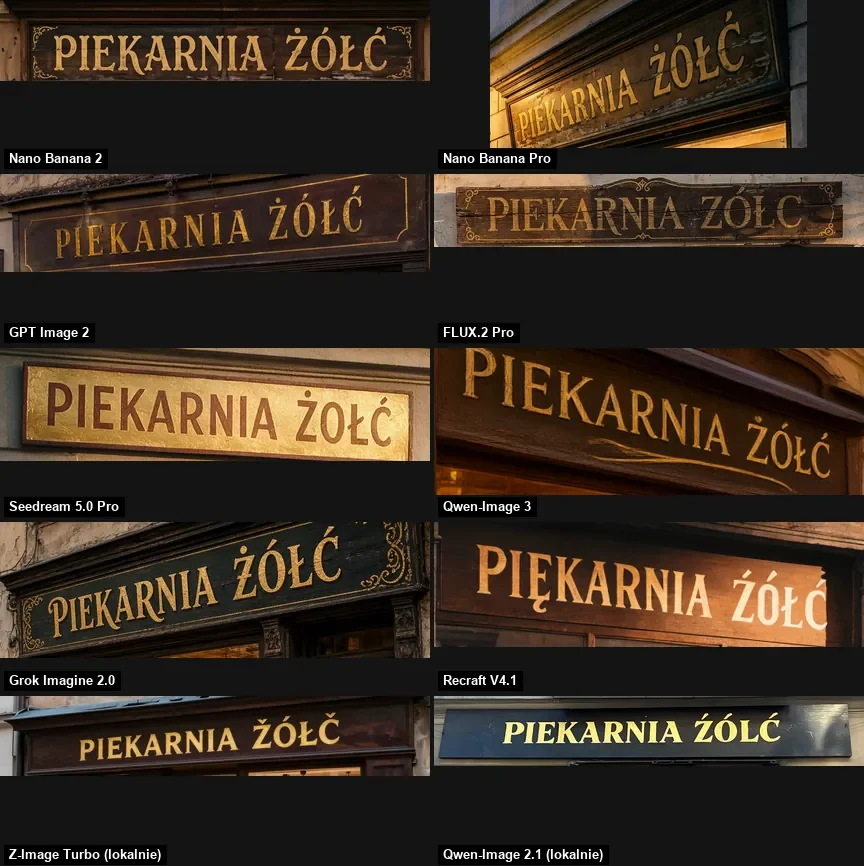
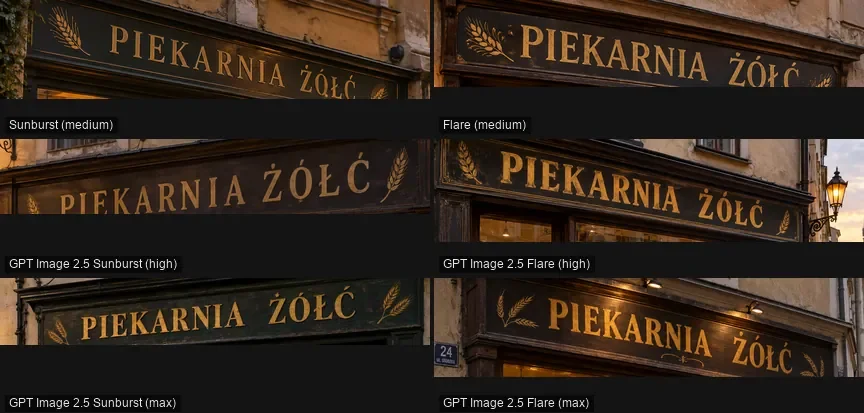
- a bakery front whose sign says "PIEKARNIA ŻÓŁĆ" (the second word has four accented letters, which breaks many models),
- a flat magazine-style illustration without any lettering,
- a portrait of a man holding a mug with both hands,
- dumplings shot from above.
The same day I added both GPT Image 2.5 variants. You can see every image in my ranking of image generators and in a separate write-up of GPT Image 2.5, both Polish.
What the scores showed
Average score out of 10, how the "ŻÓŁĆ" sign came out, and average time per image:
| Model and setting | Score | Sign / time |
|---|---|---|
| Nano Banana Pro | 9.0 | right / 18.6 s |
| GPT Image 2.5 Sunburst, max | 8.8 | right / 77.8 s |
| GPT Image 2.5 Sunburst, high | 8.7 | right / 27.8 s |
| Nano Banana 2 | 8.6 | right / 12.2 s |
| GPT Image 2.5 Flare, max | 8.6 | right / 37.6 s |
| GPT Image 2.5 Flare, high | 8.5 | right / 17.9 s |
| FLUX.2 [pro] | 7.6 | two mistakes / 13.0 s |
Read these with care. The scores are my own judgement, each prompt got one try, and I measured the times through a different API, so speeds on Kadraris may not match. In the Kadraris catalog the Flare variant runs as gpt-image-2.5, and Sunburst as gpt-image-2.5-sunburst.
Specs side by side
| Model | References | Output | Per call |
|---|---|---|---|
| GPT Image 2.5 | 16 | 1024x1024, 1536x1024, 1024x1536, auto | 1 |
| GPT Image 2.5 Sunburst | 16 | same sizes | 1 |
| Nano Banana Pro | 14 | 1K, 2K, 4K; 10 ratios | 1 |
| Nano Banana 2 | 14 | 0.5K to 4K; 14 ratios up to 8:1 | up to 4 |
| FLUX.2 [pro] | 8 | 1K, 2K | 1 |
| FLUX.2 [max] | 8 | 1 to 4 MP | 1 |
| FLUX.2 [flex] | 8 | 1K, 2K | 1 |
| FLUX.1 Kontext [pro] | 4 | about 1 MP | 1 |
| FLUX.1 Kontext [max] | 4 | about 1 MP | 1 |
Prices: $0.05 per image for Sunburst, from $0.07 per image for Nano Banana 2, from $0.154 per image for FLUX.2 [max], from $0.193 per image for [flex], $0.088 per image and $0.176 per image for the two Kontext tiers. When a price says "from", larger resolutions cost more; each model page lists the rate per resolution. GPT Image 2.5 has a single price on Kadraris no matter which quality, size or number of references you choose.
Google's two Nano Banana models in practice
Under the hood, Nano Banana Pro is Gemini 3 Pro Image from Google: up to 14 references, 10 aspect ratios, and 1K, 2K or 4K output. Nano Banana 2 is Gemini 3.1 Flash Image, the quicker sibling. It returns up to four images per call, supports 14 ratios including 8:1 and 1:8, and starts at 0.5K.
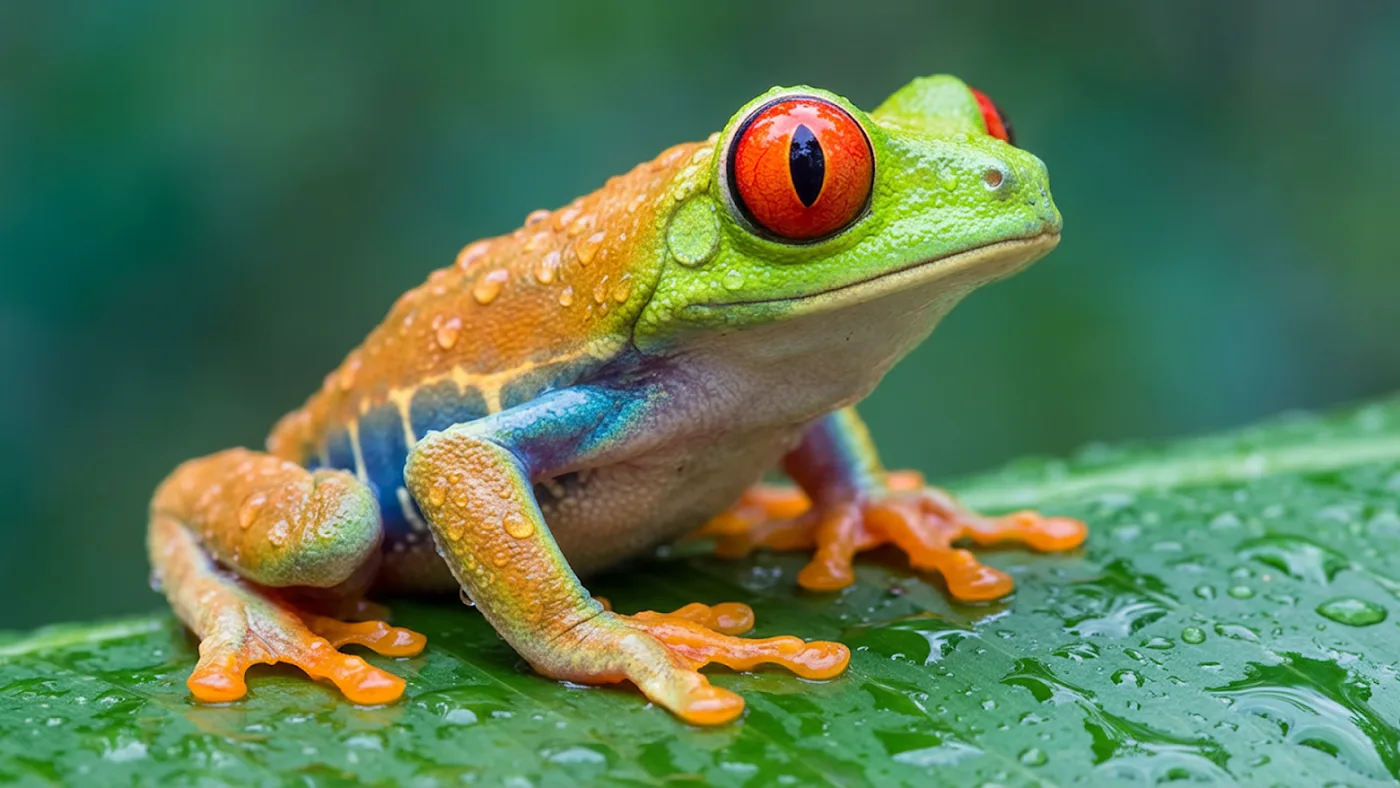
Pro had the top average (9.0) and stayed at or near first place on every prompt. Nano Banana 2 averaged 8.6 and was the fastest model here at 12.2 s. It was also the only model with a perfect 10 on the sign prompt, because without being asked it put a door plate reading "OTWARTE" (open) on the shop, spelled right. Back in August I ran a lettering test where the pangram "Zażółć gęślą jaźń" had to appear on three surfaces (signboard, poster, neon), and Nano Banana 2 got every letter right.
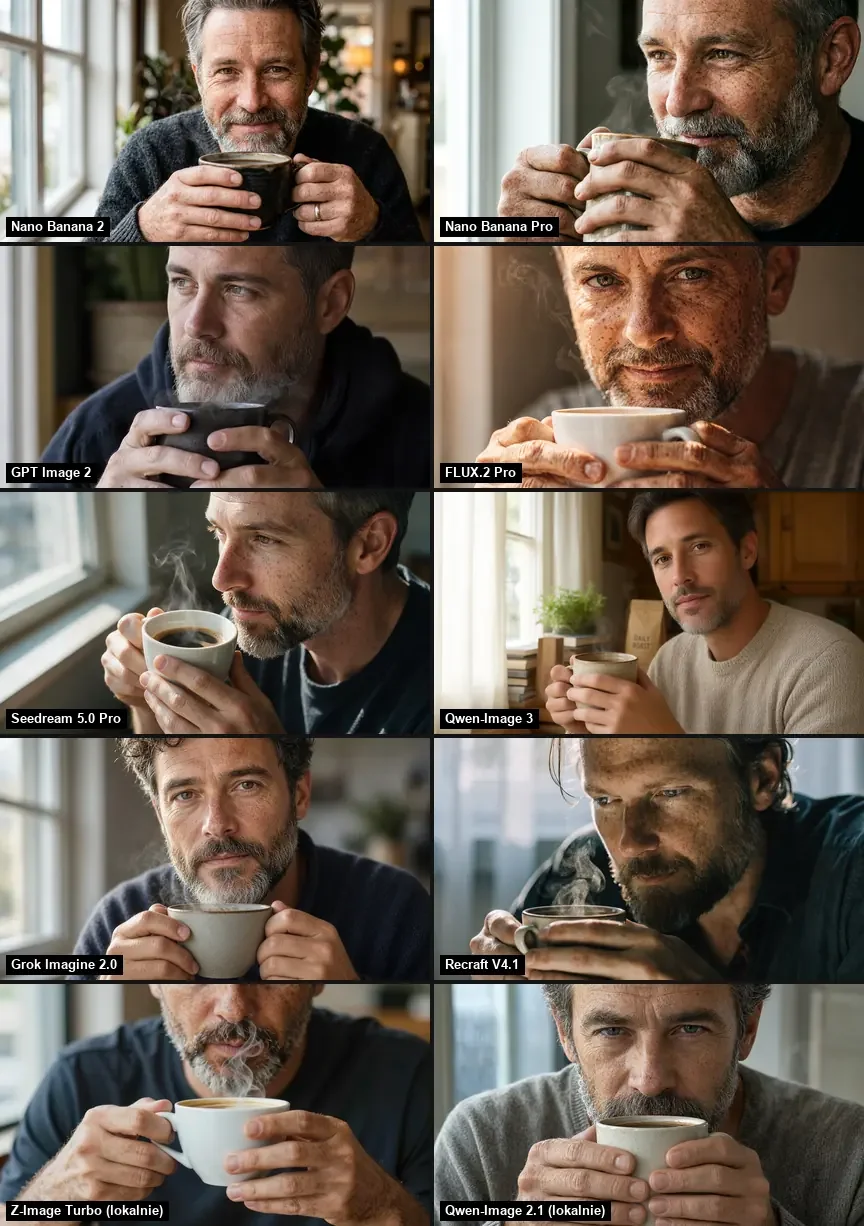
What to watch for:
- Extra content you did not ask for. The market scene got price cards nobody requested, and the lettering test got made-up festival dates and an address. Read all text in the image before it goes to a client.
- File size versus real detail. At 4K, Pro returned 5504x3072 pixels, yet the detail matched about a 4.2 MP image in my sharpness test. GPT Image 2.5 at 3840x2160 was close, around 4.1 MP.
- Regional food. The Polish dumplings from Nano Banana 2 looked like gyoza, while the Pro version looked correct.
- Pro returns a single image. For variants, send more calls, or use Nano Banana 2 for four at once.
GPT Image 2.5: Flare and Sunburst
OpenAI's September 2026 image model comes in two API variants. Flare is the quicker one. Sunburst, according to OpenAI, is meant for long chains of edits that have to keep one product or one character unchanged, at the cost of speed.
Where it did well:
- Diacritics. Both variants spelled the Polish sign correctly at
medium,highandmax. On the market prompt it added its own price cards, also without typos. - Easy sizing. Square, landscape, portrait or
auto, all at one price. - Many references. Up to 16 in
image_urls, which turns the call into an edit. - Flat price. Even
quality: "max"costs the same per image on Kadraris.
The odd result: in four of the five prompts Flare and Sunburst produced nearly identical pictures; even the man and his sweater matched. Sunburst was better at fine details like hands.
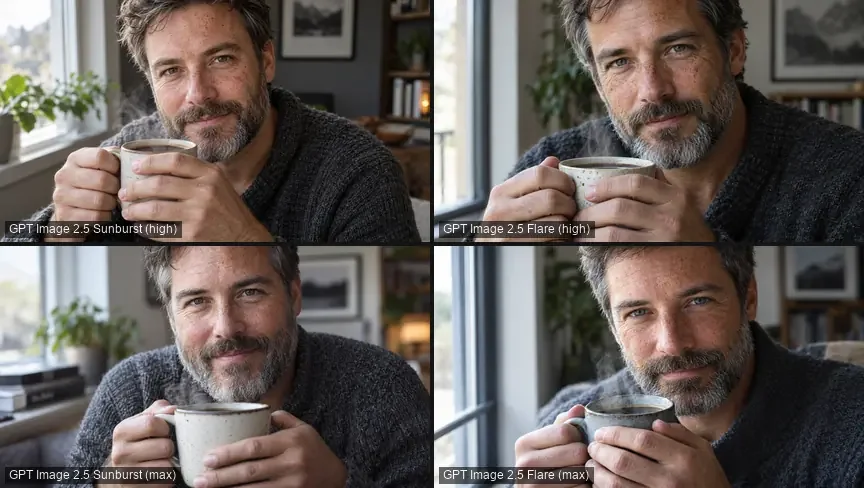
Where it was weaker: leaving untouched parts of the frame alone. For one test I took a photo of a living room and requested five changes in a single prompt (the test is described in my FLUX hub). Sunburst redrew regions it was meant to preserve, and it did so more often than Nano Banana Pro. The structural similarity of the protected regions was SSIM 0.870 for Sunburst and 0.942 for Nano Banana Pro, where 1 means identical.
More on the two variants: GPT Image 2.5 vs Sunburst.
FLUX.2 tiers and FLUX.1 Kontext
Black Forest Labs launched FLUX.2 in November 2025. Kadraris carries three FLUX.2 tiers and the older Kontext line:
- FLUX.2 [pro]: built for everyday production work. Photoreal output at 1K or 2K, as many as 8 references, and prompts as long as 5,000 characters.
- FLUX.2 [max]: the top quality tier, 1 to 4 MP, with a
seedfield. - FLUX.2 [flex]: aimed, according to Black Forest Labs, at control and lettering. It also takes 8 references and outputs 1K or 2K.
- FLUX.1 Kontext, in [pro] and [max]: released in May 2025 for editing by prompt alone, no masks, keeping a character stable across edits. Up to 4 references, around 1 MP, with
seed.
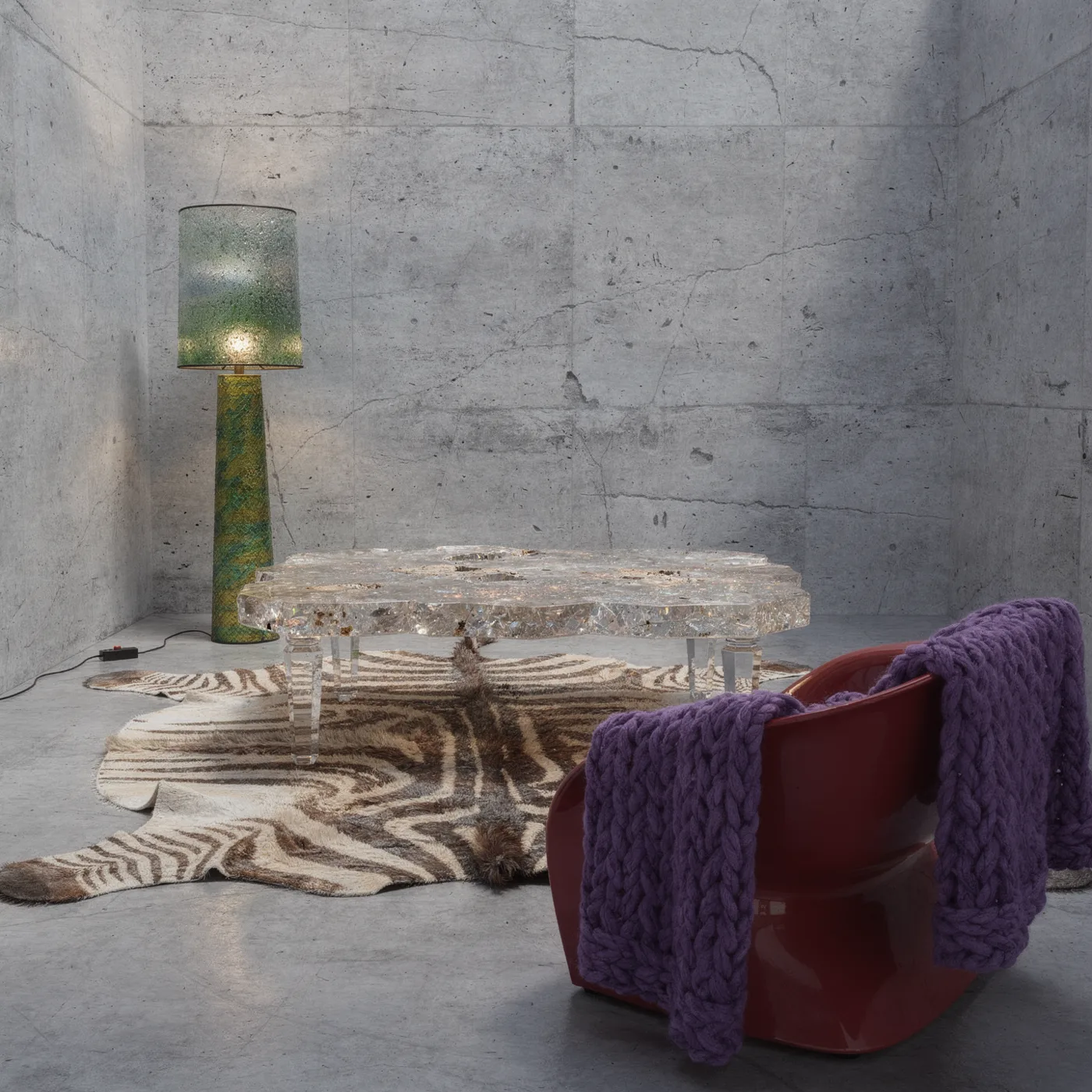
FLUX.2 shines when it merges inputs: it can take the space from a first photo, pieces of furniture from further photos and a fabric texture from yet another. The [pro] tier got 8.5 in my ranking for three prompts (illustration, portrait, dumplings), and each image took about 13 s, so the photo side is solid.
The weak point is accented letters. On the ranking sign it wrote "ZÓŁC" where "ŻÓŁĆ" was expected. The August lettering test was worse: four or more errors in three images, among them "PIEKARNIÁ" with an accent Polish does not use, plus a broken pangram.
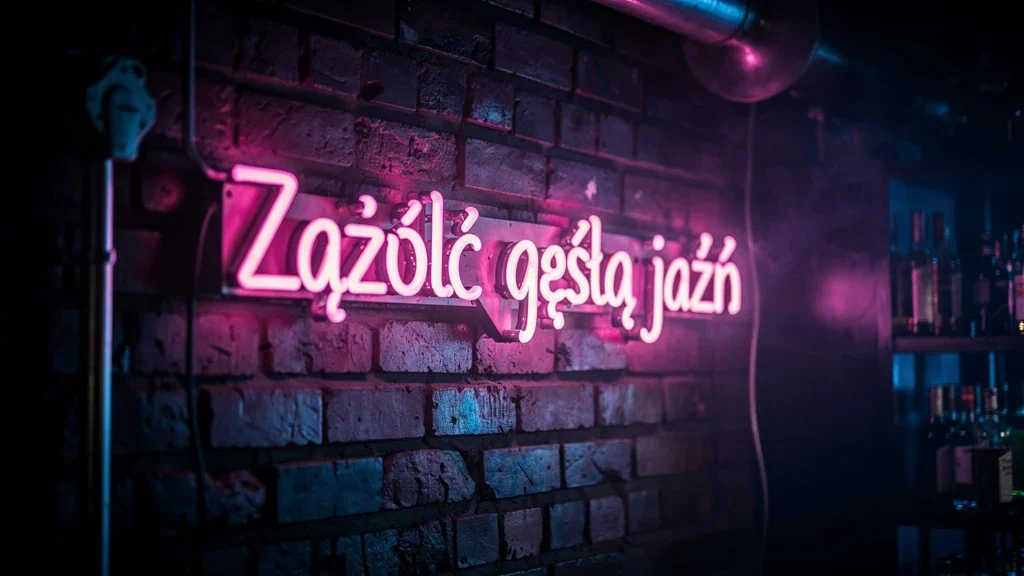
When FLUX.2 makes a graphic that needs accented text, leave empty space and add the lettering in an editor. English-only text is a separate question that this test did not check.
Edits and reference images compared
| References | Frame kept during edits | Seed | |
|---|---|---|---|
| GPT Image 2.5 | 16 | less (SSIM 0.870) | no |
| Nano Banana Pro | 14 | more (SSIM 0.942) | no |
| FLUX.2 [pro] | 8 | not tested | no |
| FLUX.1 Kontext | 4 | not tested | yes |
All four edit from a prompt; for Kontext it is the main purpose, and FLUX.2 does it through references. One rule helps with every model: ask for one change per call and state what has to stay, for example "do not change the product, the label or the shadow". Pass the image to edit in image_urls as a public HTTPS link.
A Python script for your own comparison
Size formats differ. GPT Image 2.5 wants a pixel size such as 1536x1024; Nano Banana Pro and FLUX.2 want a ratio such as 3:2 plus a resolution. The schema for each model is at GET /v1/models/{id}.
import os
import requests

API = "https://kadraris.com/v1"
KEY = os.environ["KADRARIS_API_KEY"]
HEADERS = {"Authorization": f"Bearer {KEY}"}
PROMPT = ("Old town bakery storefront at dusk, "
          "hand-painted sign reading exactly "
          '"FRESH BREAD DAILY", warm light, '
          "loaves on wooden shelves")

# size settings differ per model
jobs = {
    "gpt-image-2.5": {"aspect_ratio": "1536x1024",
                      "quality": "high"},
    "nano-banana-pro": {"aspect_ratio": "3:2",
                        "resolution": "1k"},
    "flux-2-pro": {"aspect_ratio": "3:2",
                   "resolution": "1K"},
}

for model, extra in jobs.items():
    body = {"model": model,
            "input": {"prompt": PROMPT, **extra}}
    r = requests.post(f"{API}/generate",
                      params={"wait": 60},
                      headers=HEADERS, json=body,
                      timeout=130)
    task = r.json()
    if task.get("status") == "succeeded":
        url = task["output"][0]["url"]
        print(model, url, task["cost"])
    else:
        info = task.get("error") or task.get("poll_url")
        print(model, task.get("status"), info)
You pay for each model separately, and failed tasks are free. When an image needs longer than 60 seconds, which can happen with Sunburst on high quality, the response carries a poll_url you can check later. Saving files and batching are in AI image generation in Python.
No code needed in Kadraris Studio: paste the prompt once, pick another model from the dropdown, and look at the outputs in your history. The AI image generator page lists every image model. For prompts that make comparisons fair, read the AI image prompt guide; to bring the best image to life, there is a guide to image-to-video.
Questions
Which of the three should I use for a poster with non-English text?
Either GPT Image 2.5 or Nano Banana Pro. In my test both spelled "ŻÓŁĆ" without a mistake, while FLUX.2 [pro] lost two accents.
Is Sunburst worth the extra wait?
Only if you run long edit chains or need fine details such as hands. In my test it took about 1.5 to 2 times longer than Flare and produced nearly the same frames.
Why does my 4K Nano Banana Pro image look less sharp than its size suggests?
In my sharpness test the 5504x3072 file carried detail closer to a 4.2 MP image. Large pixel counts do not always mean more real detail.
Do I need a subscription to try all three?
No. You top up a prepaid balance from $10, it does not expire, and you pay per image. A failed generation costs nothing.