Grok Imagine API: xAI Images and Video, What Each Model Takes and Costs
Grok Imagine API on Kadraris: Image 2.0, the original image model, Video 1.0 and 1.5. Inputs, limits, per-image and per-second price, plus request examples.
 Piotr Olszewski2026-10-227 minPolski
Grok Imagine is the name xAI uses for a set of image and video models. Kadraris carries four of them. Grok Imagine Image 2.0 makes an image for $0.045 per image, the original Grok Imagine costs $0.0246 per image, and Grok Imagine 1.0 Video costs from $0.0299 per second. You pay from the first job, without a subscription, and a job that fails costs nothing.
Below: which model to call for which job, what my tests found, the exact request bodies, and the costs.
Which Grok Imagine model for which job
- Text that must be spelled exactly, on signs, posters or labels: Image 2.0.
- A specific period or graphic style where style fidelity matters more than photo realism: Image 2.0.
- An image where any lettering would ruin it: Grok follows a "no text" instruction.
- Tall phone wallpapers at 9:19.5 or 9:20: the original
grok-imagine. - One long shot from a single prompt: Video 1.0, up to 30 seconds.
- A talking portrait or animated cover with sound: Video 1.5, which starts from a single still.
When the brief is a photoreal products and places I would try other models first; see Nano Banana Pro, GPT Image 2.5 or FLUX.2.
The four models and their limits
| Model ID | Job | Limits |
|---|---|---|
grok-imagine-image-2.0 | newest text-to-image | 7 ratios; 1 to 4 outputs; 10,000-char prompts |
grok-imagine | images and edits of one photo | 14 ratios, 1k or 2k, standard or high quality |
grok-imagine-1.0-video | video from text or 1 to 7 images | 6 to 30 s, 480p or 720p |
grok-imagine-video-1.5 | one photo brought to life with audio | 6 to 15 s, 480p or 720p, speech and sound |
Details the IDs hide:
- Image 2.0 here takes text only. There is no image input and no quality or resolution switch. To edit a photo, call the original
grok-imagine. - The original model has extra-tall formats (9:19.5 and 9:20) that fill a phone screen, and it also takes
auto. - Video 1.0 reaches 30 seconds per clip. xAI's documentation mentions no soundtrack for this model.
- Video 1.5 requires a single starting image. A text-only request will not work, but in return you get speech and sound in sync with the picture.
What I saw in two tests
I ran both tests over an API and kept the first result for every prompt.
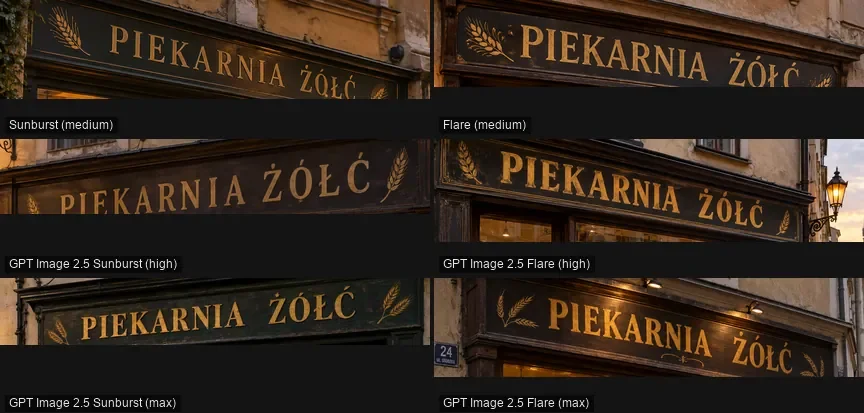
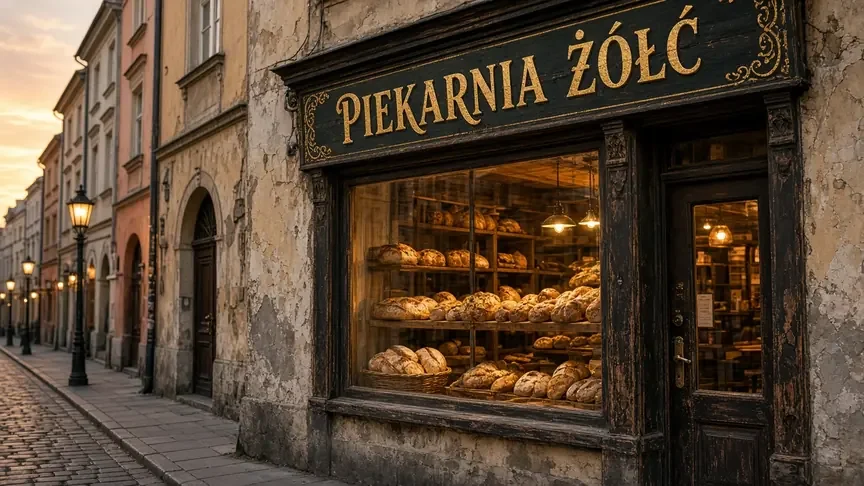
Image 2.0, 27 September 2026. I reused the five prompts of my ranking of image models, set to 16:9 and 1K. The model averaged 8.6/10 and shared third place among eight models. Lettering was its best side. The bakery sign "PIEKARNIA ŻÓŁĆ", full of Polish accents, had no wrong letters and scored 9.5/10. On the market prompt it added a handwritten price card by itself, also spelled right.
Speed was the drawback: 71.5 seconds per image on average, between 55 and 83 s, which put it last on speed. Times on Kadraris may be different, but I plan for more than a minute and call ?wait=120 rather than ?wait=60.
Against Nano Banana 2, August 2026. Four prompts versus Nano Banana 2. Nano Banana took the round on photorealism, 2.5 to 1.5. Grok's two wins were telling, though. With a prompt that forbade any text, Grok complied while Nano Banana printed fake lettering on coffee sacks. And when asked for a 1950s-style travel poster, Grok matched that look closely.
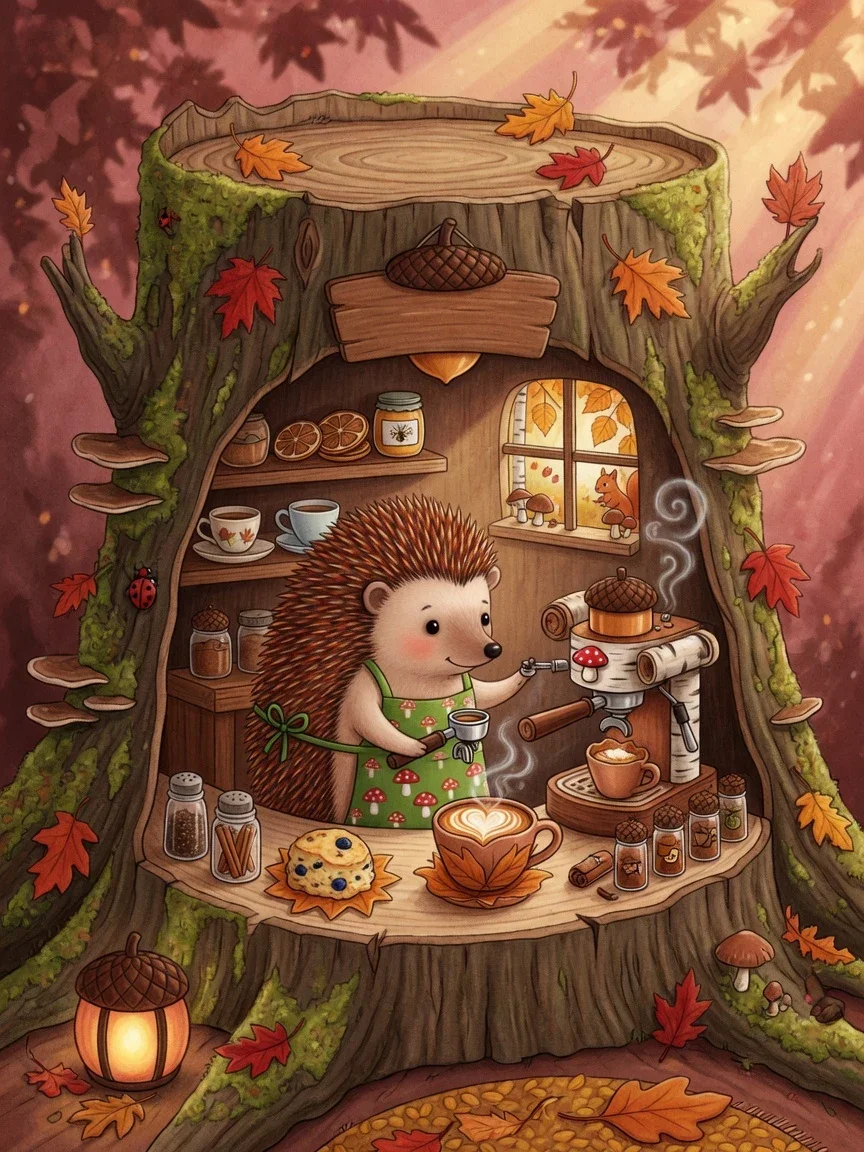
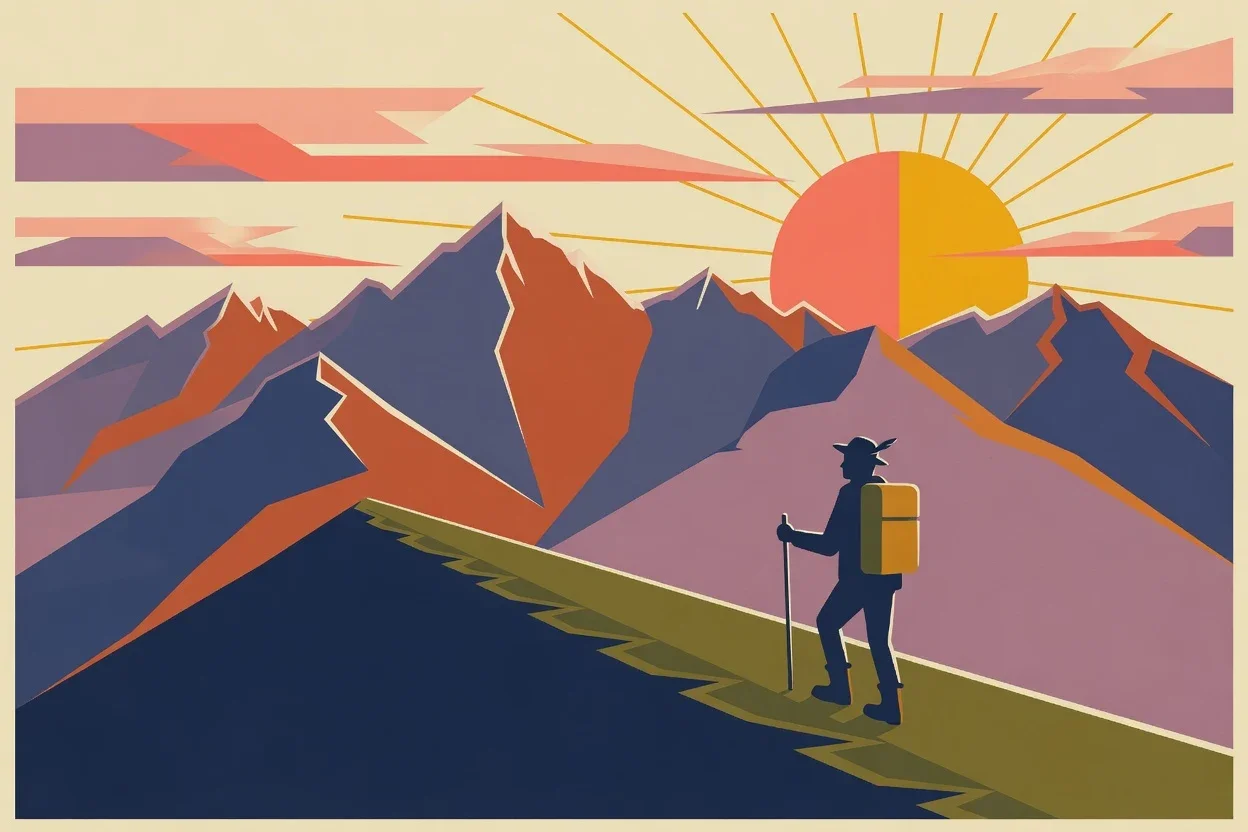
What both tests share: Grok Imagine does what the words say. It skips invented details and it leaves out what you exclude. That rewards long, precise prompts, and the 10,000-character limit has room for them. How to build that kind of prompt is covered in my guide to AI image prompts.
Requests you can copy
Set the key first:
export KADRARIS_API_KEY="sk-kd-..."Image 2.0 with a blocking wait
curl "https://kadraris.com/v1/generate?wait=120" \
  -H "Authorization: Bearer $KADRARIS_API_KEY" \
  -H "Content-Type: application/json" \
  -d '{
    "model": "grok-imagine-image-2.0",
    "input": {
      "prompt": "Small coffee roastery on a rainy evening, hand-painted window lettering \"SLOW ROAST\", warm light, wet pavement, 35mm photo",
      "aspect_ratio": "3:2",
      "num_images": 2
    }
  }'
Image 2.0 accepts 1:1, 2:3, 3:2, 3:4, 4:3, 9:16 and 16:9. Values such as 1:2, 2:1, 4:5 or auto return an error. If 120 seconds pass before the image is ready, you get 202 and keep checking GET /v1/tasks/{id}.
One-photo edit with the original model
{
  "model": "grok-imagine",
  "input": {
    "prompt": "Make it blue hour, switch on the street lamps, leave the building and the people as they are",
    "image_urls": ["https://example.com/photos/street.jpg"],
    "quality": "high",
    "resolution": "2k"
  }
}
Only a single image fits in each request here. When you need to combine several references, pick a model built for it, such as Nano Banana Pro.
Video 1.5: a portrait that speaks
{
  "model": "grok-imagine-video-1.5",
  "input": {
    "prompt": "She lifts her eyes from the book, smiles and says quietly: \"You're late again.\" Rain on the window, a ticking clock.",
    "image_url": "https://example.com/photos/portrait.jpg",
    "duration": 8,
    "resolution": "720p",
    "aspect_ratio": "9:16",
    "generate_audio": true
  }
}
Video 1.0: a long shot from text
{
  "model": "grok-imagine-1.0-video",
  "input": {
    "prompt": "Slow tracking shot along a foggy harbor at dawn: fishing boats, then a lighthouse, then the sun rising over the sea",
    "duration": 20,
    "resolution": "480p",
    "aspect_ratio": "16:9"
  }
}
Send duration as a number, not a string. For long clips, describe the action as a series of steps; otherwise the scene tends to repeat itself.
Python: wait, then download
import os
import time
import requests

API = "https://kadraris.com/v1"
KEY = os.environ["KADRARIS_API_KEY"]
HEADERS = {"Authorization": f"Bearer {KEY}"}

body = {
    "model": "grok-imagine-image-2.0",
    "input": {
        "prompt": "Mid-century travel poster of an "
                  "alpine valley at sunrise, lone "
                  "hiker, flat colors, no text",
        "aspect_ratio": "2:3",
        "num_images": 2,
    },
}
r = requests.post(f"{API}/generate?wait=120",
                  headers=HEADERS, json=body,
                  timeout=150)
task = r.json()

# poll if the wait ran out
while task["status"] not in ("succeeded", "failed"):
    time.sleep(10)
    task = requests.get(
        f"{API}/tasks/{task['id']}",
        headers=HEADERS, timeout=30,
    ).json()

if task["status"] == "succeeded":
    for i, item in enumerate(task["output"]):
        data = requests.get(item["url"], timeout=60)
        with open(f"grok_{i}.png", "wb") as f:
            f.write(data.content)
    print("cost:", task["cost"])
else:
    print("failed, nothing charged:", task["error"])
Result links expire, so download right away. Batching and other helpers are in AI image generation in Python.
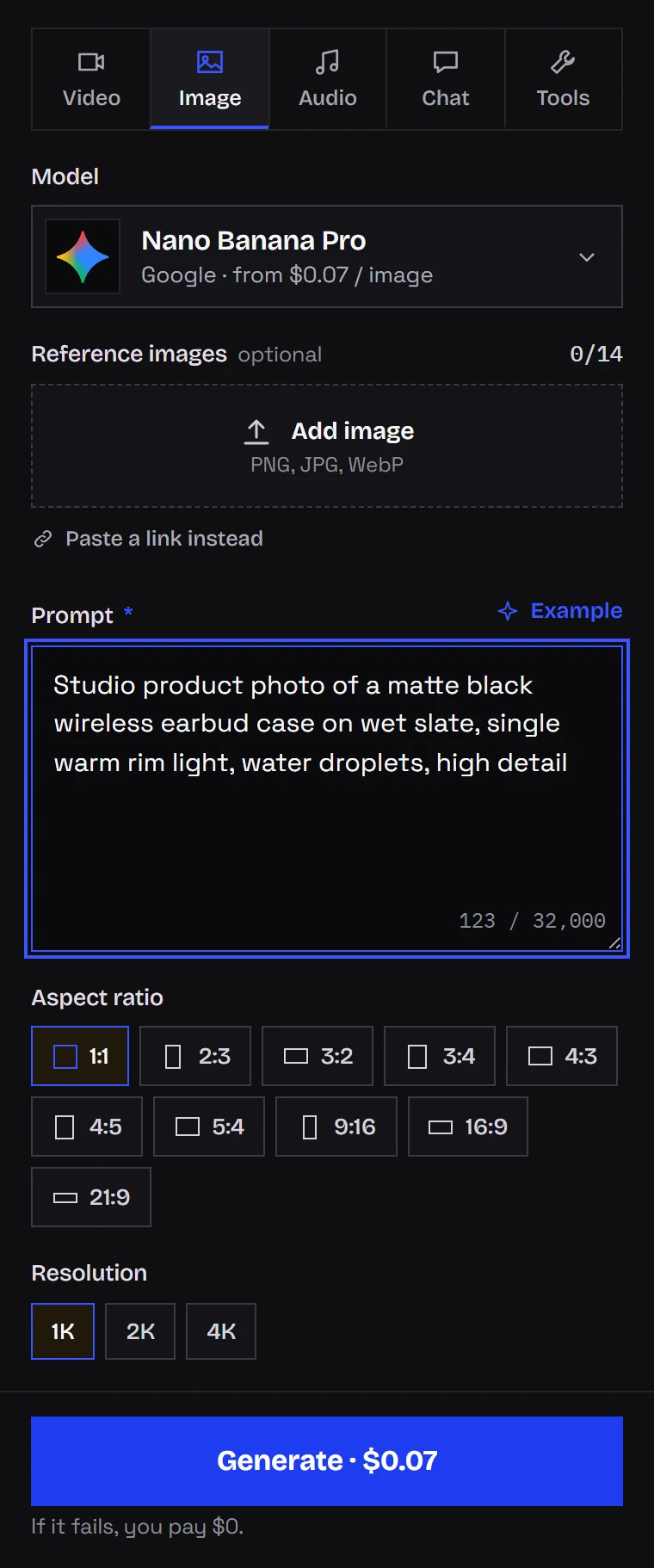
Without code: Kadraris Studio
- Create an account and top up from $10.
- In Studio, go to Image and select Grok Imagine Image 2.0, or go to Video for the video models.
- Enter the prompt and choose the ratio and number of images.
- Editing a photo? Pick the older Grok Imagine model instead and attach your image.
- Check the price on the button and generate.
The other image models are listed on the AI image generator page, and the video ones on the AI video generator page.
How much Grok Imagine costs
Images have a flat price per image. Video is charged per second.
Images. Image 2.0 costs $0.045 per image at any ratio. The original Grok Imagine costs $0.0246 per image, with a single Kadraris rate for both quality settings and both resolutions; editing is priced like generating. Ask for num_images: 4 and you pay for four.
Video. Resolution sets the per-second rate:
- Grok Imagine 1.0 Video: from $0.0299 per second at 480p; 720p is about 1.8 times that.
- Grok Imagine Video 1.5: from $0.088 per second at 480p; 720p is double.
Video 1.5 costs the same with sound turned off. Rates per tier are on each model page, such as Grok Imagine Video 1.5, and each request returns estimated_cost before it runs.
Payment comes from a prepaid balance in USD, topped up from $10, with no expiry date. Full list: pricing.
Free options
Kadraris has no free tier and no signup credit. Failures are free, though: when a job fails, even because the content filter stopped it, the reserved amount goes back to you. With $10 you can make more than a hundred Image 2.0 pictures, and unused money stays on the account.
Inside xAI's Grok app, creating images required a paid SuperGrok plan at my last check in late September 2026. Plans there change often, so see xAI's site for the current state.
Consent before animating real people
Because Video 1.5 makes convincing talking portraits, permission is not optional. Use a person's photo only if they allowed you to use their likeness. Kadraris keeps the content filter switched on for this model, and a blocked job is marked failed with no charge.
Questions
Which Grok Imagine model edits an existing photo?
The original grok-imagine. Send one image in image_urls and say what to change. Image 2.0 on Kadraris only works from text.
Can Video 1.5 make a clip from text alone?
No. It needs exactly one image in image_url. For a clip from text only, use Video 1.0, which also handles longer shots of up to 30 seconds.
Why did my request with ratio 4:5 fail?
Image 2.0 accepts only 1:1, 2:3, 3:2, 3:4, 4:3, 9:16 and 16:9. The original grok-imagine has a wider list, including 9:20 and auto.
Should I use ?wait=60 for Grok images?
I would not. Image 2.0 averaged over 70 seconds per image in my test, so ?wait=120 or polling the task is the safer choice.