Writing Image Prompts That Work - A Five-Step Lighthouse Test
How to write AI image prompts that work, shown on one seed and five growing prompts, plus aspect ratios, readable in-image text, seeds and lens terms.
 Piotr Olszewski2026-10-2211 minPolski
When you leave a part of an image prompt blank, the model does not leave it blank. It fills the gap with its most average guess: noon sun, a centered subject, a stock-photo look. Good prompts close those gaps on purpose. In this guide I show what happens when you do that one layer at a time: the same seed, five prompts that get longer, and the picture each one produced. After that come aspect ratios, lettering, seeds and a vocabulary list. All images come from Z-Image Turbo. On Kadraris one image costs $0.02 per image, so a long series of attempts is not expensive.
Experiment: one lighthouse, five prompts
The setup: seed 20261002, 1344x768 pixels, 9 steps, English prompts. Only the wording changes between images. I generated the series on my own machine using the model Kadraris lists as Z-Image Turbo.
Prompt 1: just the subject
a lighthouse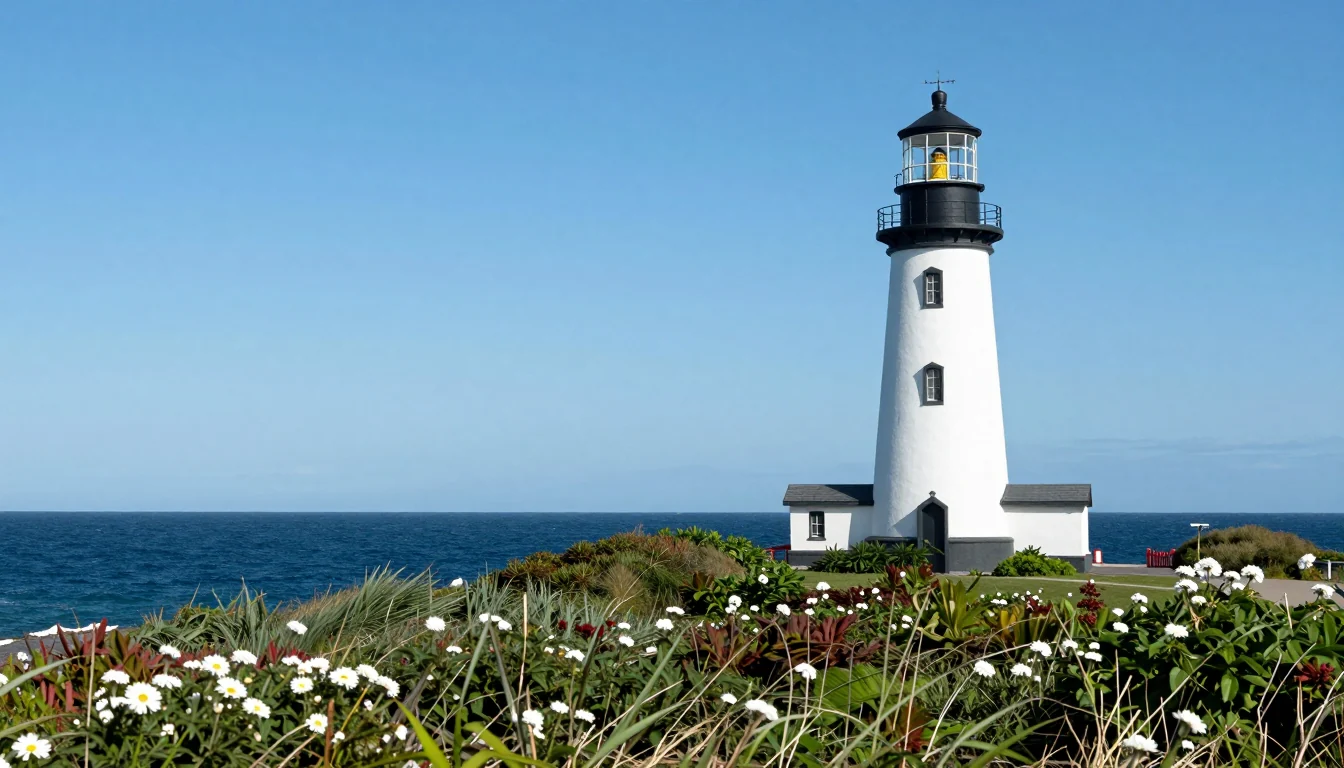
Two words gave me a greeting card: a white tower, a black lamp room, an empty midday sky and daisies in front. None of that was requested. This is the model's default lighthouse, and you will get some version of it whenever a prompt ends at the noun.
Prompt 2: color and location
a red and white lighthouse on a rocky Baltic coast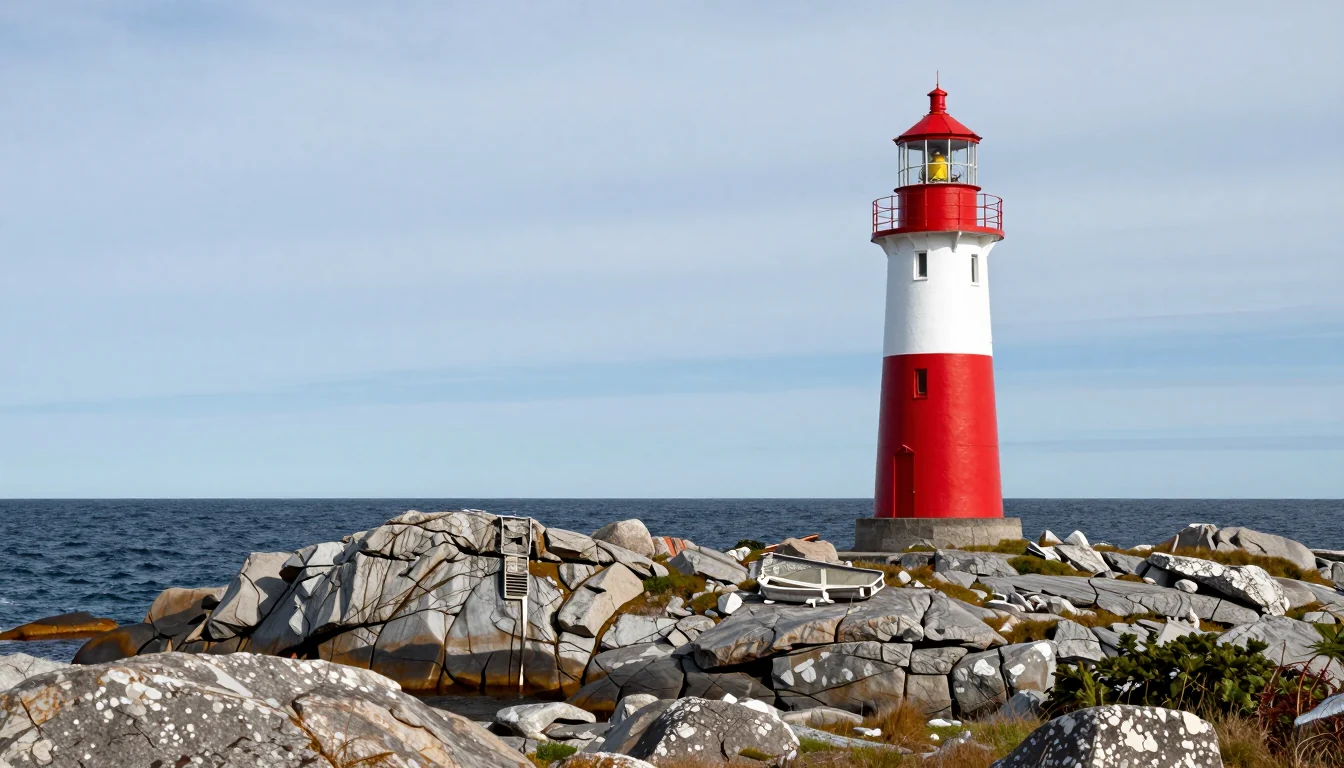
The lighthouse turned red with a white stripe, flowers turned into grey granite with lichen, the sky clouded over, and a small rowboat showed up on the shore. The useful lesson is what did not change: the building keeps its spot in the right part of the frame and the sea line has not moved. Same seed plus a small edit means the overall layout survives.
Prompt 3: time of day and motion
a red and white lighthouse on a rocky Baltic coast at blue hour, waves crashing on the rocks, the light beam visible in the sea mist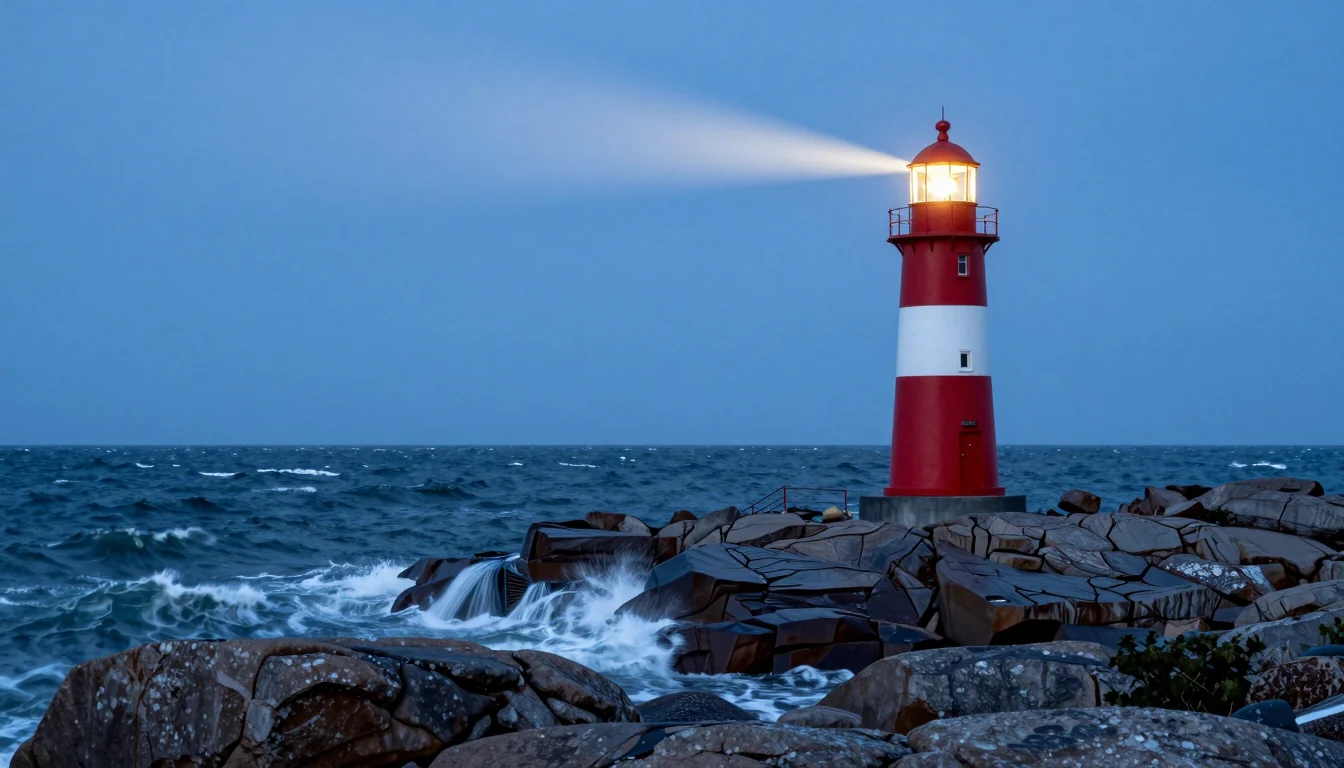
"At blue hour" did more than anything else in the series. The colors turned deep navy, the lamp came on, a beam reaches to the left, and waves throw spray. The sea mist, though, mostly did not happen: the beam crosses a clear sky. Expect this often. A model will deliver the strongest ideas in a sentence and silently skip the weaker ones.
Prompt 4: lens, exposure and grade
a red and white lighthouse on a rocky Baltic coast at blue hour, waves crashing on the rocks, the light beam visible in the sea mist, low angle, 24mm wide lens, long exposure, cinematic colour grading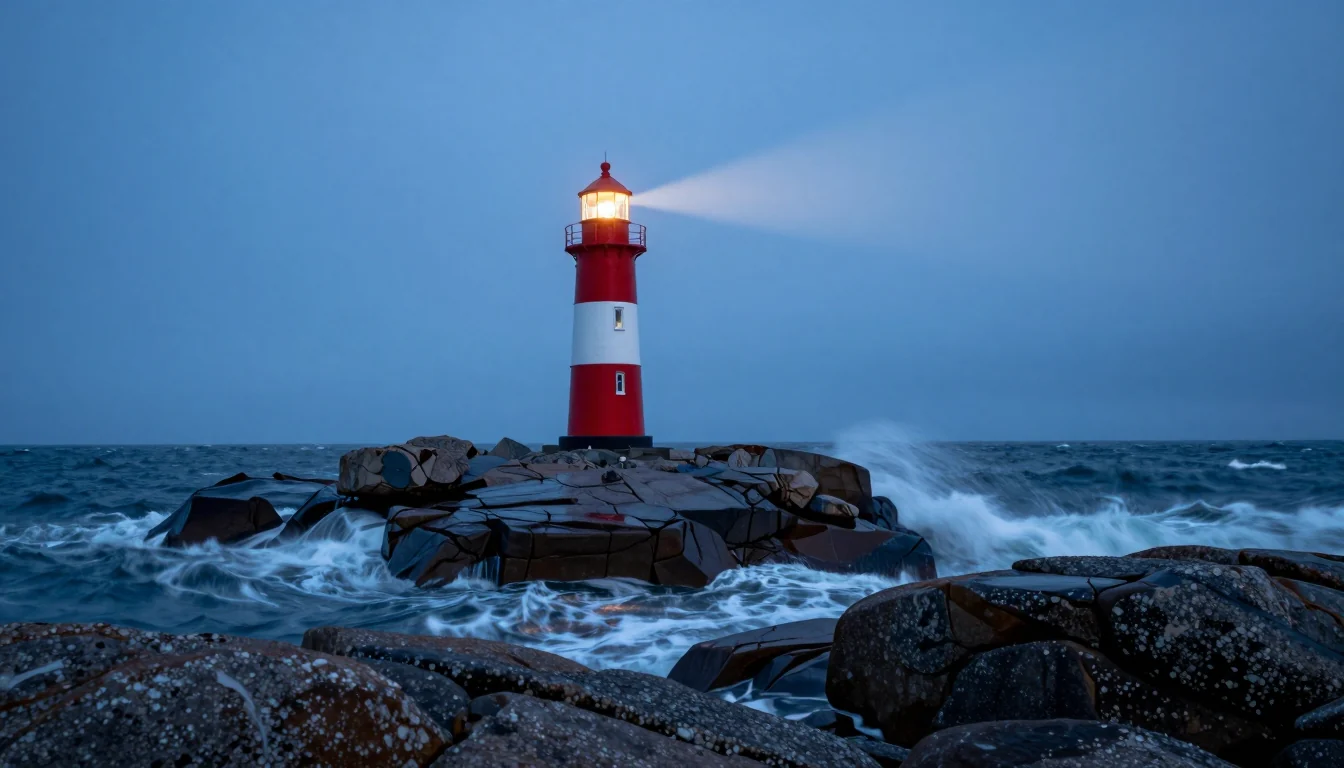
Camera words do their job. "24mm wide lens" pulled more water into the frame, "long exposure" blurred the waves into silk, and "cinematic colour grading" cooled everything toward teal. "Low angle" is hard to spot. This time the composition shifted too: the lighthouse moved left onto a small island and the beam now swings right. Once you add many new words, a fixed seed no longer protects the layout.
Prompt 5: a different medium
vintage 1950s travel poster of a red and white lighthouse on a rocky Baltic coast at blue hour, the light beam cutting through sea mist, flat screen-printed colours, bold simple shapes, no text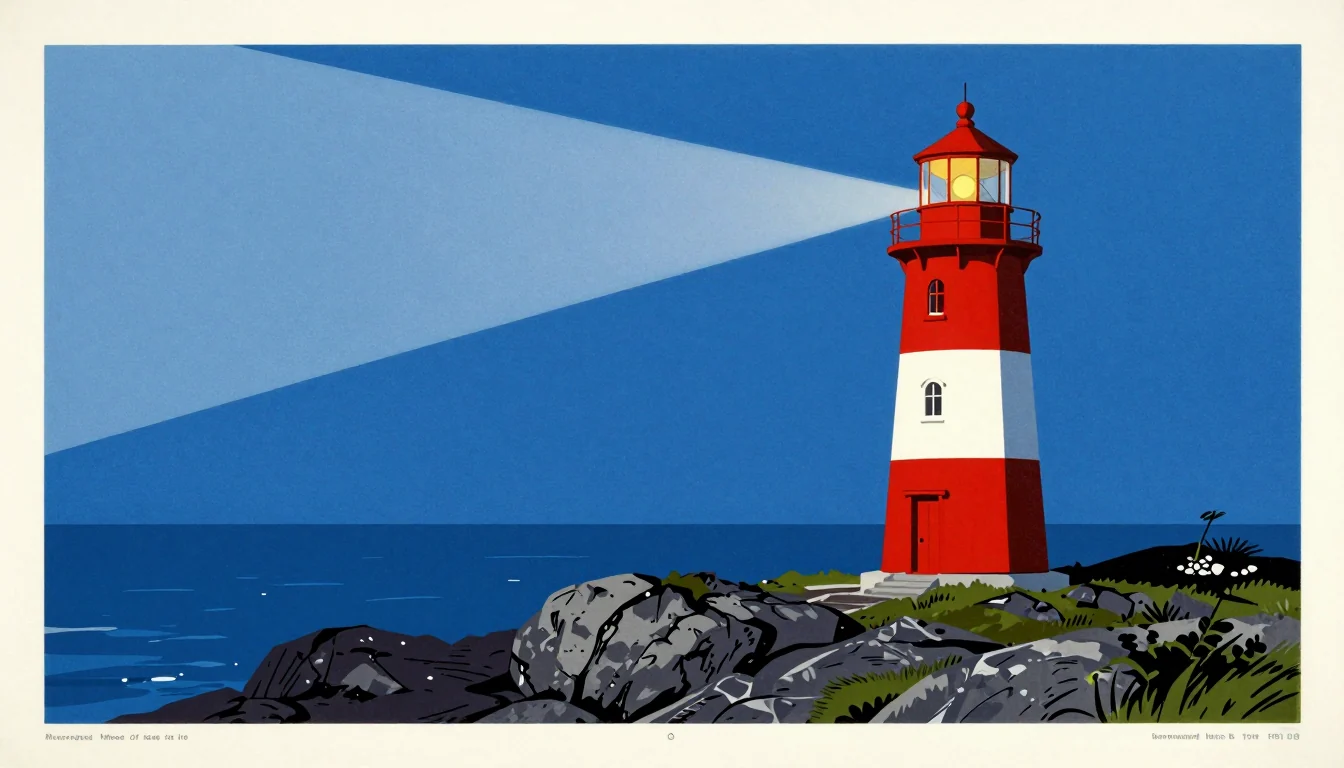
The poster style came through fully: flat color fields, a cream frame, a hard-edged wedge of light, a calm sea. But look at the lower margin. There are small unreadable marks on both sides, that look like a printer's credit line, plus a little circle in the center. Real travel posters have such captions, so the model added them regardless. Writing "no text" puts the very idea of text into the prompt, which makes it a weak instruction.
What the experiment teaches
- A whole new category of detail (time of day) moves the image more than an extra adjective ("cinematic").
- Change one group of words per run and look at what moved. Five changes at once leave you guessing which one helped.
- Styles with strong associations, such as posters, magazine covers or book jackets, drag in their usual elements, text included.
- A seed keeps the layout steady only for small edits. Add a dozen words and you will likely get a new composition.
The six slots of a full prompt
Here is the structure behind prompt 4. Subject goes first, because most models give the opening words more weight than the end.
| Slot | Ask yourself | Example |
|---|---|---|
| Subject | What is the main thing? | a red and white lighthouse |
| Setting | Location and surroundings? | on a rocky Baltic coast, waves crashing on the rocks |
| Light and time | Light source, weather, hour? | at blue hour, light beam visible in the sea mist |
| Camera | Viewpoint and lens? | low angle, 24mm wide lens, long exposure |
| Style | Which medium? | cinematic colour grading or flat screen-printed colours |
| Format | Tall, wide, square? | use the ratio setting, not words |
I never ask for a format in words like "vertical image". Words can be ignored; a ratio set in the aspect_ratio field (or with the Studio buttons) always applies.
The ratio produces a new image, not a crop
One prompt, one seed, three formats:
macro product photo of a raw Baltic amber pendant with a tiny insect inclusion, lying on dark wet slate, a single warm backlight making the amber glow, shallow depth of field, high detail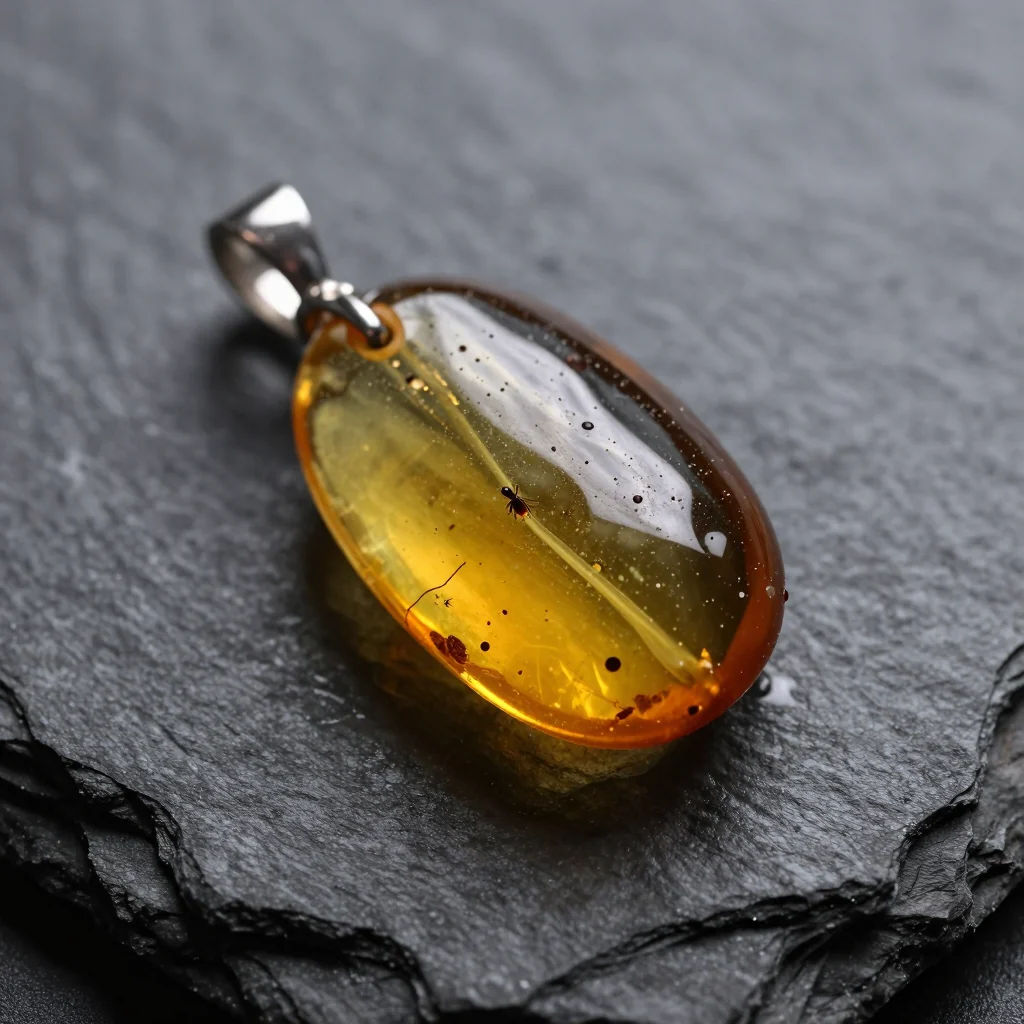
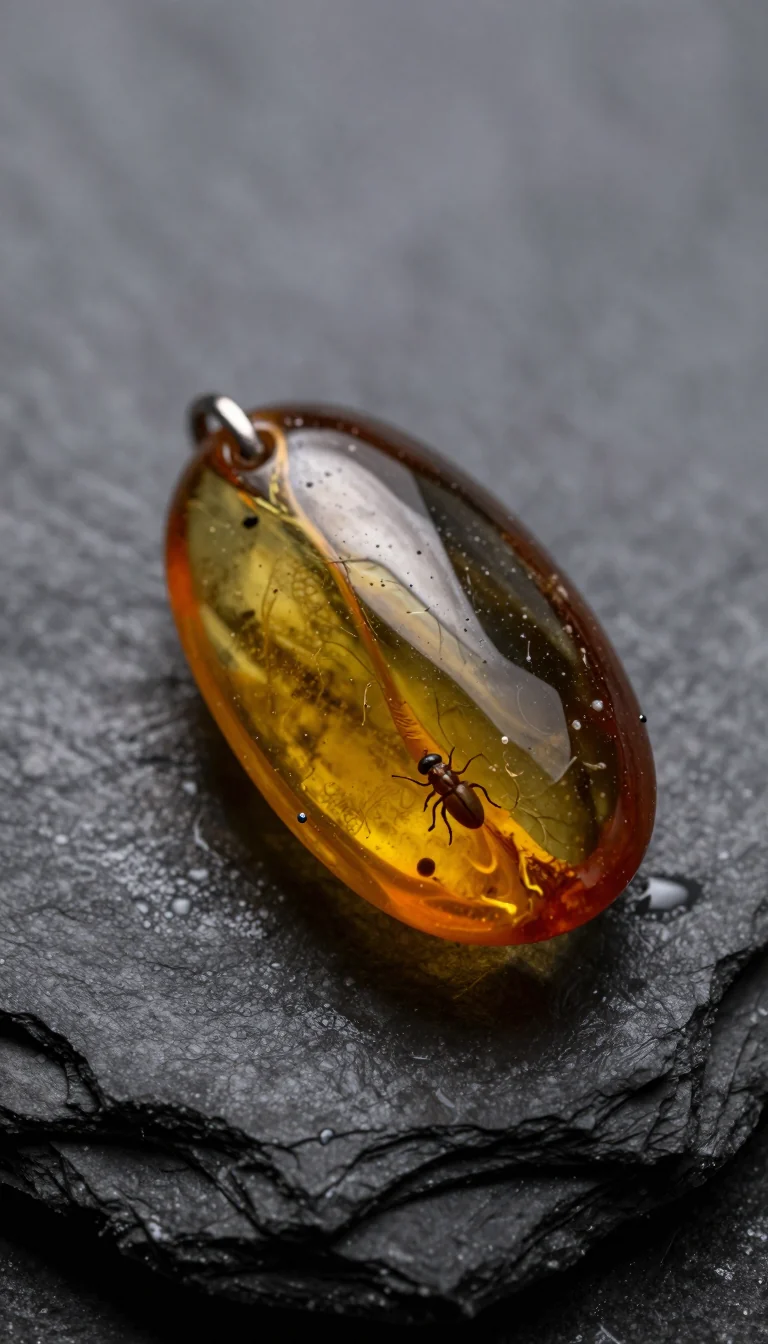
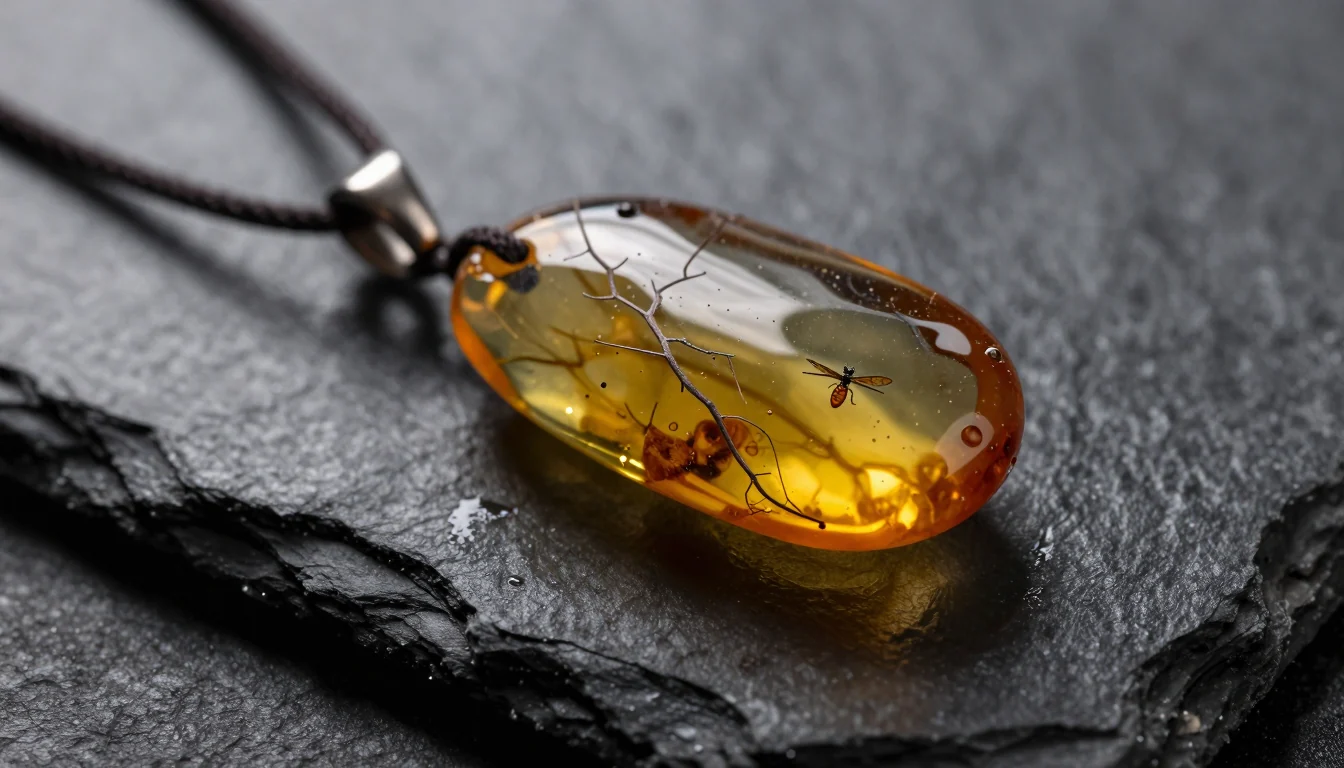
Each ratio gave a different picture. The square shows something like a tiny spider inside the amber, the tall frame shows a clear beetle, and the wide one has a winged insect beside a twig, with a black cord added to the pendant. The tall version left plenty of soft, blurred slate above the stone, which is useful if you need room for a caption in a vertical video. Choose the format first, then generate, and do not expect one seed to match across formats.
Getting words into the picture
photo of a small coffee shop window at night, a hand-lettered chalkboard sign in the window reading exactly "FRESH BREW", warm interior light, rain drops on the glass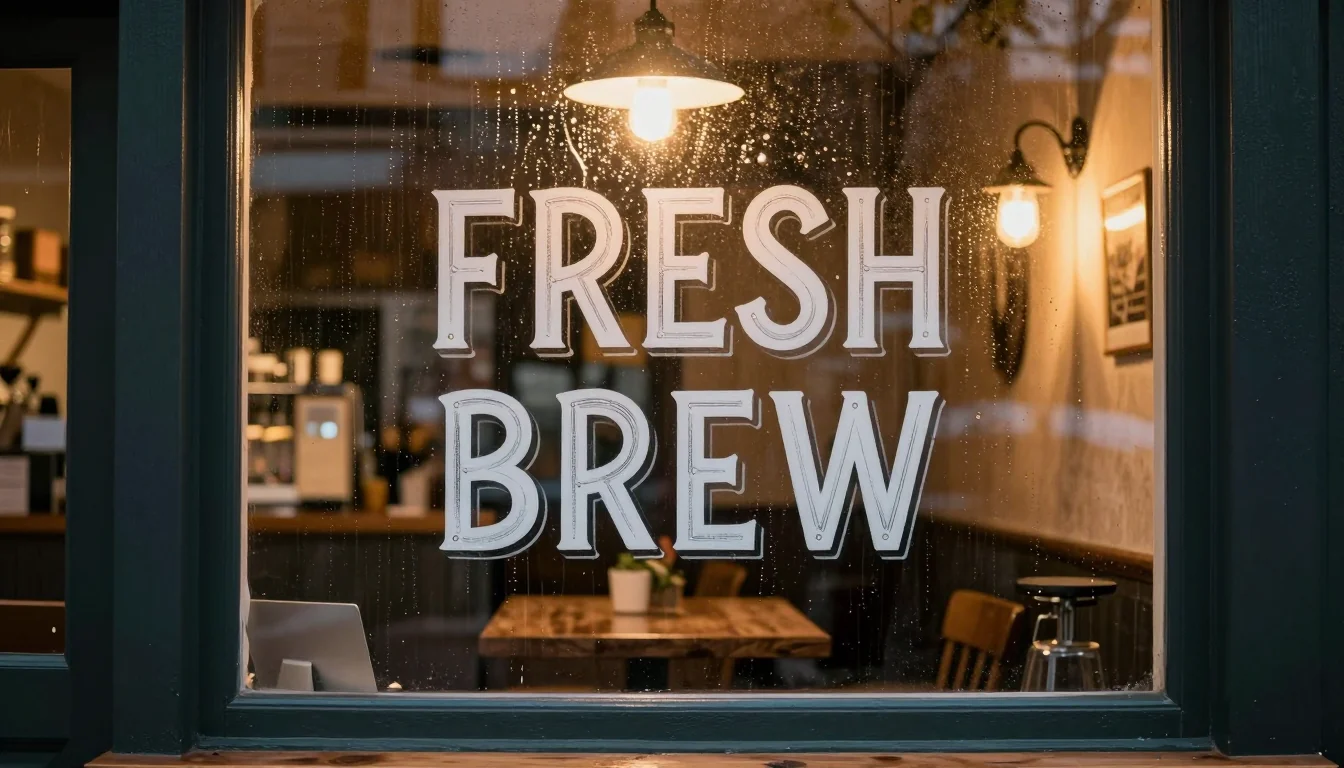
Quotes plus "reading exactly" is my standard pattern. "FRESH BREW" came back spelled correctly, in sign-painter style with a drop shadow, and the raindrops are there. The chalkboard is not: the letters ended up directly on the glass. The quoted words took priority over the object meant to hold them.
How I handle text in images:
- one to three words per sign,
- quotes around the text, with the exact capitalization you want back,
- inspect every letter at 100% zoom before you publish,
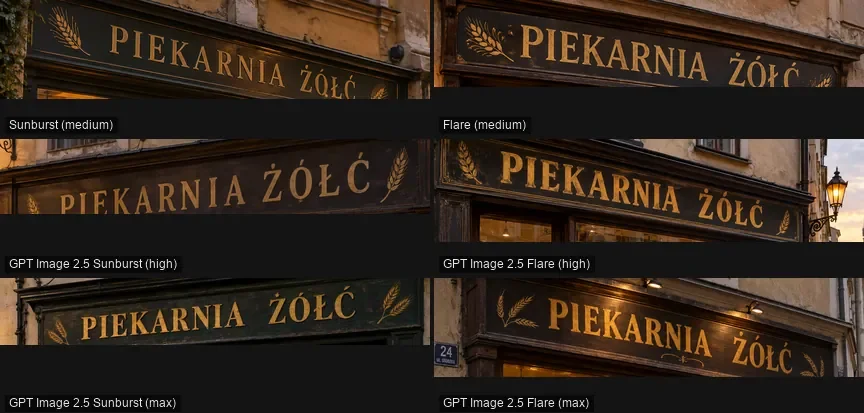
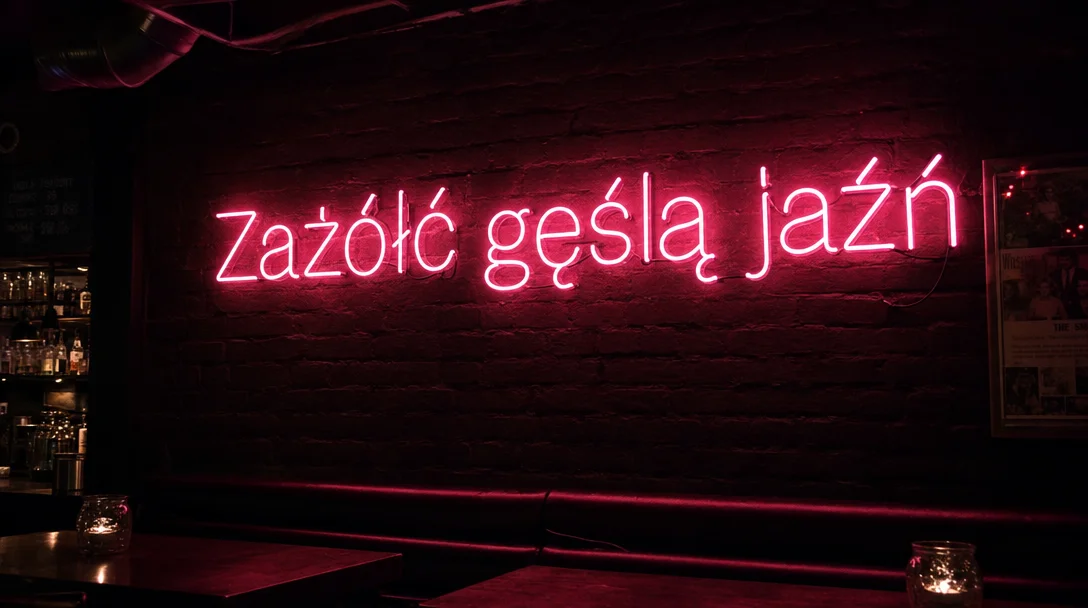
- accented letters need the right model. Earlier, Z-Image Turbo rendered Polish "ŻÓŁĆ" as "ŽÓŁČ"; Nano Banana Pro and GPT Image 2.5 got it right (details in GPT Image 2.5 vs Nano Banana Pro vs FLUX.2).
Seeds and how to use them
A seed is the starting number for the noise the model turns into a picture. Here is one prompt with three seeds:
portrait of a fisherman in a yellow raincoat on a pier, overcast light, 85mm lens, realistic skin texture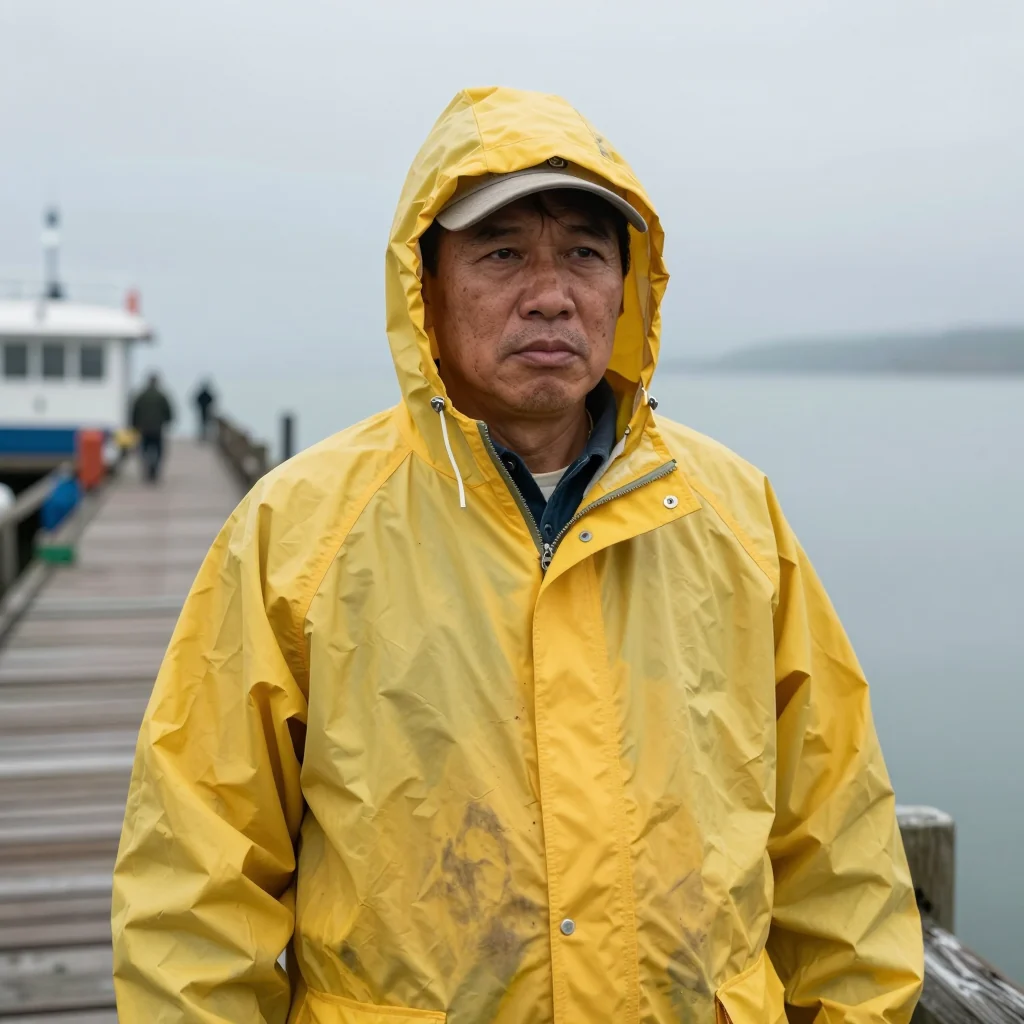
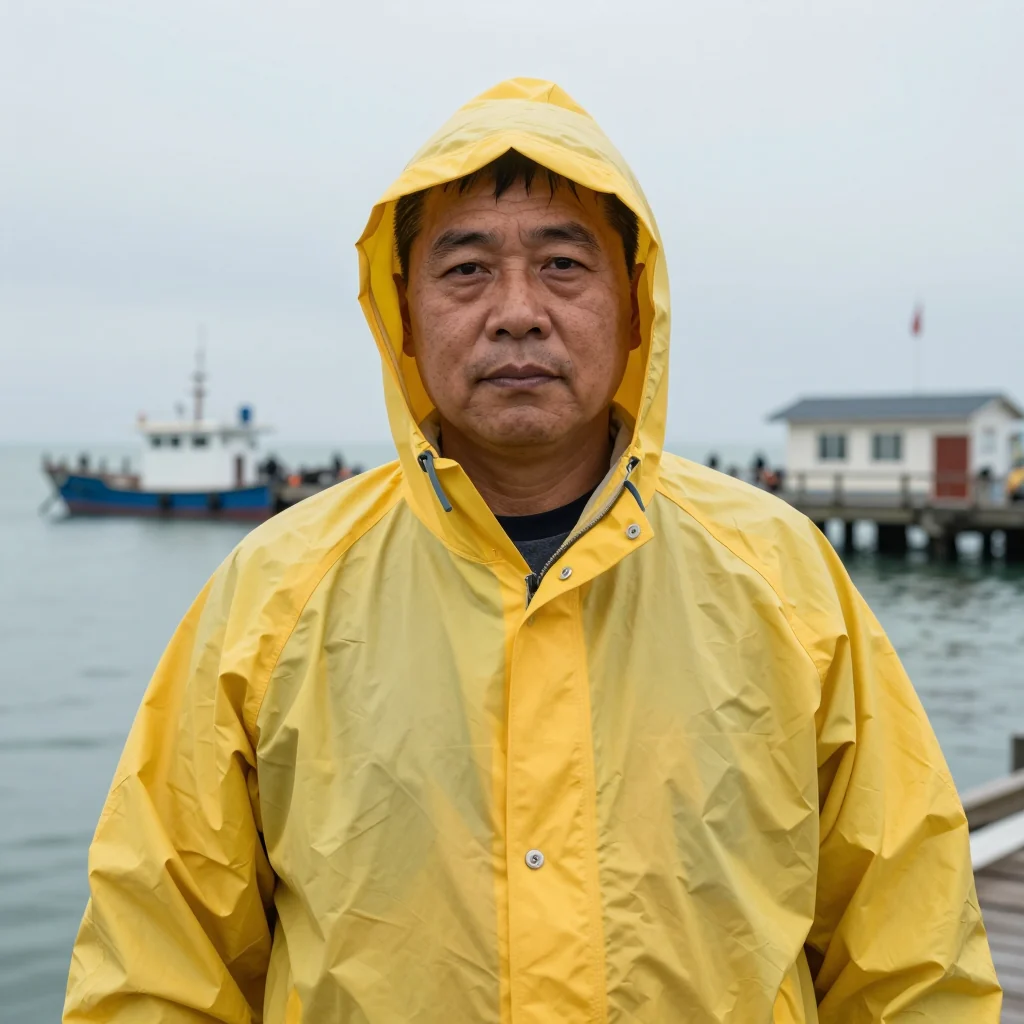
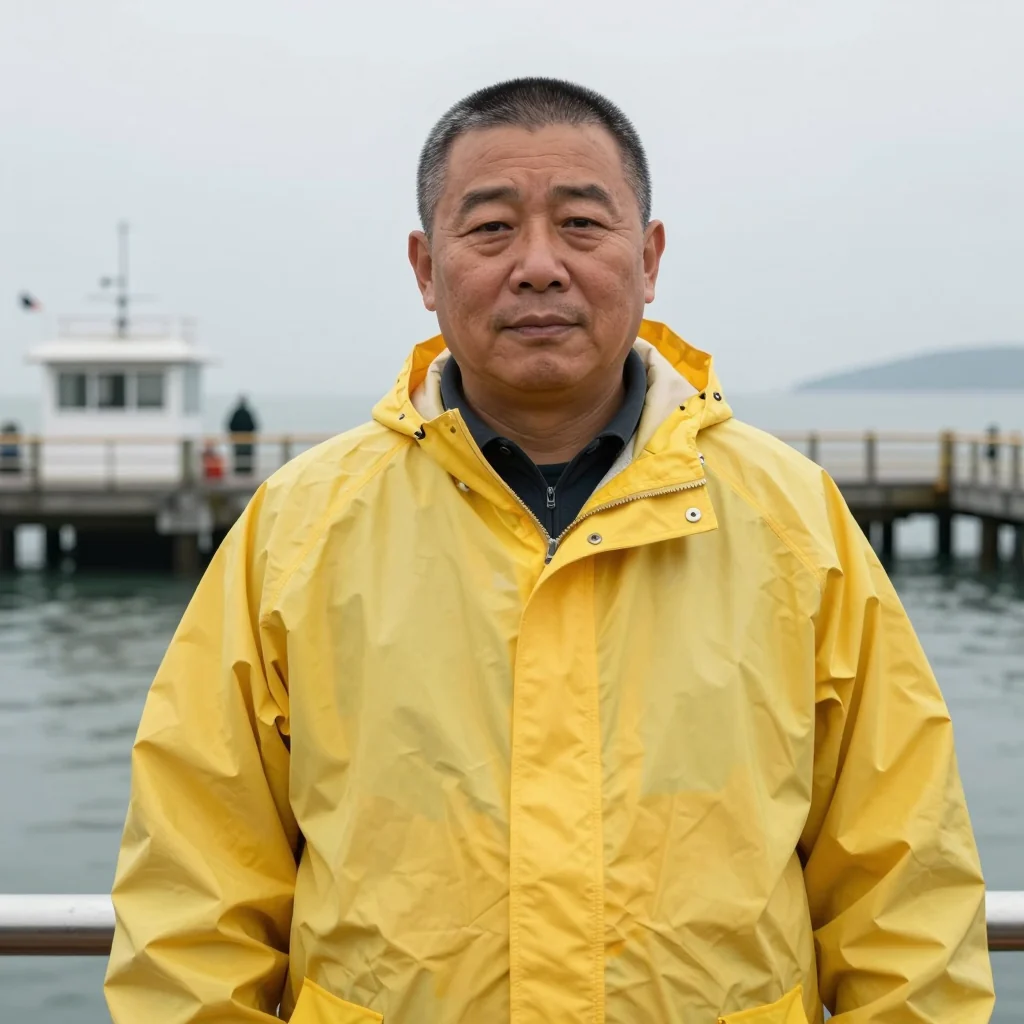
Every version fits the description, and everything the prompt left open changed: a visible cap and a long pier, a raised hood and a boat, a lowered hood by a railing. One thing stayed the same in all three: the man is middle-aged and of East Asian appearance. Age and looks were not in the prompt, so the model fell back on a default. If those details matter, write them down.
Practical uses for a seed:
- Minor changes. Hold on to the seed of a good frame and alter one detail, for example the coat color. Minor edits usually keep the composition (prompt 2), major ones may not (prompt 4).
- Repeatable results. Identical prompt, seed, model and dimensions give an identical image, which keeps comparisons honest.
- Choose, then refine. Run a few seeds, keep the best one, and iterate on it.
- Testing one phrase. Render with and without "long exposure" on a fixed seed to see its real effect in that model.
On Kadraris you can set seed on Z-Image Pro, FLUX.2 [max] and FLUX.1 Kontext [pro], for example. Z-Image Turbo has no seed field, neither in Studio nor in the API, so every run is random; I could fix seeds here only because I ran the model locally.
Word lists: light, lens, style
Light
| Phrase | What it does |
|---|---|
golden hour | warm, low sun and stretched shadows |
blue hour | dark blue dusk, lights already on |
overcast light | soft, even light, good for faces |
single warm backlight | rim of light around the subject |
hard flash | crisp shadows, snapshot look |
neon light, wet street | colored reflections, city at night |
Camera and lens
| Phrase | What it does |
|---|---|
24mm wide lens | wide view, more surroundings |
50mm lens | close to how the eye sees |
85mm lens | portrait look, compressed background |
macro | very close, thin focus plane |
shallow depth of field | soft background |
long exposure | silky water, streaks of light |
low angle / top-down | camera low / camera overhead |
Style
| Phrase | Good for |
|---|---|
product photo on a plain paper backdrop | shop packshots |
35mm film photo, subtle grain | analog feel |
flat vector illustration, limited palette | blog art |
watercolor illustration | children's books, invites |
vintage travel poster, screen-printed | posters (fake captions likely) |
isometric 3D render | infographics, icons |
Avoid naming brands, publications or living artists. When I tested Z-Image Turbo locally earlier (the write-up is in Polish on promptowy.com), a request for art like a famous magazine produced that magazine's masthead inside the image. Describe the look itself instead: line weight, palette, texture.
Typical mistakes and fixes
| Mistake | Result | Fix |
|---|---|---|
| Subject with nothing around it | generic card (prompt 1) | add place, time and light |
| Stack of praise words ("stunning, 8k, masterpiece") | barely any effect | use lens, time, material |
| Clashing details ("night, bright sunlight") | one of them wins by chance | keep a single light source |
| A ban like "no text" | the banned thing appears (prompt 5) | describe what belongs there, or use negative_prompt |
| Format in words | "vertical" ignored | set aspect_ratio |
| Several edits per run | no idea what helped | one group of words per run |
| Long lettering | spelling errors | keep 1-3 words, set longer copy in an editor |
negative_prompt exists only on some models on Kadraris, for example Wan 2.7 Image and Qwen Image 3.0. Call GET /v1/models/{id} to see every field a model accepts.
Try it yourself in Studio or the API
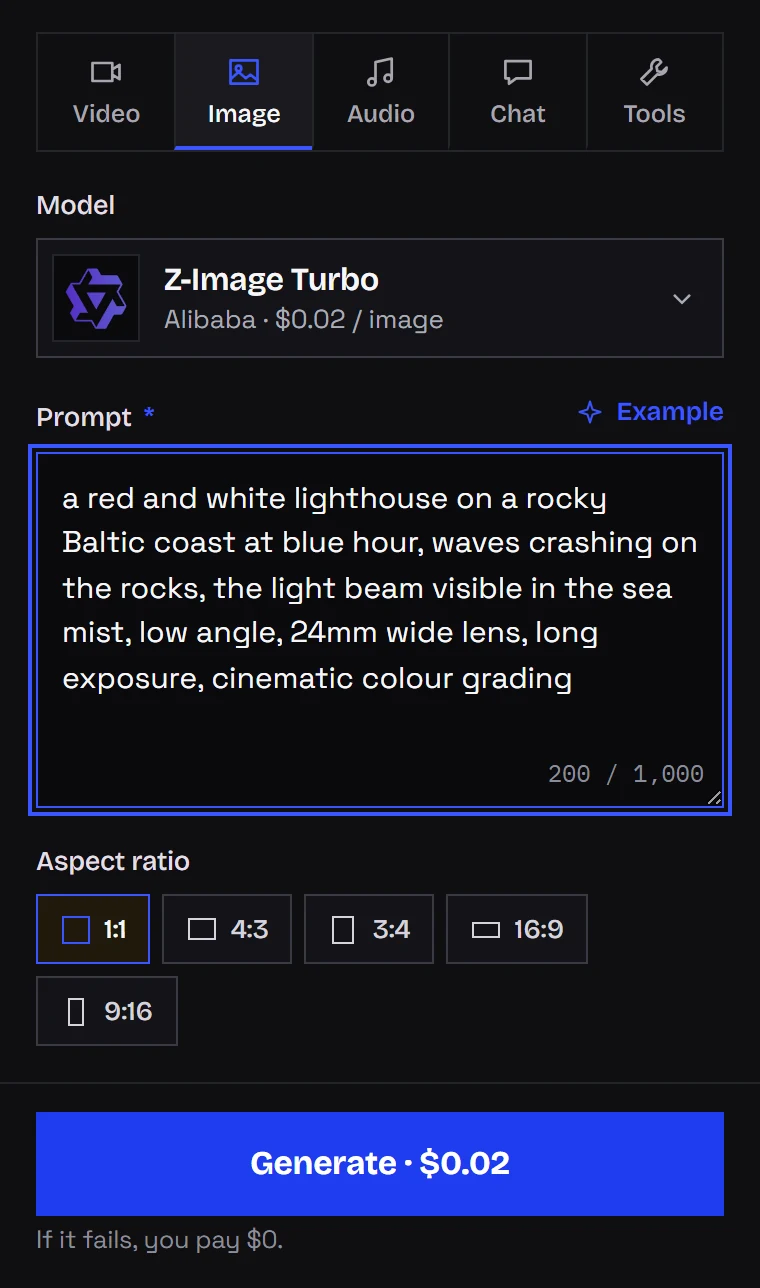
Inside Kadraris Studio you choose a model, paste a prompt, set the ratio and see the price before sending. Z-Image Turbo offers five ratios (1:1, 4:3, 3:4, 16:9, 9:16) and one image per request, which suits step-by-step tests like the one above. When a prompt works, I move it to a pricier model and compare. Failed generations cost nothing, and top-ups start at $10 with no subscription.
Through the API, ?wait=60 returns the finished image in the same response:
curl "https://kadraris.com/v1/generate?wait=60" \
  -H "Authorization: Bearer $KADRARIS_API_KEY" \
  -H "Content-Type: application/json" \
  -d '{
    "model": "z-image",
    "input": {
      "prompt": "a red and white lighthouse on a rocky Baltic coast at blue hour, waves crashing on the rocks",
      "aspect_ratio": "16:9"
    }
  }'
Python scripts that read prompts from a file, save results and catch errors are in this Python image API guide. Model details, price and limits are in Z-Image Turbo API. Want motion? Start from the image-to-video guide; camera moves are covered in AI video prompts. Other image models are listed on the AI image generator page.
Questions
How many words should a prompt have?
Enough to fill the six slots. In my test the best photo came from prompt 4, roughly 35 words. The Turbo model accepts 1,000 characters at most. The Pro version does best with a single packed English paragraph, roughly 90-170 words.
Why did my small edit change the whole picture?
Either the seed changed (it does on every run unless the model lets you fix it) or the edit was large enough to shift the composition, as happened in prompt 4. Changing the ratio also produces a new picture.
Does the language of the prompt matter?
I wrote every prompt in this test in English. Camera and style vocabulary usually performs best in English, since training data is dominated by English captions. Big models such as Nano Banana Pro understand other languages well too, but I did not measure the gap on Z-Image Turbo.
Can I practise for free?
Kadraris does not offer a free tier or welcome credit. You pay per image from the first one ($0.02 per image for Z-Image Turbo), top up from $10, keep your balance indefinitely and pay nothing for failed runs. Since Z-Image Turbo is an open-weights model, a capable GPU lets you run it at home as well.