Looking for a Higgsfield Alternative? Kling, Seedance and Veo Paid Per Clip
Higgsfield alternative for creators who mostly use Kling 3.0, Seedance 2.5, Veo 3.1 or Nano Banana Pro: pay per generation, balance with no expiry, API too.
 Piotr Olszewski2026-10-228 minPolski
Higgsfield bundles video and image models from several labs (Kling, Seedance, Veo, MiniMax Hailuo, Wan, Nano Banana) into a creative app with its own tools, sold as a credit subscription. If what you really use are those underlying models, Kadraris runs them directly: Kling 3.0 at from $0.0963 per second, Seedance 2.5 at from $0.261 per second, Veo 3.1 (Quality), and Nano Banana Pro at from $0.07 per image. You pay for each generation from a prepaid balance that does not expire, and the same key serves both the browser Studio and the API.
Who this alternative is for
Higgsfield suits creators who hop between models every day and rely on its presets and effects. For them, a subscription can be the better deal. Paying per generation tends to fit better when:
- Your work comes in waves. A few busy weeks, then a quiet month. A Kadraris balance waits for you with no expiry date.
- You automate. One API key reaches video, image, music and chat models, and the chat endpoints follow the OpenAI and Anthropic SDK formats.
- You want to know the price up front. In Studio the button already displays what the clip will cost, and the API returns
estimated_cost. - You use the raw models, not effects. Your own prompt sent straight to Veo, Kling or Seedance.
- You prefer one bill. Chat and coding models draw from that same balance.
What Kadraris does not have
To keep the comparison honest:
- No Higgsfield in-house models such as Soul (images) or DoP (camera moves).
- No library of effect presets.
- No unlimited generation windows.
Camera work goes into the prompt instead, with phrases like "slow push-in", "camera circles the product" or "locked-off tripod shot". Wording that works reliably is collected in camera move prompts for AI video.
Models you can run directly
| Model | Lab | Strong at | Price |
|---|---|---|---|
| Kling 3.0 | Kuaishou | faces, speaking characters, multi-shot prompts | from $0.0963 per second |
| Seedance 2.5 | ByteDance | longer scenes, many references | from $0.261 per second |
| Veo 3.1 (Quality) | cinematic 4K shots | from $2.53 per video | |
| MiniMax H3 | MiniMax | reference faces and voices, sound in stereo | from $0.161 per second |
| Wan 3.0 | Alibaba | going from a start frame to an end frame, longer clips | from $0.0777 per second |
| Nano Banana Pro | stills and first frames for video | from $0.07 per image | |
| Kling 3.0 Motion Control | Kuaishou | copying motion from a clip onto a character | $0.249 per second |
Key settings on Kadraris:
- Kling 3.0: 3 to 15 s; resolution 720p, 1080p or 4K; sound on request.
- Seedance 2.5: 4 to 30 s, 480p to 1080p, up to 30 reference images.
- Veo 3.1: fixed 8-second clips, in 720p, 1080p or 4K.
- MiniMax H3: 4 to 15 s at 768p or 2K.
- Wan 3.0: 2 to 30 s, up to 4K.
- Nano Banana Pro: 1K to 4K, up to 14 references.
- Kling 3.0 Motion Control: source clip of 3 to 10 s.
Every one of the 60+ models (video, image, audio) is listed in the catalog, and the video ones also on the AI video generator page. Direct comparisons: Seedance 2.5 against Kling 3.0, and Kling 3.0 against MiniMax H3.
Seedance 2.5 and Kling 3.0, no plan needed
Many people look up "Seedance 2.5 Higgsfield" or "Kling 3.0 Higgsfield" because of these two. Both are available on Kadraris with the options shown on each model page.
Seedance 2.5 can produce a clip of as long as 30 seconds, with sound, in a single generation. Its reference slots hold 30 images, 10 video clips and 10 audio files. It can also rework existing footage: swap the product, the style or the background and keep the original motion. Code is in the Seedance 2.5 API guide.
Kling 3.0 outputs clips of 3 to 15 seconds in 720p, 1080p or 4K. You can fix the opening and closing frame, and it follows several shots described in a single prompt. Speech is turned on with generate_audio. Rates and my own test: Kling 3.0 API pricing.
Image first, motion second
The most dependable way to control how a clip looks is to make the first frame as a still, then animate it. My stills usually come from Nano Banana Pro; the link to the image then goes into image_url of the video request. Step by step: image-to-video guide.
An example from August 2026: I took a still of a fox jumping into snow, made earlier for an image model test, and asked MiniMax H3 (also sold as Hailuo 03) to complete the dive at 2K. One attempt, no retries. Notes on that model are in the MiniMax H3 and Hailuo API guide.
How Higgsfield is set up (October 2026)
Summarized from Higgsfield's own help pages and blog, checked on October 2, 2026. Their plans change, so check higgsfield.ai for current terms.
- Credits on a subscription. Models are priced in credits at different rates, and certain models need a particular plan.
- Plan credits refresh. Monthly plans reset at renewal; annual plans reset every 30 days. Unused credits do not carry over.
- Credit packs have a deadline. One-off packs are valid for 90 days after purchase.
- Unlimited windows are web-only. Unlimited periods and the plan's free generations work only when you use higgsfield.ai in a browser.
- The API is separate. Higgsfield has an API too, funded by a prepaid dollar balance, billed per generation, with failed requests free. API funds expire twelve months after the top-up, and a website plan does not give API access.
- Own tools. Besides third-party models, Higgsfield has Soul for images, DoP for camera moves and libraries of ready effects.
Switching a project in five steps
- Write down the models you really use. For most people that is two or three: perhaps Nano Banana Pro for opening stills, Kling for people and Seedance for the longer scenes.
- Describe presets in words. A camera preset becomes "slow dolly-in" or "handheld tracking shot" in the prompt; an effect becomes a sentence about what happens in the frame.
- Check motion at 720p. It costs less and is enough to judge movement and framing. Render only the approved take at 1080p or 4K.
- Save the files. Result links last a limited time, so download clips as soon as they are done.
- Fund per project. There is nothing to prepay for a month or a year.
Studio in the browser
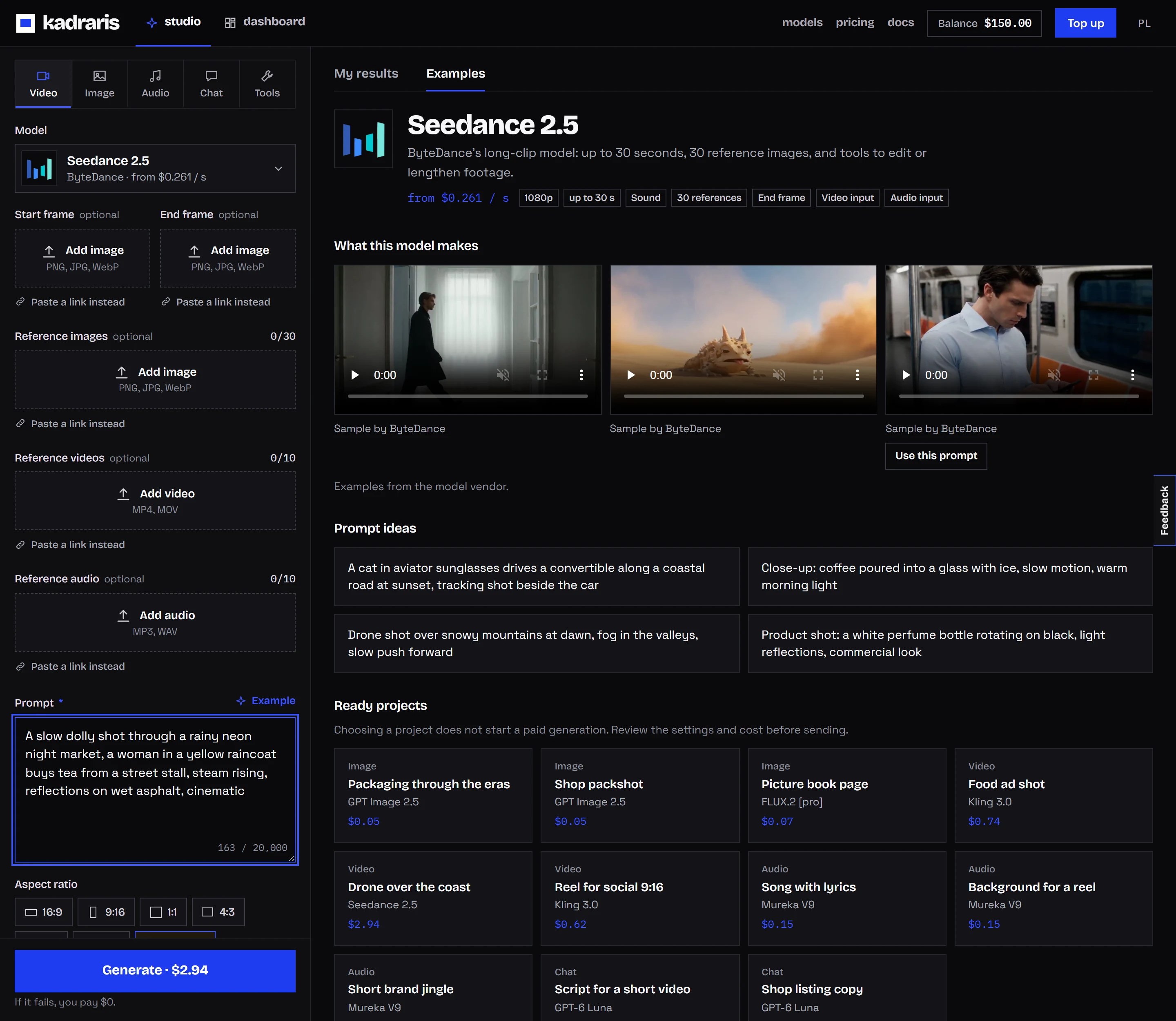
Kadraris Studio is a plain model form: pick the model, type a prompt, choose the format, resolution and duration, and the cost appears before you press generate. The balance is in the top-right corner. History stays on the account, while file links expire, so download what you keep.
A sample monthly budget
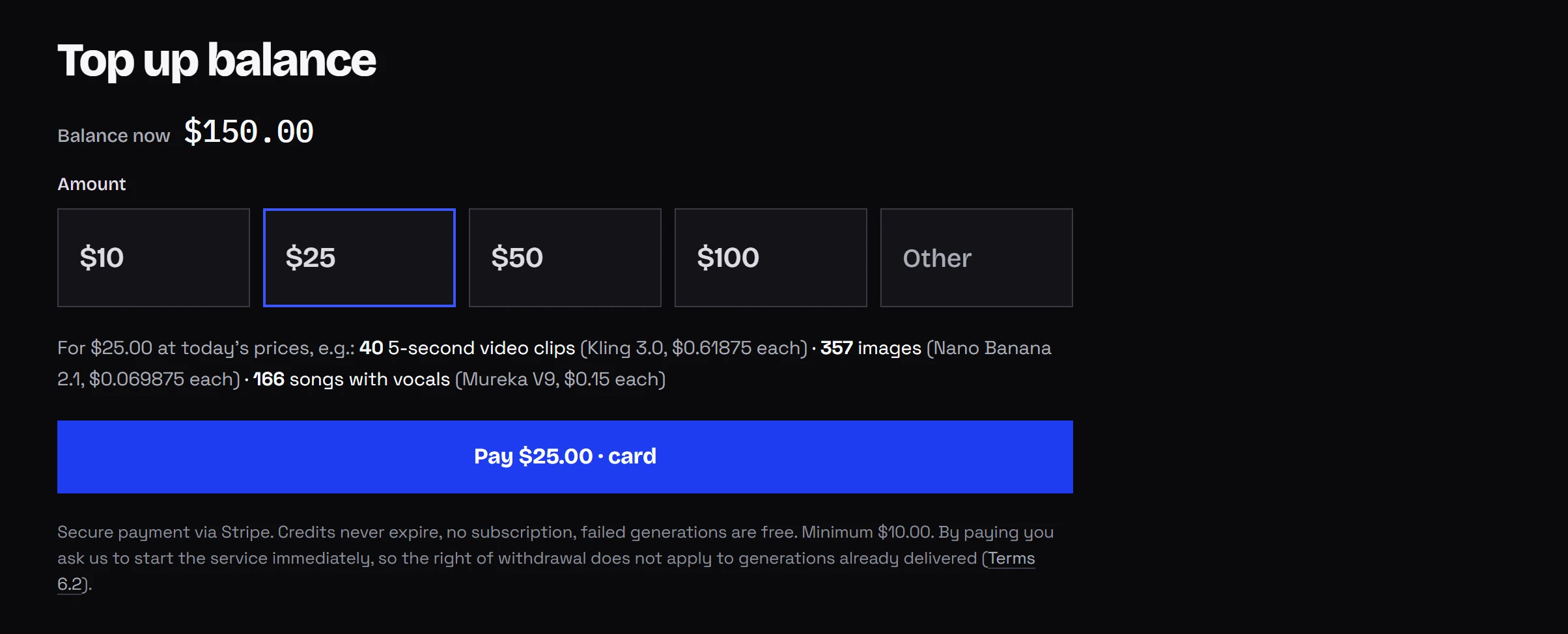
You do not buy a plan or credits. Add funds from $10 (quick amounts $10, $25, $50 and $100) and pay only for successful generations. Here is what a month could look like for a small shop making short ads:
| Item | How it is counted |
|---|---|
| 20 first frames, Nano Banana Pro | 20 × from $0.07 per image |
| 10 Kling 3.0 clips of 5 s | 50 seconds × from $0.0963 per second |
| 5 Seedance 2.5 clips of 10 s | 50 seconds × from $0.261 per second |
| 3 Veo 3.1 Fast shots | 3 × from $0.354 per video |
| failed generations | $0 |
A month with no projects costs nothing, and leftover funds stay for later. A subscription is a fixed fee for a credit allowance, so at high and steady volume it may come out cheaper. Do the math on your own numbers. Rates are on the pricing page, the cost calculator helps with estimates, and AI video cost per second compares models.
Doing it through the API
A vertical clip from a product photo with Seedance 2.5, sound included:
curl https://kadraris.com/v1/generate \
  -H "Authorization: Bearer $KADRARIS_API_KEY" \
  -H "Content-Type: application/json" \
  -d '{
    "model": "seedance-2.5",
    "input": {
      "prompt": "Slow orbit around the coffee bag on a wooden counter, steam from a cup, soft morning light, cafe ambience only, no music",
      "image_url": "https://your-store.example/images/coffee.jpg",
      "duration": 8,
      "resolution": "720p",
      "aspect_ratio": "9:16",
      "generate_audio": true
    }
  }'
The 202 response carries the task id and estimated_cost in USD. Get the result from GET /v1/tasks/{id} or through a webhook. Make a key in the dashboard and follow the quickstart. If several tools are moving to one account, see one API for AI models.
Questions
Will my Kling or Seedance prompts from Higgsfield work here?
The models are the same, so the prompt text carries over. Preset names and effects do not; replace them with plain descriptions of the camera move or the action.
Can I use Veo 3.1 without buying a plan?
Yes. You call veo-3.1 in Studio or the API and pay for the clip from your balance. Nothing else is required.
What happens to my balance if I stop generating for a few months?
Nothing. It stays on the account with no expiry and no monthly fee.
Do failed clips use up my money?
No. When a generation fails, the reserved amount returns to your balance in full.