Mureka V9 API: Turn Your Own Lyrics Into a Sung Track From Code
Mureka V9 API for AI songs with vocals: tag lyrics with [Verse] and [Chorus], add a style prompt, pay per song, then split stems. Python and JS code.
 Piotr Olszewski2026-10-226 minPolski
Mureka V9 sings the words you give it. One POST /v1/generate call with model: "mureka-v9" is enough: the lyrics go in lyrics (required, marked up with tags such as [Verse] and [Chorus]), and an optional style description goes in prompt. On Kadraris a song costs $0.15 per song however long it turns out, and you are not charged when a job fails.
Below: how to write the two fields, code in three flavors, what a batch costs, and the audio tools that take the song further.
Two fields, nothing else
Mureka V9 came out in March 2026 from Mureka, which belongs to Skywork AI at Kunlun Tech. It works lyrics-first. It will not invent words; it performs yours and builds the arrangement around the structure you mark.
The full input on Kadraris:
lyrics: text, up to 3,000 characters, required.prompt: text, up to 1,024 characters, optional.
That is all. There is no duration field and no instrumental switch, and sending either gets 422 invalid_request. Length comes from how much you write; an instrumental comes from post-processing, covered further down. The live schema is always at GET /v1/models/mureka-v9.
Writing the style prompt
Keep style and lyrics in separate fields. When they mix, the most common result is a song where the singer performs your stage directions.
promptsays how the song sounds, for exampleindie pop, melancholic, mid-tempo, female vocal, acoustic guitar. Do not put words you want sung here.lyricsholds what is sung: tagged sections with their lines. Do not put style notes between the lines.
Good style prompts are short lists separated by commas, built from:
- genre:
synthwave pop,lo-fi hip hop,pop punk,bossa nova, - mood:
uplifting,melancholic,dark,nostalgic, - tempo: a BPM number, or
slow,mid-tempo,fast, - voice:
female vocal,male vocal,raspy,breathy,choir, - two or three main instruments:
warm Rhodes, upright bass, brushed drums.
Marking up the lyrics
Use [Verse], [Chorus], [Bridge] and [Outro] to show where sections start. The model plans the arrangement from them. What helps in my experience:
- Write the chorus out again each time it returns, rather than "chorus x2".
- Write out digits and short forms exactly as the singer should pronounce them.
- Keep lines within one section at a similar number of syllables.
- In JSON, a line break is
\n.
Ten languages are listed for singing in what has been published about V9: Russian, Italian, German, French, Portuguese, Spanish, Korean, Japanese, Chinese and English. You can type lyrics in any other language too; just expect less reliable pronunciation and test a single song before committing to many.
Code: curl, Python, JavaScript
curl
curl "https://kadraris.com/v1/generate?wait=120" \
  -H "Authorization: Bearer $KADRARIS_API_KEY" \
  -H "Content-Type: application/json" \
  -d '{
    "model": "mureka-v9",
    "input": {
      "lyrics": "[Verse]\nNeon lights on the empty street\nI keep the rhythm, I keep the beat\n[Chorus]\nDrive all night, never look back\nCity hums along the track",
      "prompt": "synthwave pop, female vocal, 110 bpm, warm analog bass, night drive mood"
    }
  }'
With ?wait=120 the server keeps the connection open for up to two minutes and returns the finished task if it is ready by then. If the song takes longer, the reply is a 202 carrying the task id plus a poll_url.
Python
import os, time, requests

API = "https://kadraris.com/v1"
KEY = os.environ["KADRARIS_API_KEY"]
HEADERS = {"Authorization": f"Bearer {KEY}"}

lyrics = """[Verse]
Neon lights on the empty street
I keep the rhythm, I keep the beat
[Chorus]
Drive all night, never look back
City hums along the track"""

body = {
    "model": "mureka-v9",
    "input": {
        "lyrics": lyrics,
        "prompt": "synthwave pop, female vocal, "
                  "110 bpm",
    },
}
task = requests.post(
    f"{API}/generate", params={"wait": 120},
    headers=HEADERS, json=body,
    timeout=150,  # must exceed the wait
).json()

# still running? check every 5 s
while task["status"] not in ("succeeded", "failed"):
    time.sleep(5)
    task = requests.get(
        f"{API}/tasks/{task['id']}",
        headers=HEADERS, timeout=30,
    ).json()

if task["status"] == "succeeded":
    song = task["output"][0]
    print(song["url"], song.get("duration"),
          task["cost"])
else:
    print("failed:", task["error"])
JavaScript
const API = "https://kadraris.com/v1";
const headers = {
  Authorization: `Bearer ${process.env.KADRARIS_API_KEY}`,
  "Content-Type": "application/json",
};

const lyrics = "[Verse]\nNeon lights on the empty street\n" +
  "I keep the rhythm, I keep the beat\n" +
  "[Chorus]\nDrive all night, never look back";

let task = await (await fetch(
  `${API}/generate?wait=120`, {
    method: "POST",
    headers,
    body: JSON.stringify({
      model: "mureka-v9",
      input: { lyrics,
        prompt: "synthwave pop, female vocal, 110 bpm" },
    }),
  })).json();

while (!["succeeded", "failed"].includes(task.status)) {
  await new Promise((r) => setTimeout(r, 5000));
  task = await (await fetch(`${API}/tasks/${task.id}`,
    { headers })).json();
}
console.log(task.status, task.output?.[0]?.url ?? task.error);
The link in the result works only for a while; save the audio somewhere you control right after success. For many songs at once, drop the loop and use a webhook: include webhook_url and the completed task is posted to your server with an x-kadraris-signature header for verification.
Trying it in Studio first
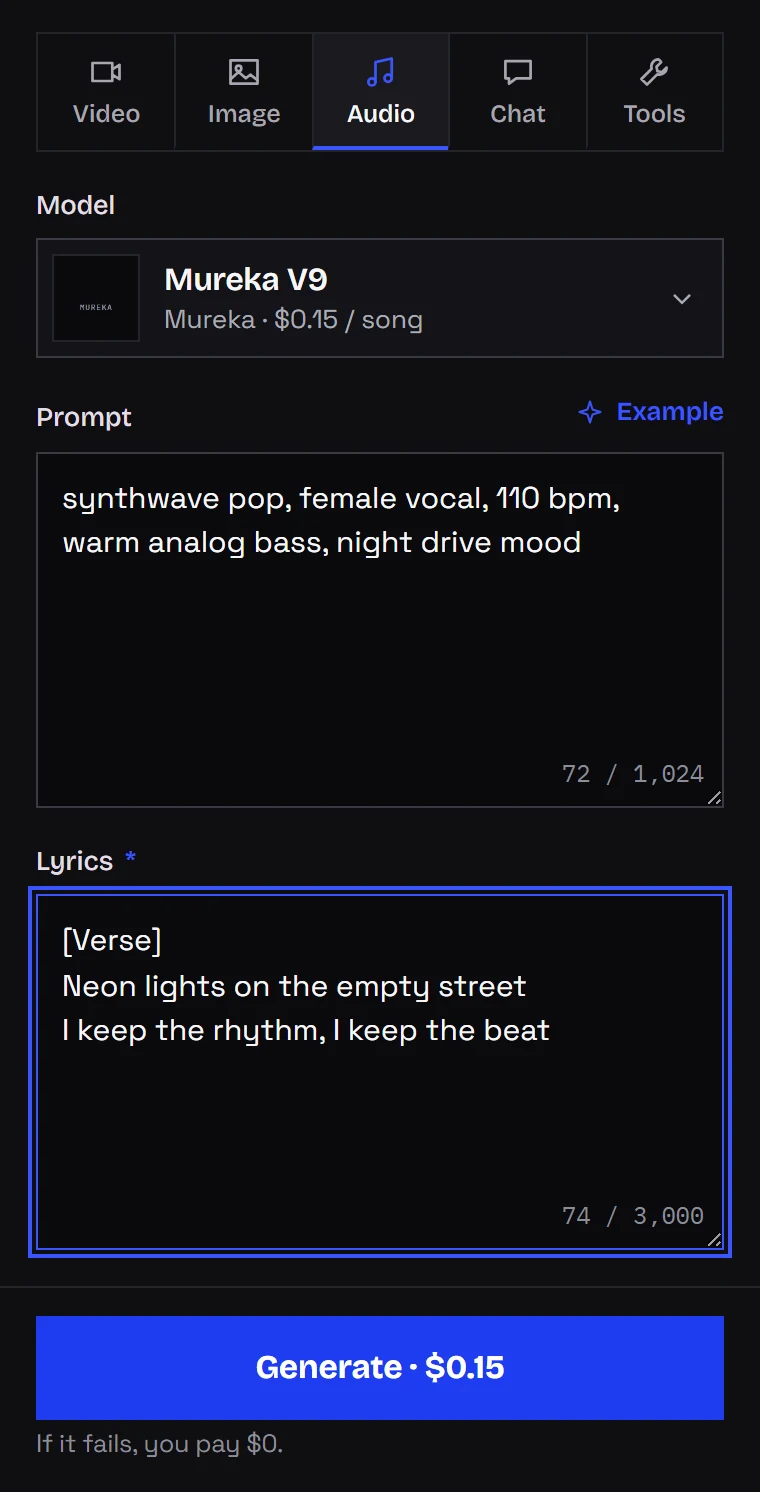
To hear the model before coding, use the Audio tab in Studio. The form uses the same two inputs as the API, labeled Prompt and Lyrics. The price is on the button before you generate. Other audio models are on the AI music generator page.
What songs and tools cost
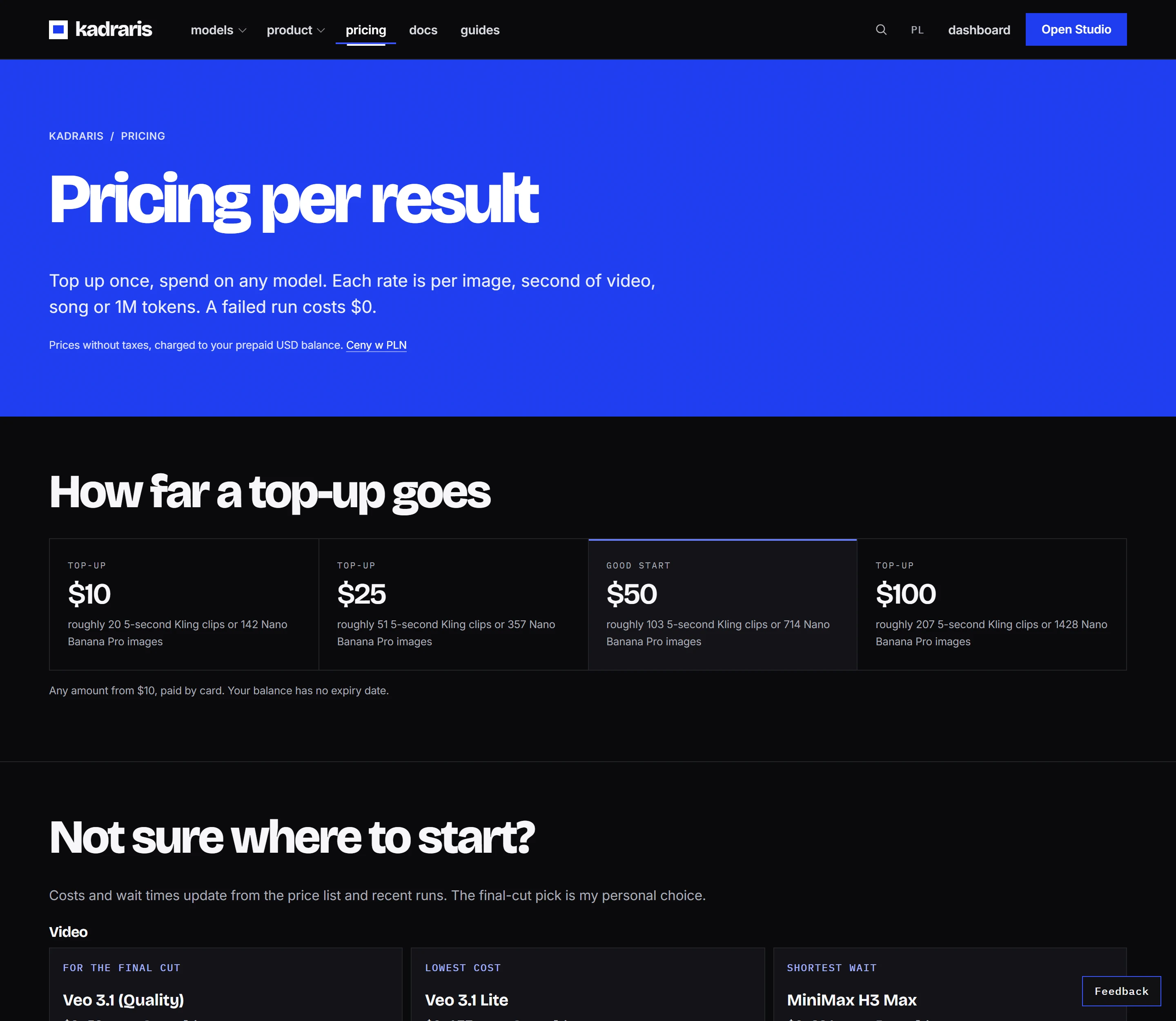
- Mureka V9: $0.15 per song.
- Music Extractor: $0.50 per minute, billed by each begun minute of the input file.
- Vocal Remover: $0.50 per minute, same billing by begun minute.
- Multistem Splitter: $1.50 per minute per begun input minute, which covers all three stems.
- Music Video 1.0: from $0.11 per second, depending on song length and resolution.
Since Mureka V9 is billed per song, a 40-second jingle costs the same as a three-minute track. For a batch:
cost = songs × price per song
     + (optional) audio minutes × tool price
You see estimated_cost before anything is generated. That sum is reserved while the job runs; if it ends as failed, the full reservation goes back. The pricing page and the cost calculator help with planning, and the balance does not expire.
After the song: backing tracks, stems, video
Mureka V9 here always needs lyrics. For a backing track without vocals, run two calls in a row:
- Make the song with
mureka-v9. - Pass its URL to
music-extractorasaudio_url. You get the music with the vocal taken out.
inst = requests.post(
    f"{API}/generate",
    headers=HEADERS,
    json={"model": "music-extractor",
          "input": {"audio_url": song["url"]}},
    timeout=30,
).json()
Every other tool takes the song the same way, through audio_url:
- Vocal Remover keeps just the singing, useful for remixes or lip sync.
- Multistem Splitter gives you three files (vocals, drums, bass) for a remix or for pushing the voice down under narration.
- Music Video 1.0 combines the track with between 1 and 7 reference pictures into a clip cut to the music.
For a quick instrumental attempt without post-processing, see instrumental AI music for reels. If the track will sit under a short ad, see how stills, clips and music connect in my product ad workflow, and stem separation with AI goes deeper into the splitting tools.
Who owns the song
According to the model page, you own the result within the limits of the law and of Mureka's terms. Go through those terms before a release, and look up how your distributor treats AI-generated music, as policies differ between them. Splitting a track into parts changes nothing about its ownership, so only process songs that are yours or that you have permission to use.
Questions
Why did my request with duration fail?
The model does not know that field, hence the 422 invalid_request. Song length depends on how many sections you write. For a short clip, a single verse plus a chorus is plenty; cut the rest in your editor.
Does a longer song cost more?
No. The price is per song, so a short jingle and a full-length track cost the same.
My song sings the style notes. What went wrong?
Style descriptions ended up in lyrics. Move everything about genre, mood, tempo and voice into prompt, and leave only the words to be sung in lyrics.
Can I try Mureka V9 for free?
No. Kadraris has no free plan or signup credit. You top up from $10, the balance does not expire, and a failed song costs nothing.