A Product Ad Made With AI, From Still Frame to Vertical Spot
My AI product ad pipeline: packshot in Nano Banana Pro, motion in Kling 3.0, a song from Mureka V9, the 9:16 edit, a cost formula and a Python script.
 Piotr Olszewski2026-10-228 minPolski
A short vertical ad for one product needs three generated ingredients and one human edit. The ingredients: a still of the product from Nano Banana Pro (from $0.07 per image), motion from Kling 3.0 (from $0.0963 per second), and a jingle from Mureka V9 ($0.15 per song). The edit happens in any video editor. On Kadraris all three models share one account, one balance and one API key, so the whole chain can run in Studio or in a script.
Below is how I run it, two problems my own tests exposed, a formula to price any ad, and Python code that chains the generation steps.
The pricing formula comes first
When I quote an ad, I use this:
ad cost = images × price per image
        + video seconds × takes × price per second
        + songs × price per song
Example: a 9:16 spot of about 14 seconds made of two 7-second shots.
| Line | How many | Cost |
|---|---|---|
| Stills | 4 versions, 2 used | 4 × from $0.07 per image |
| Kling 3.0 motion | 2 shots × 7 s × 2 takes = 28 s | 28 × from $0.0963 per second |
| Jingle | 2 songs to pick from | 2 × $0.15 per song |
| Edit, captions, logo | your editor | nothing from the balance |
Prices come live from the pricing page. Kling's "from" rate is the 720p tier; for 1080p use the higher figure Studio shows. The 2× on takes covers clips that render fine but lose in the edit. Jobs ending as failed are free, because the reserved amount goes back in full. For more on per-second math, see AI video cost per second and Kling 3.0 API pricing, or plug numbers into the AI cost calculator.
Decisions to make before generating anything
- Ratio: 9:16 for Reels, TikTok and Shorts; 1:1 or 4:5 for feed; 16:9 for YouTube and banners.
- Length: most product spots are 10-20 seconds, so two or three shots.
- Shots: for example "bottle on slate, slow push-in" and "close detail, light passes over it".
- Sound: a generated song, the video model's ambient audio, or music plus captions.
Ratio is the one you cannot change later. Switching mid-project means new stills, and as the test below shows, the product can change along with the frame.
Stage 1: the still frame
This image becomes frame one of the video, so it sets the quality ceiling. My two usual models:
| Nano Banana Pro | GPT Image 2.5 | |
|---|---|---|
| Price | from $0.07 per image | $0.05 per image |
| Tall formats | 9:16, 4:5, 3:4, 2:3 | 1024x1536 (2:3) |
| References | up to 14 | up to 16 |
| Output | 1k, 2k, 4k | max 1536 px tall |
For 9:16 I go with Nano Banana Pro, which renders that ratio directly. On Kadraris GPT Image 2.5 stops at 2:3 portrait, so you would crop and need spare room above and below the product.
Give the model the real product
If the product exists, upload a photo of it (Reference images in Studio, image_urls in the API). The prompt then describes only the setting:
Studio product photo of this perfume bottle on wet black stone, water splash
frozen around the base, warm rim light, dark background, no other text, no logos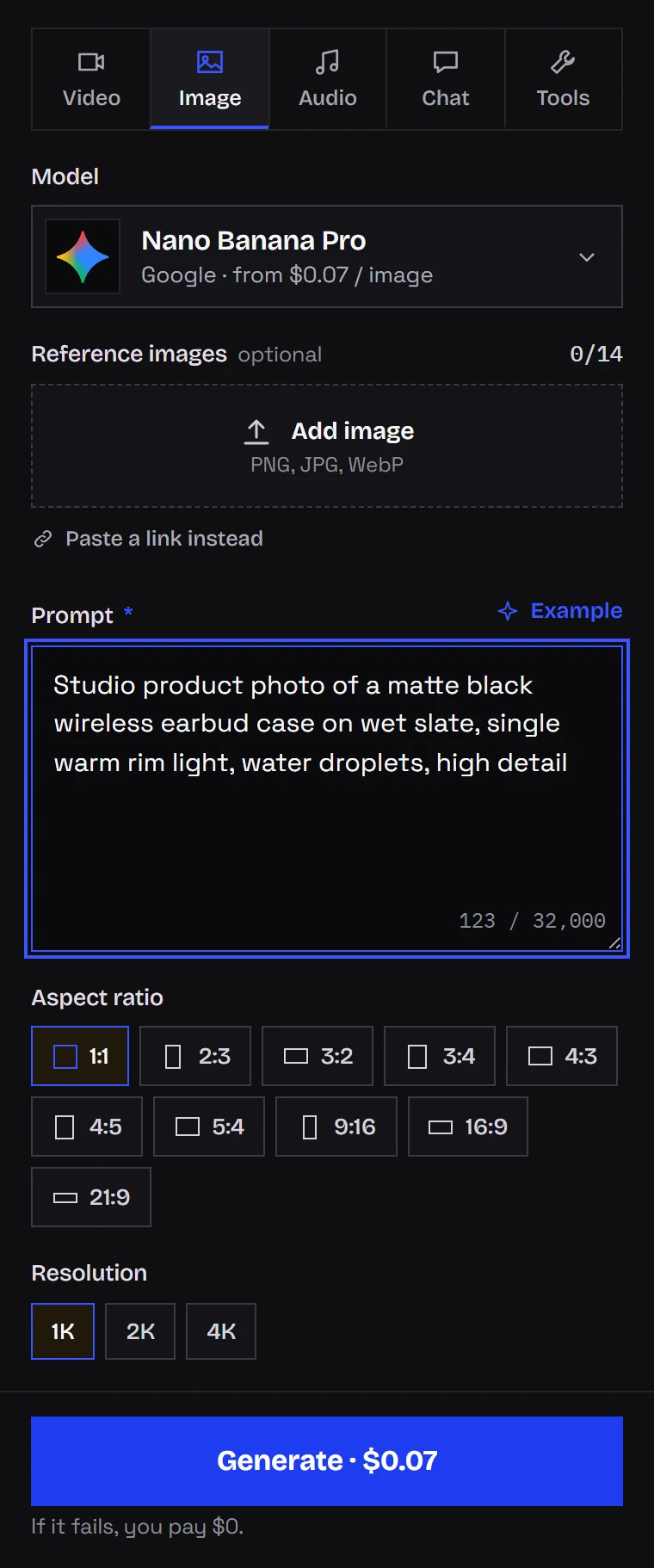
What I learned from changing only the ratio
As a stand-in product I used an amber pendant rendered with Z-Image Turbo (Z-Image Turbo on my local RTX 4090, 9 steps, 4-5 seconds per picture). One prompt, one seed, three formats:
macro product photo of a raw Baltic amber pendant with a tiny insect inclusion,
lying on dark wet slate, a single warm backlight making the amber glow,
shallow depth of field, high detail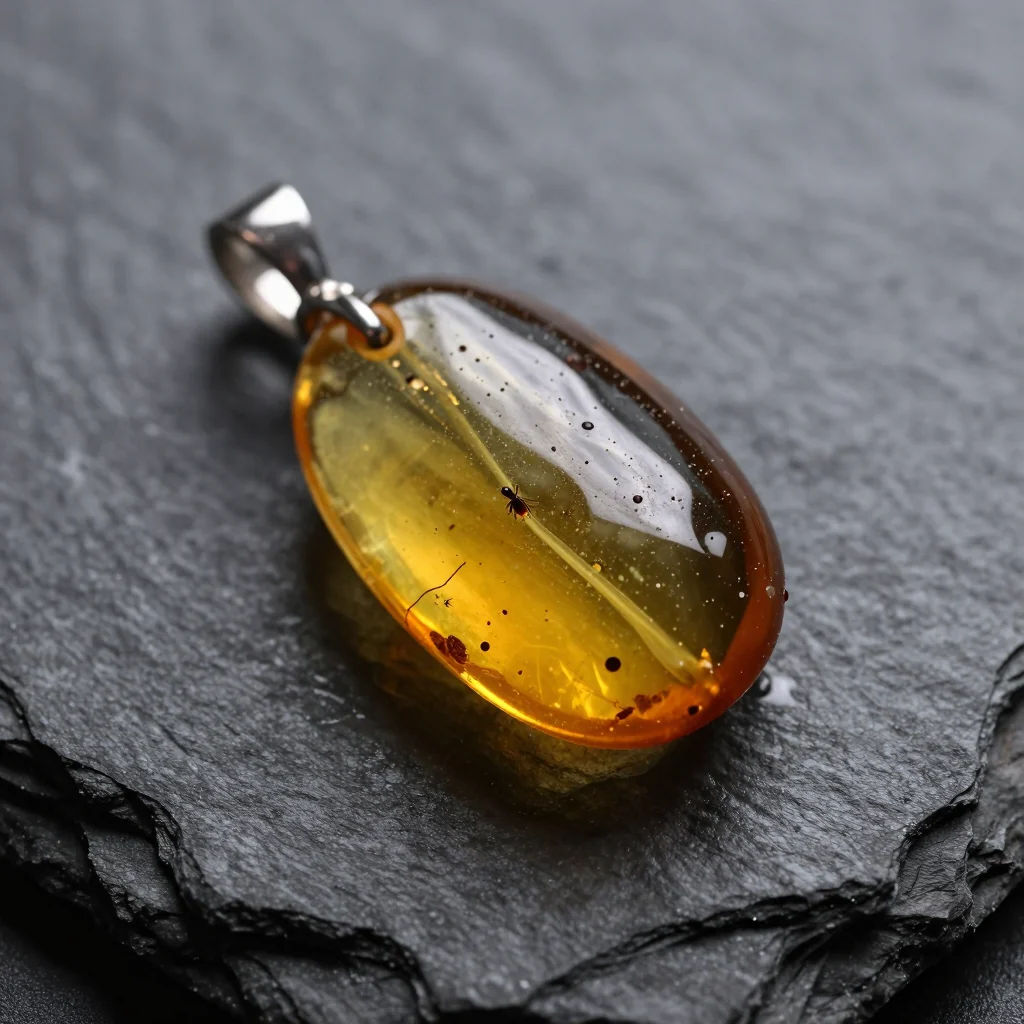
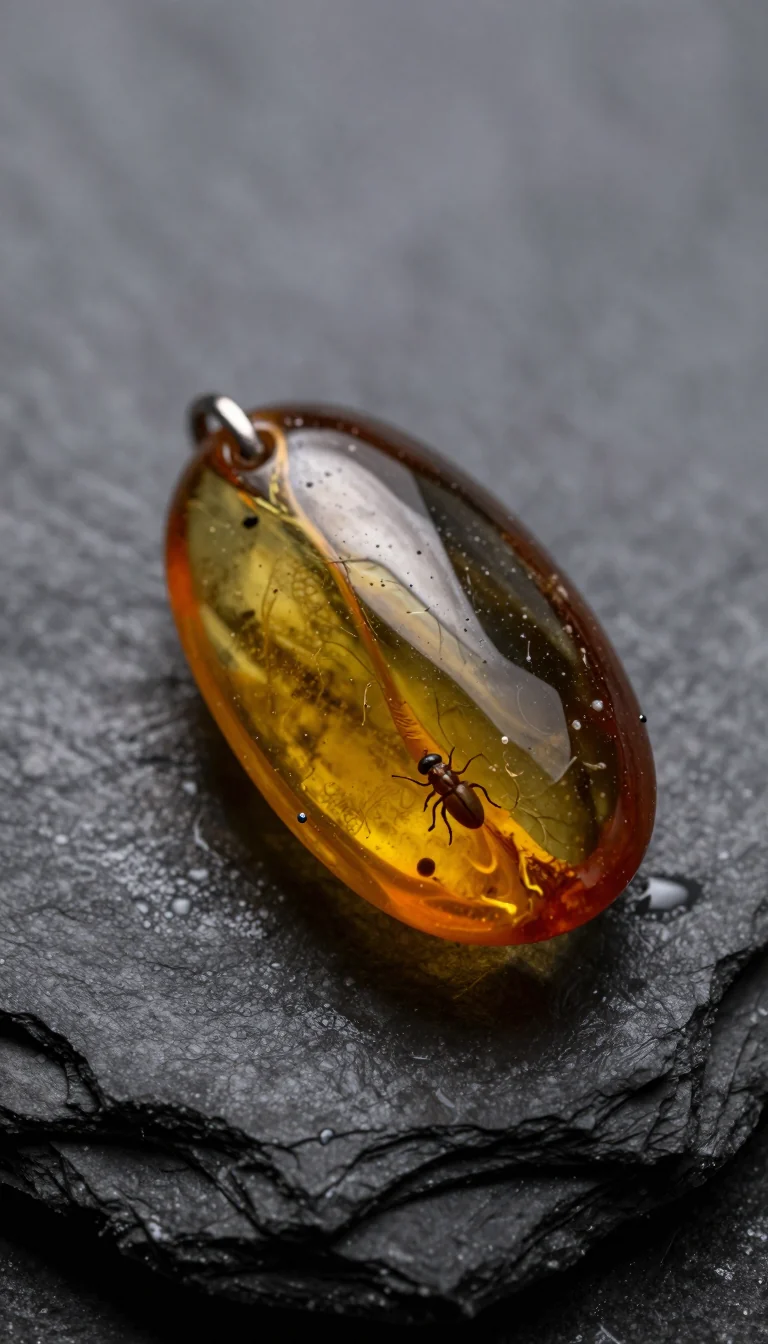
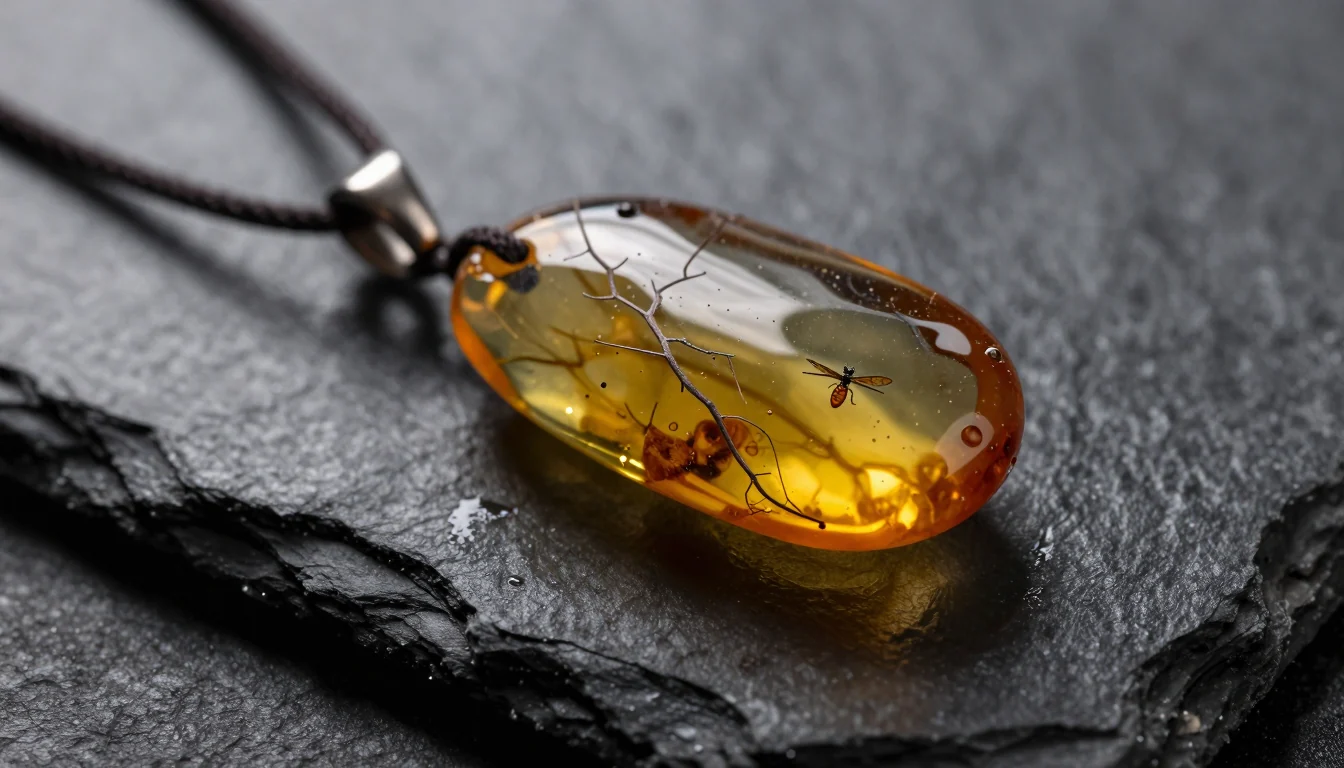
Three formats gave three different pieces of jewelry. For a made-up product, no harm done. For something you sell, it means:
- render in the final ratio from the start rather than cropping a square,
- attach the product photo for every format so the model never redesigns it,
- try layouts and light on a cheap model like Z-Image ($0.02 per image), then make the final reference-based still on Nano Banana Pro.
Extra text and borrowed logos
When I tested ad stills for my Polish blog (promptowy.com), the headline copy came out right, but some images gained small unrequested lettering or a logo that looked like an existing brand.
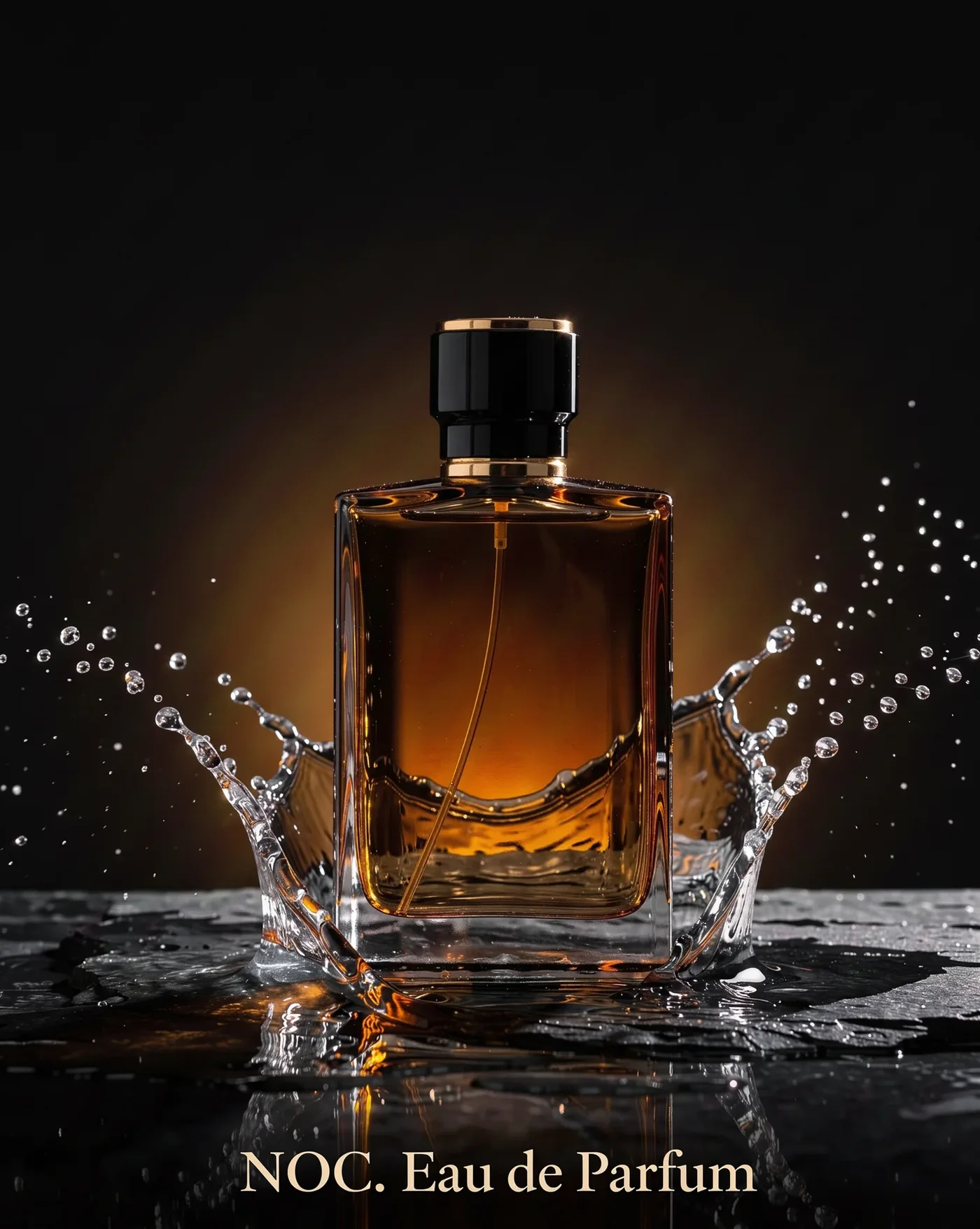
That is why every ad prompt of mine ends with no other text, no logos, and the real logo is added in the edit. General prompt structure is in the AI image prompt guide.
Stage 2: make it move
The still is the first frame; the prompt talks only about motion.
| Kling 3.0 | Seedance 2.5 | |
|---|---|---|
| Price | from $0.0963 per second | from $0.261 per second |
| Length | 3-15 s | 4-30 s |
| Resolution | 720p, 1080p, 4K | 480p, 720p, 1080p |
| Sound | optional | on by default |
Kling 3.0 takes its ratio (16:9, 9:16 or 1:1) from the start image; Seedance 2.5 offers 16:9, 9:16, 1:1, 4:3, 3:4 and 21:9. Both accept an end frame. I use Kling for short, clean product shots; 1080p and 4K cost more per second than the listed 720p rate, and Studio shows the exact figure. Seedance is the pick for a single unbroken take up to 30 seconds.
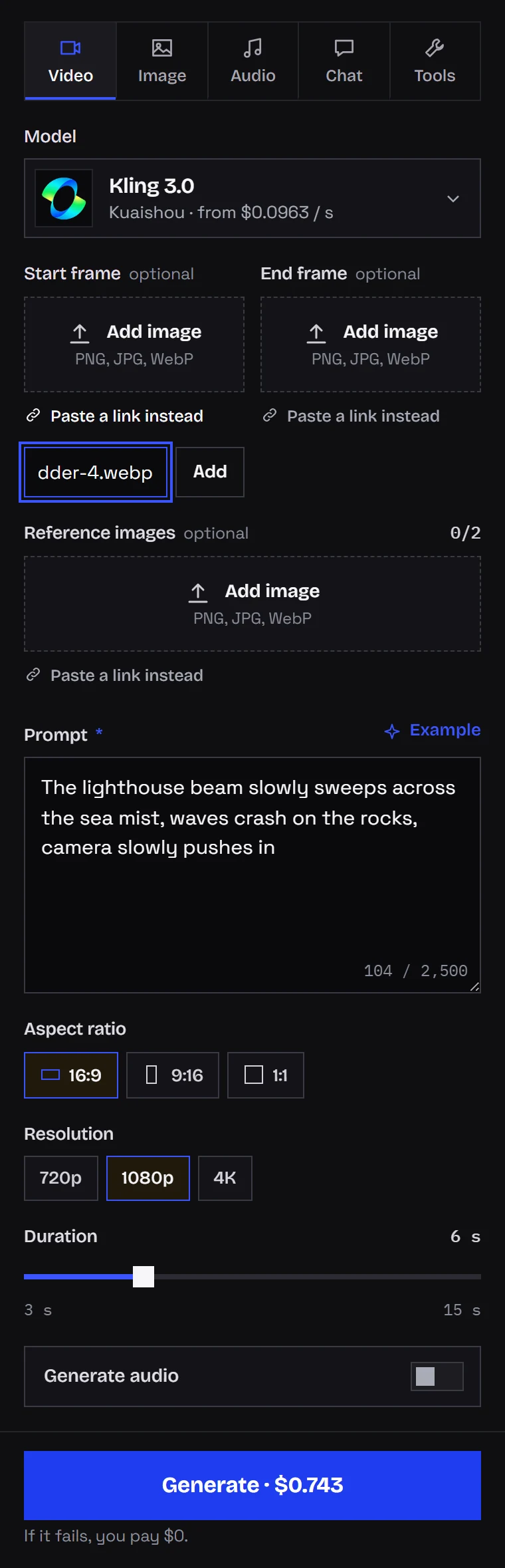
Motion lines that work for products:
slow push-in towards the product, the backlight slowly intensifiesthe camera slowly orbits the product, product stays still and centeredlight sweeps across the surface, droplets glisten, camera staticshallow focus pull from the background to the product
I do not let the product spin on its own or get picked up by a hand. Labels and hands are what AI video distorts most, so with a branded item the camera and light move and the object stays put. More moves are in AI video prompts: camera moves; the general still-to-clip process is in the image-to-video guide.
Seedance 2.5 can also edit an existing clip, for instance swapping in a different product while keeping the camera path and framing. Handy when one spot works and you need it for five more SKUs.
Stage 3: the jingle
Mureka V9 composes and sings a full song from your lyrics and a style line, so the brand claim can be the hook. It costs $0.15 per song whatever the length.
- A 15-second spot needs one verse and one chorus; cut the rest.
- Want the music without singing? Pass the song through Music Extractor.
- Or use the video model's own sound (default in Seedance 2.5, optional in Kling 3.0). Good for ambience and effects, not for a sung slogan.
Fields and code for this step are in the Mureka V9 API guide.
Stage 4: assemble the vertical cut
- Put the shots on a 9:16 timeline and shave a few frames off the start and end of each, since those are usually the weakest.
- Drop in the music and fade it out.
- Captions and logo go on as editor layers, never in a prompt.
- Leave the bottom and right edges empty, the app interface sits there.
- Watch the export on a phone before posting.
The chain as a Python script
For a full catalog, automate the three generation stages. Fields follow the generate docs:
import os, time, pathlib, requests

API = "https://kadraris.com/v1"
KEY = os.environ["KADRARIS_API_KEY"]
HEADERS = {"Authorization": f"Bearer {KEY}"}

def run(model, inp, wait=0):
    """Start a task and block until it finishes."""
    params = {"wait": wait} if wait else None
    task = requests.post(f"{API}/generate", params=params,
                         headers=HEADERS, timeout=wait + 30,
                         json={"model": model, "input": inp}).json()
    pause = 2
    while task["status"] not in ("succeeded", "failed"):
        time.sleep(pause)
        pause = min(pause * 1.5, 15)
        task = requests.get(f"{API}/tasks/{task['id']}",
                            headers=HEADERS, timeout=30).json()
    if task["status"] == "failed":
        raise RuntimeError(f"{model}: {task['error']}")
    print(model, task["cost"])
    return task

def save(task, name):
    # result links expire, so download immediately
    url = task["output"][0]["url"]
    data = requests.get(url, timeout=300).content
    pathlib.Path(name).write_bytes(data)

# stage 1: vertical still built on the real product photo
img = run("nano-banana-pro", {
    "prompt": "Studio product photo of this amber pendant "
              "on dark wet slate, warm backlight, shallow "
              "depth of field, no other text, no logos",
    "aspect_ratio": "9:16",
    "resolution": "2k",
    "image_urls": ["https://your-store.example.com/images/pendant.jpg"],
}, wait=60)
save(img, "packshot.png")

# stage 2: motion; Kling reads the ratio from the image
clip = run("kling-3.0", {
    "prompt": "slow push-in towards the pendant, the backlight "
              "slowly intensifies, camera only moves forward",
    "image_url": img["output"][0]["url"],
    "duration": 7,
    "resolution": "1080p",
    "generate_audio": False,
})
save(clip, "shot1.mp4")

# stage 3: jingle
song = run("mureka-v9", {
    "lyrics": "[Verse]\nA spark of sun inside the stone\n"
              "[Chorus]\nAmber light to call your own",
    "prompt": "cinematic pop, warm piano, soft female vocal, 90 bpm",
}, wait=120)
save(song, "music.mp3")
When many products run at once, swap polling for webhooks. The edit I still do by hand: judging captions and logo placement by eye is quicker than coding it.
Questions
Do I need to know how to edit video?
Only the basics: placing clips on a timeline, trimming, adding a music track and a text layer. Free tools like CapCut or DaVinci Resolve cover all of it. Everything else runs in Kadraris Studio under the Image, Video and Audio tabs.
Why does my product look different in the video than in the still?
The video model redraws every frame, and labels and fine details drift most when the object moves. Keep the product still, move the camera or the light, and keep clips short.
Kling 3.0 or Seedance 2.5 for an ad?
Kling 3.0 for polished 3-15 second shots up to 4K. Seedance 2.5 when you want one take up to 30 seconds with generated sound, or when you need to swap a product inside an existing clip.
How do I make versions for several products cheaply?
Fix the prompt template and only change the product reference. Test layouts on Z-Image first, and if one spot already works, use Seedance 2.5 to swap the product inside that clip instead of starting over.