Music Video With AI - Two Workflows for Your Track
How to build an AI music video for your song, either in one pass with Music Video 1.0 or from separate Seedance and Kling shots cut to the beat, with costs.
 Piotr Olszewski2026-10-229 minPolski
You have a song and you want pictures that move with it. On Kadraris there are two very different ways to get there. One is a single job: give Music Video 1.0 an MP3 and a few reference images, and it returns a video the length of the track, priced at from $0.11 per second of audio. The other is closer to real filmmaking: you write a shot list, render each shot in a video model such as Seedance 2.5 or Kling 3.0, and edit them to the beat yourself. If you do not have a track yet, Mureka V9 writes one for $0.15 per song.
Which workflow suits your project
| One pass: Music Video 1.0 | Shot by shot | |
|---|---|---|
| You provide | MP3 of 10-300 s, 1-7 images | prompts, start frames, references |
| Beat sync | the model handles it | you handle it in the editor |
| Control | a prompt of up to 3,000 characters | every shot is yours |
| Billing | seconds of the song | seconds of every shot and retry |
The one-pass route suits visualizers and quick vertical clips; output length always equals the song. The shot-by-shot route is for videos with a story or a singer performing, and the result can be any length.
Get the audio ready
Bringing your own song
Music Video 1.0 needs an MP3 between 10 and 300 seconds, so five minutes is the maximum. A WAV converts in one line:
# convert a WAV master to a 320 kbps MP3
ffmpeg -i song.wav -b:a 320k song.mp3
Upload file in Kadraris Studio takes MP3 or WAV up to 25 MB. Uploaded files are removed after 30 days, so the master stays on your drive.
Writing one with Mureka V9
Mureka V9 needs a style prompt and lyrics marked with tags like [Verse] and [Chorus], and it sings the whole thing. You pay per song, not per second.
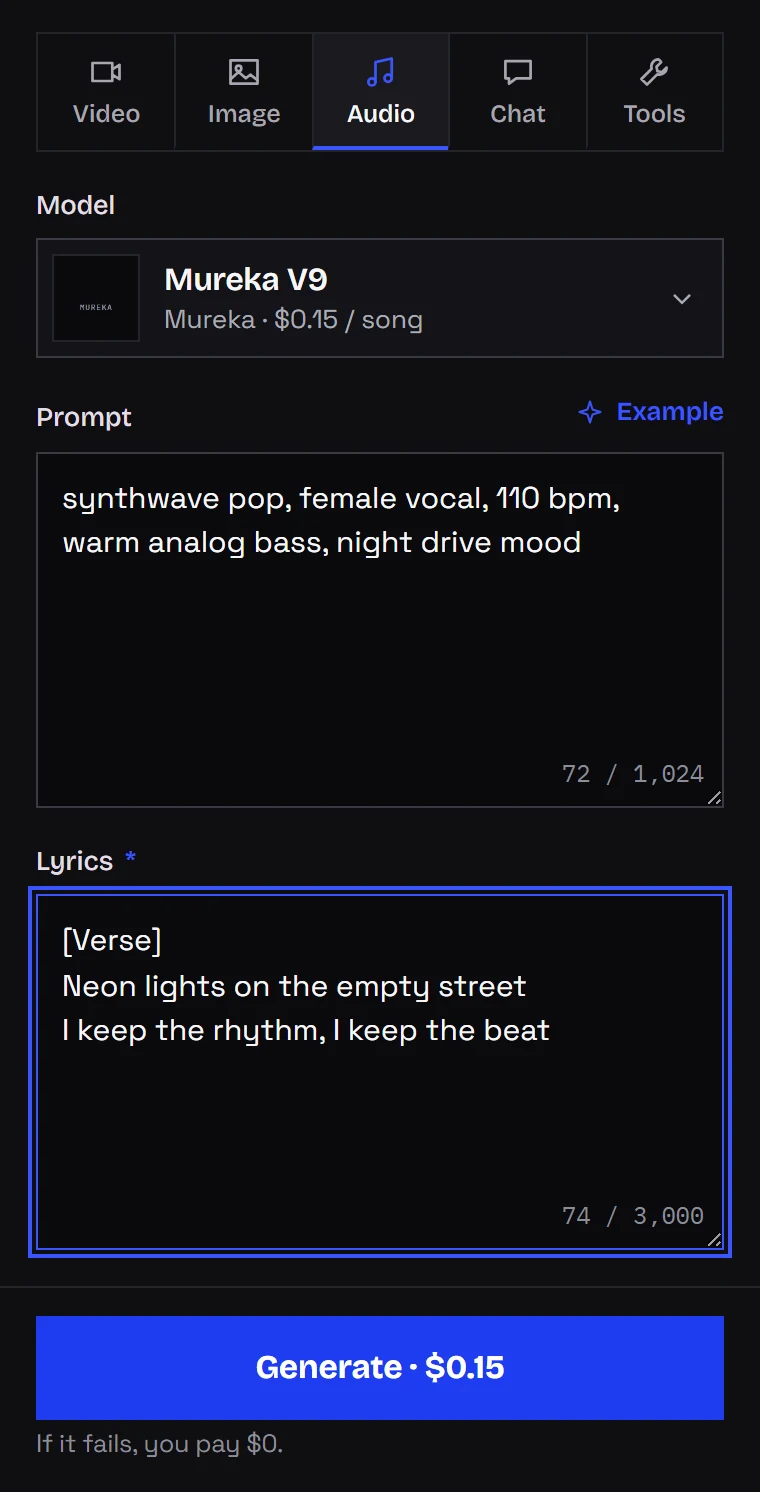
For a video, two details matter:
- Duration. There is no length setting; the lyrics decide. For YouTube aim at two or three minutes; a vertical clip only needs a chorus.
- Language. The model supports ten singing languages, English included. See the Mureka V9 music API guide for the rest.
Freeze the final mix before you render any picture. If the length or arrangement changes after editing, every cut has to move.
Build a character that stays the same
The fastest way to make an AI video look cheap is a singer whose face changes between shots. Before any video, I create three to five reference stills in a single image model: the character facing the camera, from the side, in the stage outfit, and one or two images of the location and color scheme. Those same files feed Music Video 1.0 or serve as start frames for video models. I explain the full method in consistent characters in AI video.
Workflow 1 in detail: Music Video 1.0
The form for Music Video 1.0 has six fields:
- Source audio (URL): the MP3, 10 to 300 seconds,
- Reference images (URLs): one to seven pictures of the character or the look,
- Prompt: optional, up to 3,000 characters for mood, places and colors,
- Title: a name for the track,
- Aspect ratio: 1:1, 16:9, 9:16, 4:3 or 3:4,
- Resolution: 540P, 720P or 1080P.
The server measures the song and multiplies its length by the per-second rate, which rises with resolution. Current numbers are on the model page.
A careful way to begin:
- Export a 15-20 second piece of the chorus (the minimum is 10 seconds) and render it at 540P. That is the cheapest way to judge the style and references.
- Watch for three things: does the character stay recognizable, do cuts fall on the beat, and is there text you did not want. The vendor describes optional lyric subtitles, so check what your result contains.
- Tune the prompt or swap a reference, then render the full track at the resolution you need.
curl https://kadraris.com/v1/generate \
  -H "Authorization: Bearer $KADRARIS_API_KEY" \
  -H "Content-Type: application/json" \
  -d '{
    "model": "music-video-1.0",
    "input": {
      "audio_url": "https://example.com/chorus-20s.mp3",
      "image_urls": [
        "https://example.com/singer-front.png",
        "https://example.com/singer-profile.png",
        "https://example.com/city-night.png"
      ],
      "prompt": "Rainy city at night, neon on wet asphalt, the singer passes closed shops, amber and teal, cinematic.",
      "aspect_ratio": "16:9",
      "resolution": "540P"
    },
    "webhook_url": "https://your-server.example.com/kadraris-hook"
  }'
A note on what I can vouch for: I have not finished a full music video with this model yet, so I am not showing results or judging its beat sync and mouth movement. Its description does not mention lip sync to the vocal. If your singer must perform to the lens, use the second workflow for those shots.
Workflow 2 in detail: shots and an edit
Turn the song into a shot list
Start from the song structure. At 120 BPM, a bar of 4/4 lasts 2 seconds, so cutting every 2, 4 or 8 seconds keeps you on the beat.
| Section | Time | Shots | Content |
|---|---|---|---|
| Intro | 0:00-0:16 | 2 × 8 s | wide shot, slow camera |
| Verse 1 | 0:16-0:48 | 8 × 4 s | character in the location, details |
| Chorus | 0:48-1:04 | 8 × 2 s | performance, quick cuts |
| ... | ... | ... | ... |
Each video model has a shortest clip it will make: 4 s on Seedance 2.5, 3 s on Kling 3.0, 2 s on Wan 3.0. I render 4-5 seconds and trim to the bar in the editor.
Assign a model to each kind of shot
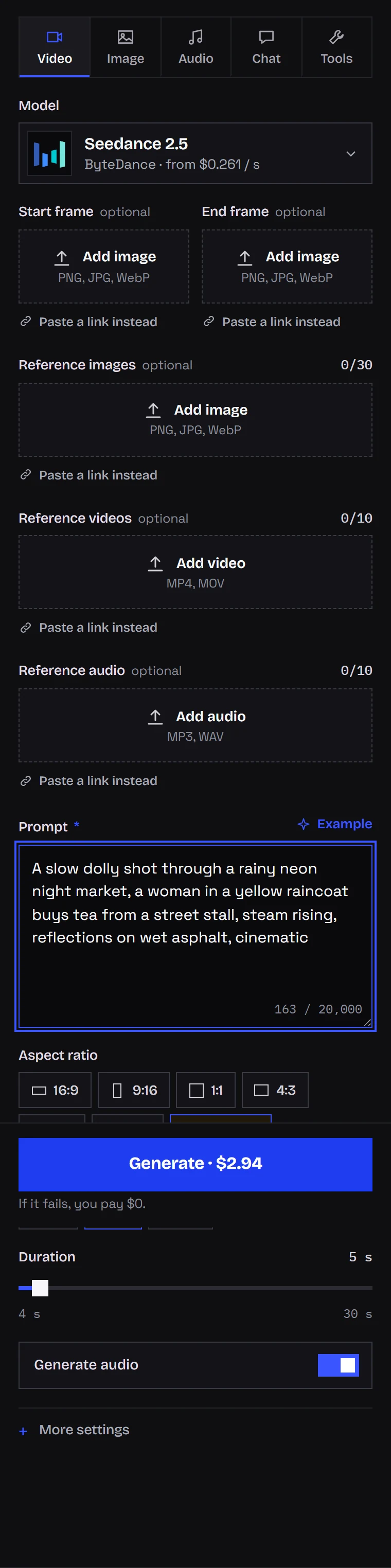
- Narrative shots: Seedance 2.5 handles 4-30 s and up to 30 references; Kling 3.0 does 3-15 s and can describe several shots in one prompt; Wan 3.0 covers 2-30 s with up to 10 references. Your reference stills become start frames.
- The singer performing: Kling 2.6 Motion Control or Kling 3.0 Motion Control. Record yourself miming to the track; the model moves the character in your image the same way, mouth and face included. Billing follows the length of your recording.
- Movement driven by audio: Wan 2.7 Video takes a picture and a sound file (
image_urlplusaudio_url) and animates the character to it. I have not checked how well it tracks sung words.
Kuaishou's demo for Motion Control shows face, gestures and mouth copied from a recording:
Seedance 2.5 can hold one take for up to 30 seconds, which is useful for an intro or the bridge:
If the video is stylized, anime for example, quick transitions and strong graphics carry a lot of it:
Silence the models
Seedance, Kling and Wan can add their own sound and music. Your song replaces it anyway, so switch off Generate audio or write no music in the prompt. On Kling, rendering without audio is also cheaper.
Cut it together
DaVinci Resolve (free) or CapCut is enough. The order I work in:
- Place the song on the timeline and mark where each section starts.
- Lay shots from the list onto the bars.
- Keep two or three backup shots per section, since some renders will not be usable.
- Apply one grade to everything so clips from different models look like one film.
- If the shots are 720p and you deliver 1080p or 4K, run the final clips through Topaz Video Upscaler or Enhance Video 1.0.
Cost of a three-minute video
The song is 180 seconds. For the shot-by-shot route I count two takes per shot, which is realistic.
| Item | Music Video 1.0 | Seedance 2.5 + edit |
|---|---|---|
| Song, 3 takes | 3 × $0.15 per song | 3 × $0.15 per song |
| Stills | 5 × from $0.07 per image | 30 × from $0.07 per image |
| Chorus test | 20 × from $0.11 per second | - |
| Video | 180 × from $0.11 per second | 360 × from $0.261 per second |
| Singer shots (optional) | - | 40 × $0.138 per second |
The "from" prices assume the lowest resolution, 540P on Music Video and 480p on Seedance; higher settings raise the rate, see the pricing page. One pass is predictable because you pay for the song length once. Building from shots costs several times more, but you get exactly the shots you planned. A failed job costs $0 on either route.
Before you start: the known weak spots
- Keeping the character. This is where AI music videos break most often. References and start frames help, but side views and fast action still drift.
- Singing. Models that generate their own audio will not perform your song. Record the performance and transfer it with Motion Control.
- Text in the frame. Lettering rendered inside video tends to be wrong. Add the title and lyrics in the edit.
- Rights. You need rights to the music and to any images the character is based on. Distributors have their own rules on AI music, so read them before release. Vendor filters often block famous faces.
- Songs over five minutes. Music Video 1.0 stops at 300 seconds. Split longer tracks, and expect the character to shift slightly where parts meet.
For writing individual shots, see AI video prompts and camera moves. The complete short-film workflow is in how to make an AI video, and all video models are on the AI video generator page.
Questions
Which route should I try first?
Run the 20-second chorus test in Music Video 1.0. It is cheap and shows quickly whether the one-pass look fits your song. If you need a singer on camera or a specific story, move to the shot-by-shot route.
Can my character mouth the lyrics?
Yes, through Kling Motion Control: film yourself lip-syncing to the track and the character in your image copies it. Models that make their own sound will not sing your lyrics.
Does the song have to be made on Kadraris?
No. Any MP3 you have the rights to works, as long as it is 10 to 300 seconds for Music Video 1.0. Mureka V9 is just an option if you have no track.
Is there a free way to test this?
There is no free plan or welcome credit; the minimum top-up is $10. Failed jobs are not charged and the balance does not expire, so a 20-second test at 540P is a small cost.