Readable Lettering in AI Images - Tested Models and Prompts
Get correct lettering in AI images: which models spelled accented text right in my tests, how to quote copy, how much text fits, and fixing a single word.
 Piotr Olszewski2026-10-227 minPolski
A sign that reads "BAKREY" ruins an otherwise perfect image. Correct lettering depends on three things: picking a model that can spell (especially beyond plain English), quoting the exact words with "exactly", and keeping each piece of text short. In my tests Nano Banana Pro (from $0.07 per image), Nano Banana 2 and GPT Image 2.5 ($0.05 per image) wrote even Polish text with diacritics flawlessly, while FLUX.2 [pro] and Z-Image Turbo stumbled on the accents.
This guide covers the results, a prompt structure for text, the two ways models fail, the problem of invented extra text, and how to fix one wrong word without starting over.
Prompt structure for lettering
Quote it and say "exactly"
Put the words in quotation marks after "exactly" or "reading exactly", and type them with the capitalization you want back. Here is one of my Z-Image Turbo tests:
photo of a small coffee shop window at night, a hand-lettered chalkboard sign in the window reading exactly "FRESH BREW", warm interior light, rain drops on the glass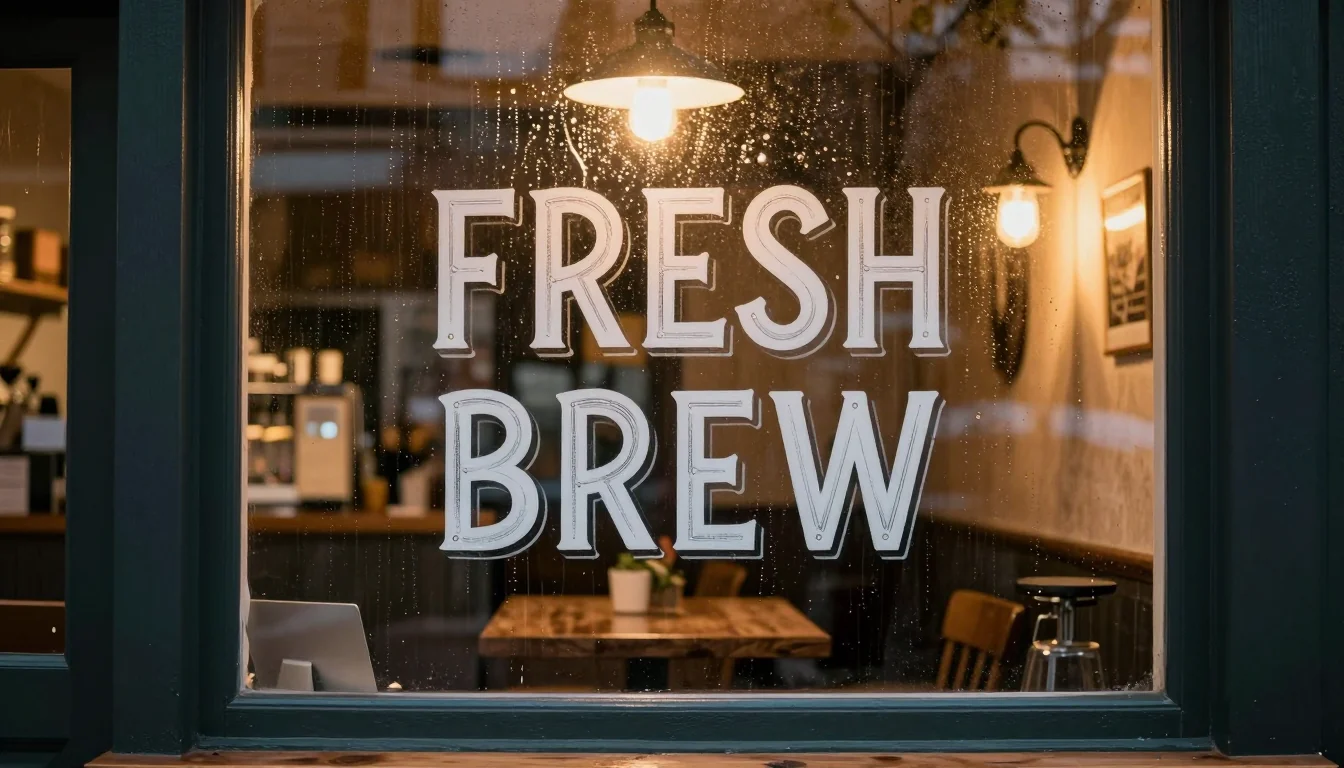
Every letter came out right, even with a drop shadow and sign-painter style. The chalkboard, though, never appeared; the words went onto the window. The quoted copy beat the object it was meant to sit on. When the surface matters (a board, a cup, a shirt), give it its own sentence and check that it is there.
Copy first, look second
When a design has several text elements, I write out all the wording first, numbered line by line, and only then describe the design. This keeps the model from confusing filler slogans with the copy you actually need.
Flat poster design, 4:5, no mockup.
Text, exactly these lines and nothing else:
1. "NIGHT SHIFT JAZZ" (title, largest)
2. "LIVE AT THE OLD DEPOT" (subtitle)
3. "SEPTEMBER 18, 7:30 PM" (small, bottom)
Design: cream background, one navy abstract saxophone silhouette, red accent,
screen-printed look, wide margins, clear hierarchy.
Keep the word count low
- Thumbnails, banners, signs: one to three words per element. Short captions of two or three words read best in my YouTube thumbnail test.
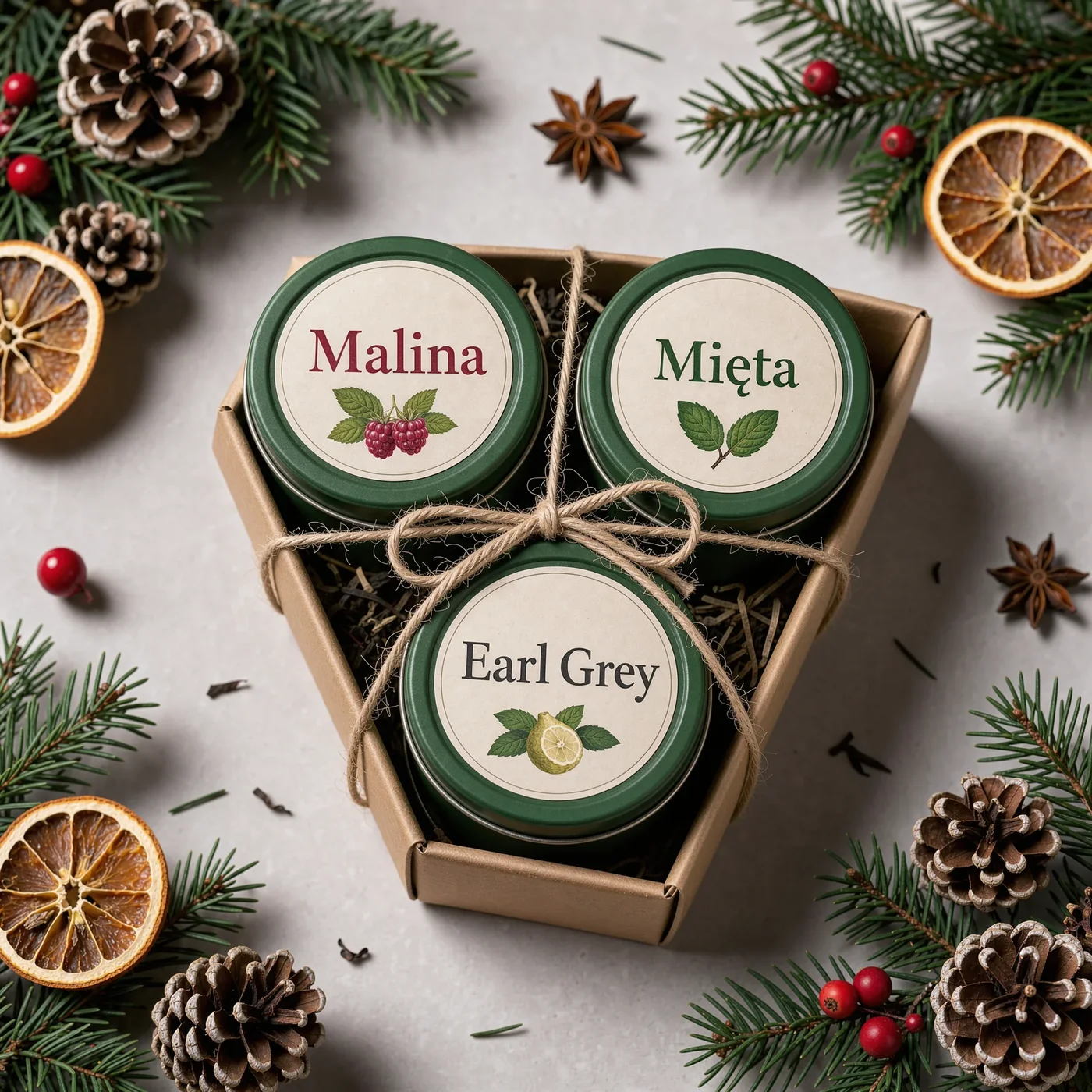
- Posters: a headline, a subtitle and one or two detail lines. In a September run, a poster with a heading and four Polish lines came out clean in Nano Banana 2, Nano Banana Pro and OpenAI's model.
- Menus, schedules, paragraphs: every extra line adds risk. I set that kind of copy in an editor.
Describe letterforms instead of naming fonts
Models follow descriptions better than font names. Swap "Helvetica Bold" for bold condensed sans-serif, all caps, and a named serif for elegant high-contrast serif. Materials help too: neon tube lettering, hand-painted shop sign, embossed enamel plate, chalk handwriting.
Test results: who spells correctly
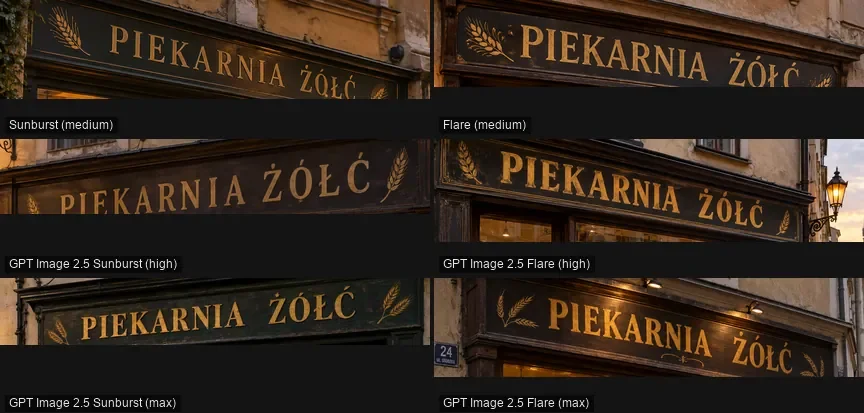
I test in Polish on purpose. Letters like Ż, Ł, Ę and Ć are exactly where image models trip. The numbers come from two write-ups on my Polish blog: a typography test from August 2026 (bakery sign, festival poster, neon pangram) and an image model ranking from 27 September 2026 (a bakery sign saying "PIEKARNIA ŻÓŁĆ"). Each model got one attempt per task; nothing was hand-picked.
| Model | Accented text | My take |
|---|---|---|
| GPT Image 2.5 | sign right in all six quality levels | dependable, cheapest of the top group |
| GPT Image 2 | no errors in three tasks, pangram included | dependable |
| Nano Banana Pro | sign and four-line poster right | dependable, best overall image |
| Nano Banana 2 | zero errors in August, sign 10/10 in September | dependable, but invents extra text |
| Seedream 5.0 Pro | August: misplaced accents; September: right | check each letter |
| Qwen Image 3.0 | August: two subtitle errors; September: right | check each letter |
| FLUX.2 [pro] | errors in both rounds | add text in an editor |
| Z-Image Turbo | English flawless, Polish accents wrong | English copy only |
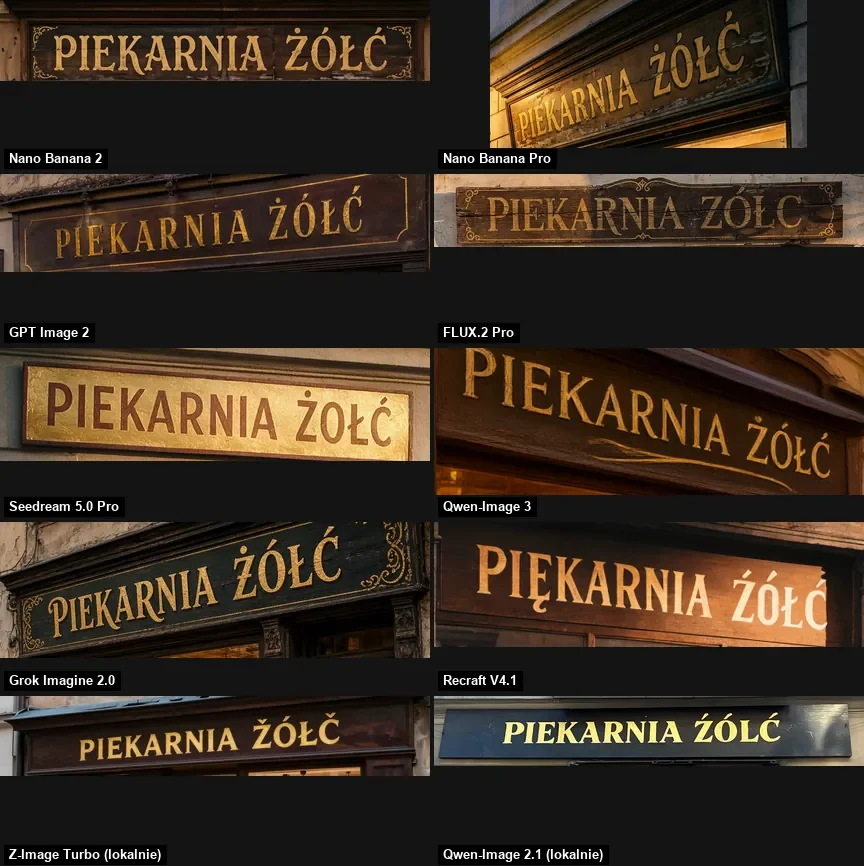
If you care about the whole picture and not just the letters, read GPT Image 2.5 vs Nano Banana Pro vs FLUX.2 and Nano Banana Pro vs GPT Image 2.5.
Missing marks and surplus marks
Models get accented text wrong in two directions. The obvious one is dropping a mark, so "Ż" turns into "Z"; FLUX.2 [pro] did that.
The second is harder to catch. In August, Seedream 5.0 Pro and Qwen-Image-3 were so sure Polish has diacritics that they put them on letters that should not have any:
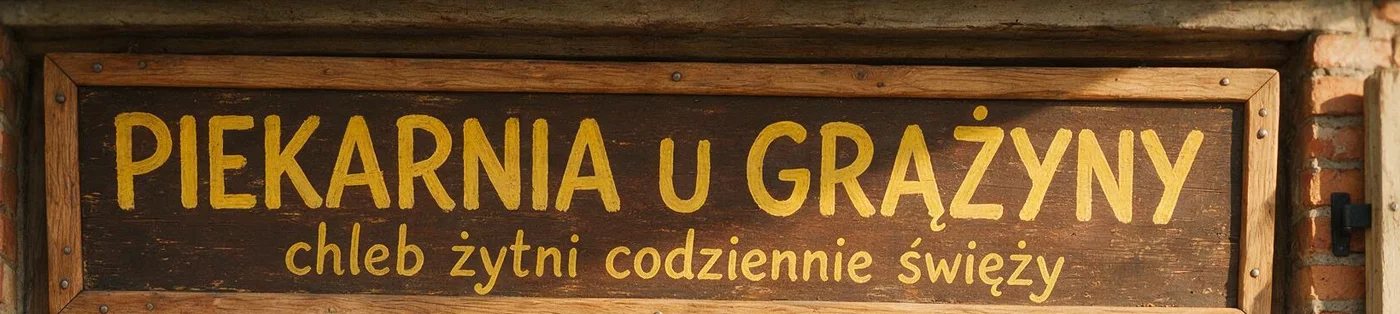
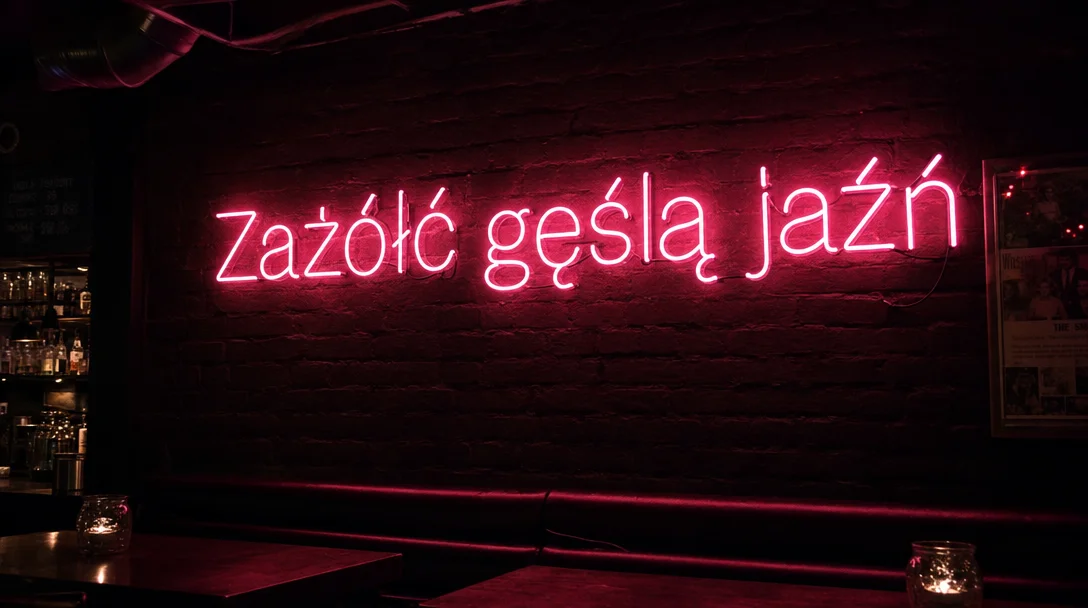
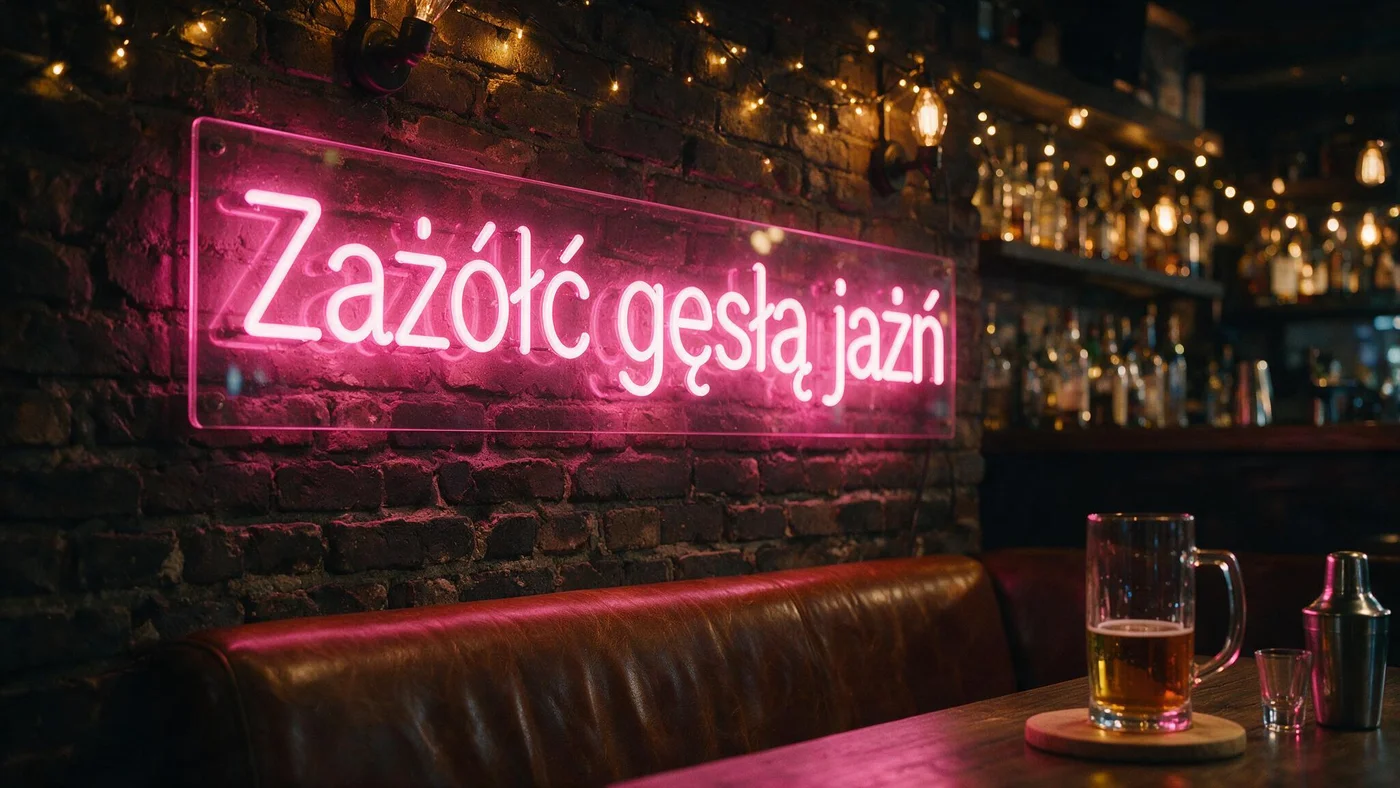
My rule: compare the rendered text with your prompt one letter at a time. A quick glance is not enough, because an extra accent makes a word look right at speed. The same applies to German, French, Spanish, Czech, Turkish and any other language with diacritics.
Text you never asked for
After typos, the next most common problem is invented copy. In the typography test Nano Banana 2 spelled the city and the slogan correctly, then added dates, a venue, a web address and a hashtag all by itself:
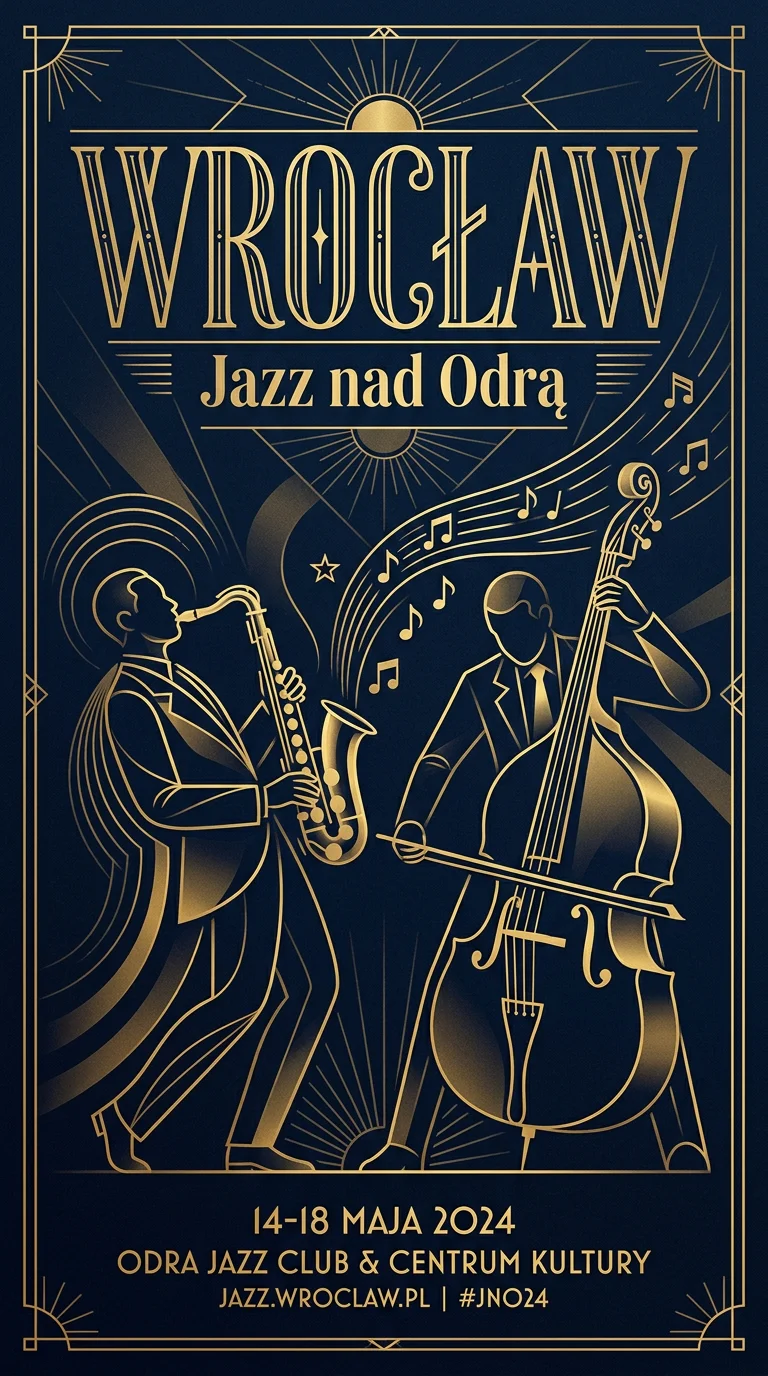
For client work that is dangerous: a fake date or a believable but wrong URL. Writing exactly these lines and nothing else with the full list reduces it but does not rule it out. Another time, Z-Image Turbo was asked for a drawing "in the style of" a famous magazine and painted that magazine's masthead even though the prompt said "no text". So I scan the whole image, not only the area where copy belongs.
Fixing one wrong word
If the picture is good and a single word is off, I do not regenerate. Two ways out:
- Edit with a model. Pass the finished image in
image_urlsto an editing-capable model (Nano Banana Pro, GPT Image 2.5, FLUX.1 Kontext [pro]) and name both the mistake and the correction:
curl "https://kadraris.com/v1/generate?wait=60" \
  -H "Authorization: Bearer $KADRARIS_API_KEY" \
  -H "Content-Type: application/json" \
  -d '{
    "model": "nano-banana-pro",
    "input": {
      "prompt": "Change only the small line of text: replace \"Freshly baked evry day\" with exactly \"Freshly baked every day\". Keep the font, color, size, position and every other element of the image unchanged.",
      "image_urls": ["https://example.com/sign.png"],
      "aspect_ratio": "16:9"
    }
  }'
I have not measured how often such a correction works on the first go. After the edit, reread the whole image, since the model may alter other text too.
- Finish in an editor. Generate with blank space for copy (
leave empty space for a headline in the upper third) and set the type in Canva, Photopea or GIMP. That is the safe option for prices, dates, names and anything that changes often.
Budget per graphic
You pay for each delivered image; failed runs cost $0. For a text-heavy graphic I plan two or three attempts and one correction:
| Task | Model | Cost |
|---|---|---|
| Poster with copy, 3 tries | GPT Image 2.5 | 3 × $0.05 per image |
| Same at top image quality | Nano Banana Pro | 3 × from $0.07 per image |
| Fixing one word | Nano Banana Pro | 1 × from $0.07 per image |
| Layout drafts, English copy | Z-Image Turbo | 10 × $0.02 per image |
Every model here runs in Kadraris Studio without code, with the price shown before you click. For general image prompting, see the AI image prompt guide, and for all image models the AI image generator page.
Questions
Does the prompt language affect spelling?
The spelling problem is about the letters in the quoted copy, not the language of the rest of the prompt. I write the description in English and put the copy, in whatever language it needs, in quotes. Then I pick a model that handled that alphabet in tests.
Why did the model ignore the surface I described?
When quoted text and an object compete, the text often wins, as in my "FRESH BREW" test where the chalkboard vanished. Describe the surface in a separate sentence, and if it still disappears, try another seed or model.
Is it better to generate text or add it afterwards?
Short headlines and signs are fine to generate on a model that spells well. Prices, dates, legal lines and anything long are safer added in an editor, where you control every character.
Can I test text rendering without paying?
There is no free plan or welcome credit on Kadraris; the minimum top-up is $10. Failed runs cost nothing and the balance does not expire, so a few test images on Z-Image cost very little.