YouTube Thumbnails with AI - Two Words, One Subject, Your Face
Make YouTube thumbnails with AI that read on a phone - short text, models that spell well, your own photo as a reference, the 1280x720 resize and batch cost.
 Piotr Olszewski2026-10-228 minPolski
A good AI thumbnail is mostly restraint: a 16:9 frame, one subject, a caption of a couple of words, and a check at phone size before it goes up. The model matters for the lettering. Nano Banana Pro (from $0.07 per image) and GPT Image 2.5 ($0.05 per image) got every letter right in my own tests, Polish diacritics included. This guide goes through the layout I use, which models to trust with text, how to use a photo of yourself, what I learned from a phone-size readability check, the export size, and what a season of thumbnails costs.
The layout that survives a small screen
A viewer scrolling suggested videos gives a thumbnail about a second. What I build every time:
- One subject in one half. Your face, the product, or one symbol. Not three things.
- The words on the opposite side. A couple of them, set in a heavy sans-serif with hard contrast, for example light letters on a dark field or yellow over navy.
- Nothing in the bottom-right corner. YouTube puts the video duration there.
- A quiet background. Dark, flat or blurred. Fine detail vanishes once the image is 320 px wide.
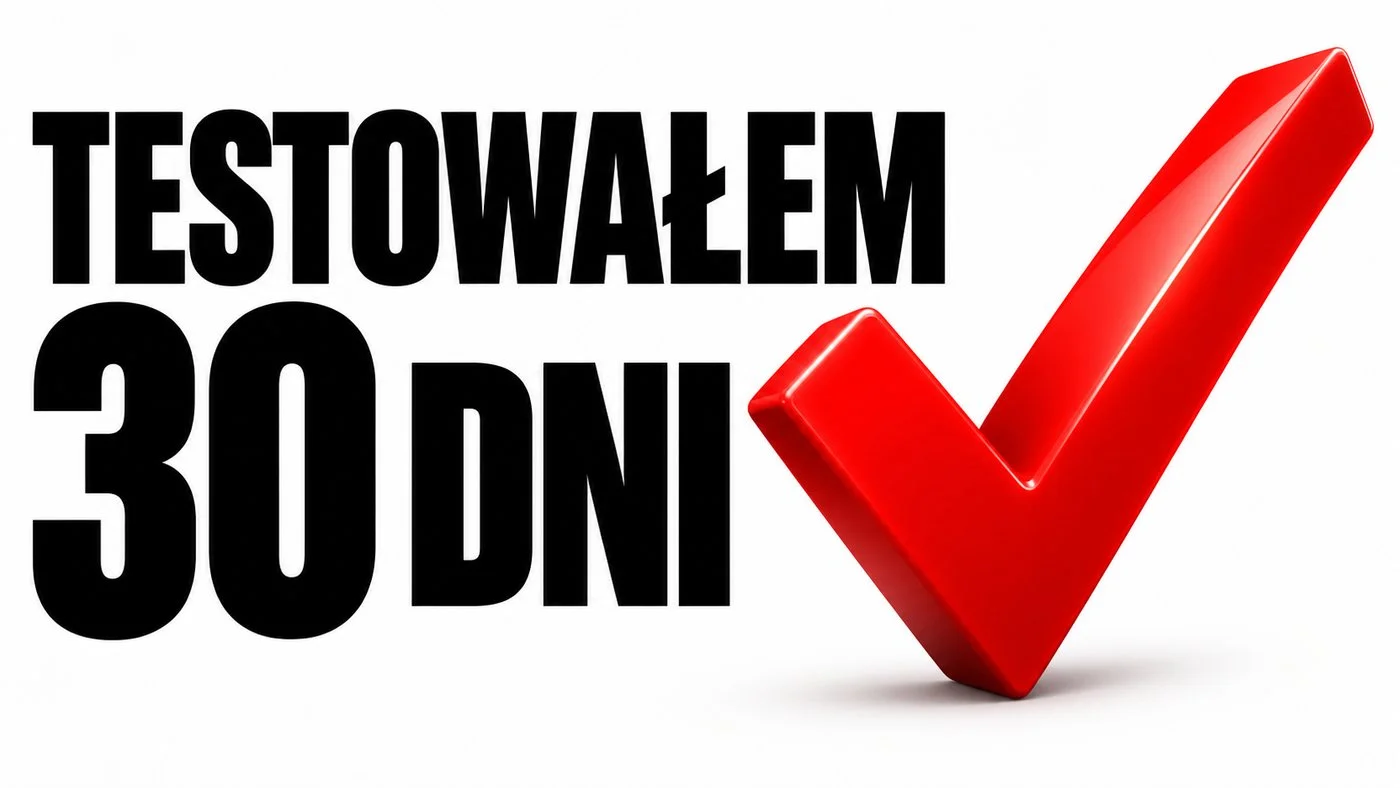
A prompt I start from, with the text and the graphic kept apart on purpose:
YouTube thumbnail, 16:9. Left half: exactly the words
"I TESTED IT FOR 30 DAYS" in bold white condensed
sans-serif, two lines, very large, thick black outline.
Right half: one large glossy red check mark.
Plain white background, soft studio light.
The mark never touches the letters. No other text,
no logos. Bottom right corner left empty.
Faces are the most common thumbnail motif, but none of my six test images used one, so I cannot give you my own results for that layout. One rule carries over from the text results: the face and the words must not overlap, and the prompt should say so. More on getting lettering right (quotes, the word "exactly", length, proofreading) is in AI text in images.
Models I trust with the lettering
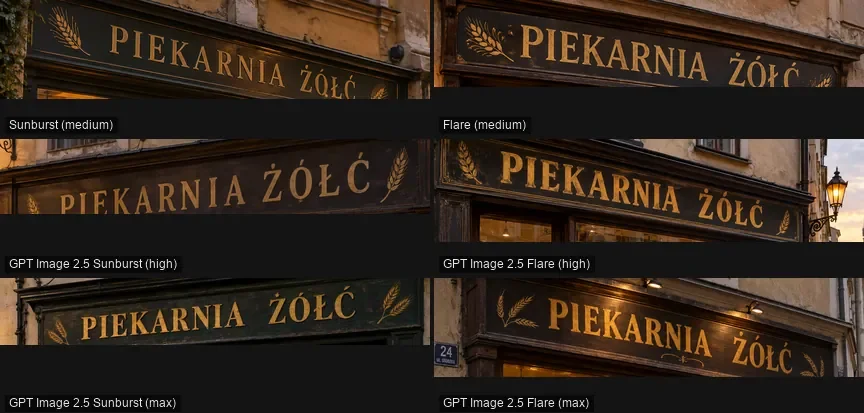
Spelling errors are still the most frequent flaw in AI thumbnails, and letters with accents make them more likely. Every few weeks I repeat a lettering check on promptowy.com with Polish words, which are hard for models because of Ż, Ł, Ę and friends. The August 2026 round had three tasks: a storefront, a poster for a festival, and a neon pangram. GPT Image 2 and Nano Banana 2 finished all three with zero wrong characters. Seedream 5.0 Pro and Qwen-Image-3 added diacritics where none belong, while FLUX.2 [pro] dropped them. Results (Polish): typography test.
| Model | Lettering in my tests | Role in a thumbnail workflow |
|---|---|---|
| Nano Banana Pro | no mistakes on a sign and a four-line poster | final frames, best overall image |
| Nano Banana 2 | clean in both the August and September rounds | several options from one call |
| GPT Image 2.5 | sign right in all six settings | finals at one flat price |
| FLUX.2 [pro] | diacritics dropped or wrong | background art, add type later |
| Z-Image Turbo | fine in English, not with Polish marks | rough layout drafts |
For a scored, side-by-side look at the three big image models, read this three-way comparison.
Putting your own face in the frame
A made-up person is optional. Pass your own picture in image_urls; Studio shows this as the reference field, where a button lets you upload from disk. Nano Banana Pro takes up to 14 images, GPT Image 2.5 up to 16.
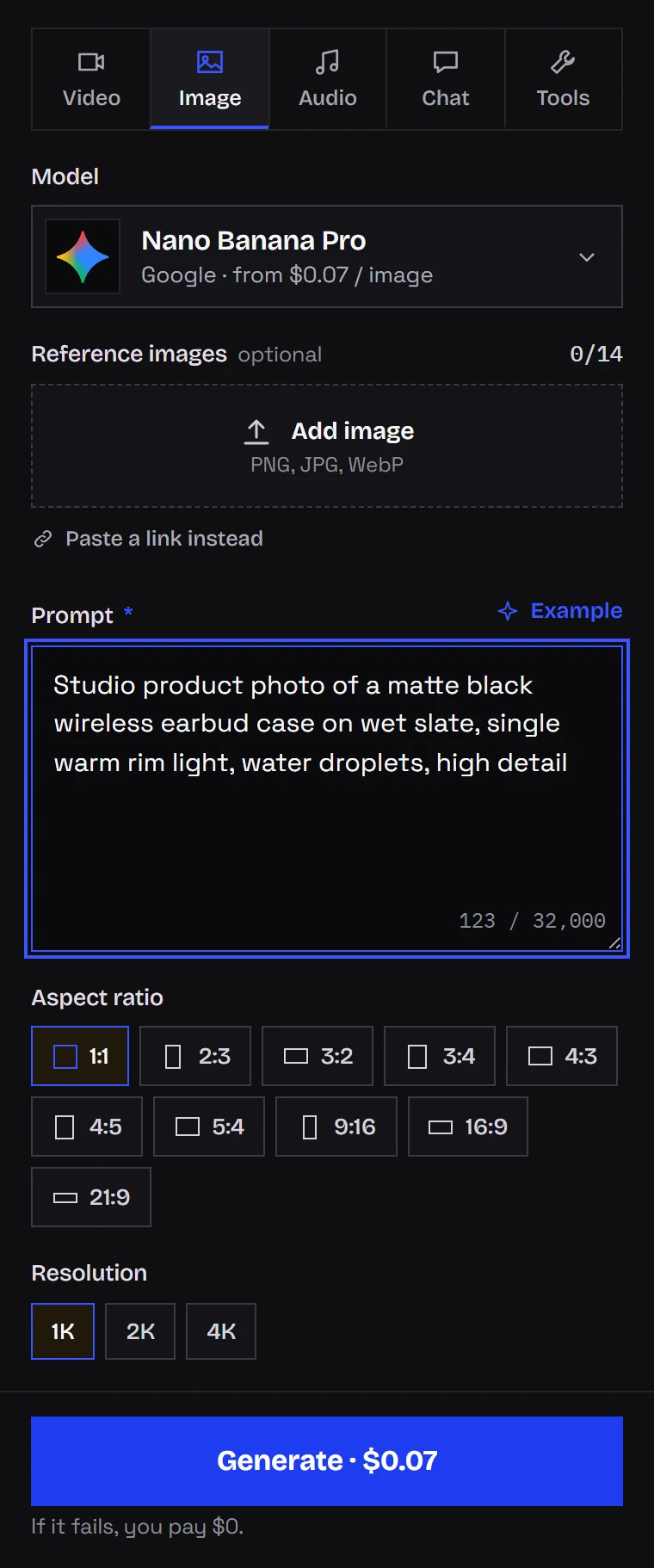
How I do it:
- Choose a sharp, well-lit photo that already has the expression you want. Models hold an existing expression better than they invent a new one.
- Make it reference number one. A product shot or your channel logo can follow as further references.
- Set
aspect_ratio: "16:9"yourself. Leave it out and Nano Banana Pro copies the shape of reference number one, and a portrait selfie gives you a portrait thumbnail. - In the prompt, list what is fixed (face, hair, glasses) and what changes (pose, text, background).
curl "https://kadraris.com/v1/generate?wait=60" \
  -H "Authorization: Bearer $KADRARIS_API_KEY" \
  -H "Content-Type: application/json" \
  -d '{
    "model": "nano-banana-pro",
    "input": {
      "prompt": "YouTube thumbnail. Use the person from the first image, keep the face, hair and glasses exactly the same, surprised expression. Person on the right half, looking at the camera. Left half: bold yellow text exactly \"IS IT FREE?\" on a dark navy background. Nothing overlaps the text.",
      "image_urls": ["https://example.com/my-photo.jpg"],
      "aspect_ratio": "16:9",
      "resolution": "1k"
    }
  }'
Look closely at the result. Identity drifts first around the eyes, the nose and the jaw. Check every letter, and make sure nothing sits on top of the words. If the same face has to appear across a whole series, see consistent characters in AI video. Only use photos of other people with their consent.
What a phone-size check taught me
In September 2026 I produced six widescreen thumbnails for promptowy.com, each with a brief Polish caption, then graded them at 320 px width. That is roughly how big a recommended video looks in the phone app. They came from the image feature of a chat assistant, which does not disclose its model version. The write-up (Polish) is here.
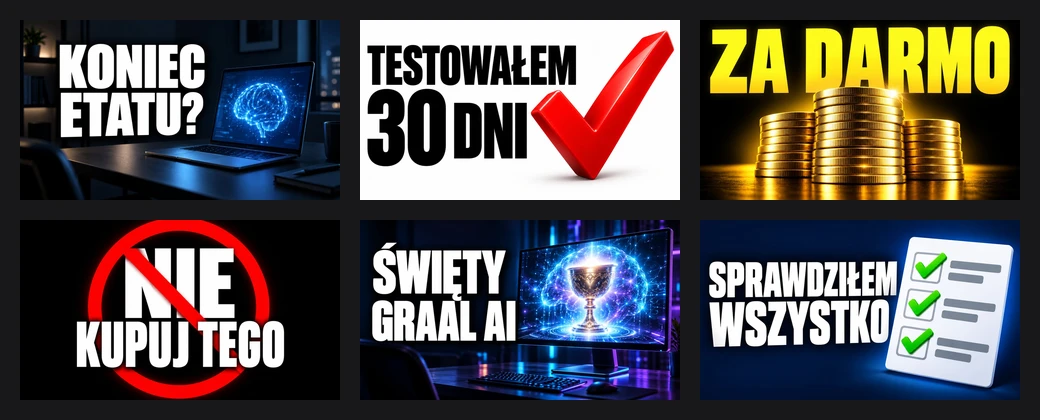
Half of them earned my top grade, the other half the second grade, and not one failed. Lessons:
- Fewer words read better. Each top grade belonged to a caption of two or three words, for instance "KONIEC ETATU?" (roughly "Quitting your day job?"). The longest, "SPRAWDZIŁEM WSZYSTKO" (meaning that everything was checked), had no typos but looked crammed.
- A busy background costs you. A bright monitor behind the letters fought with them and lost a grade, even with perfect lettering.
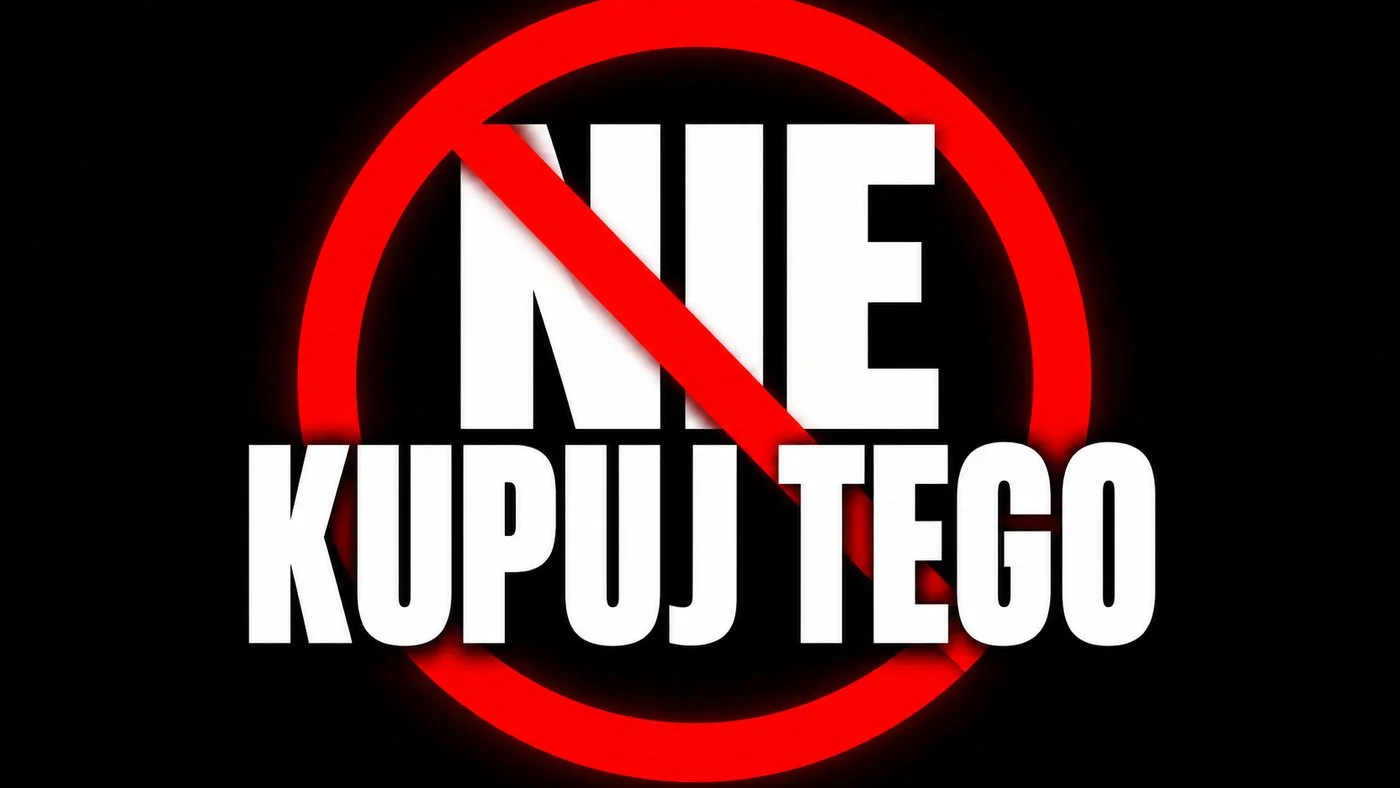
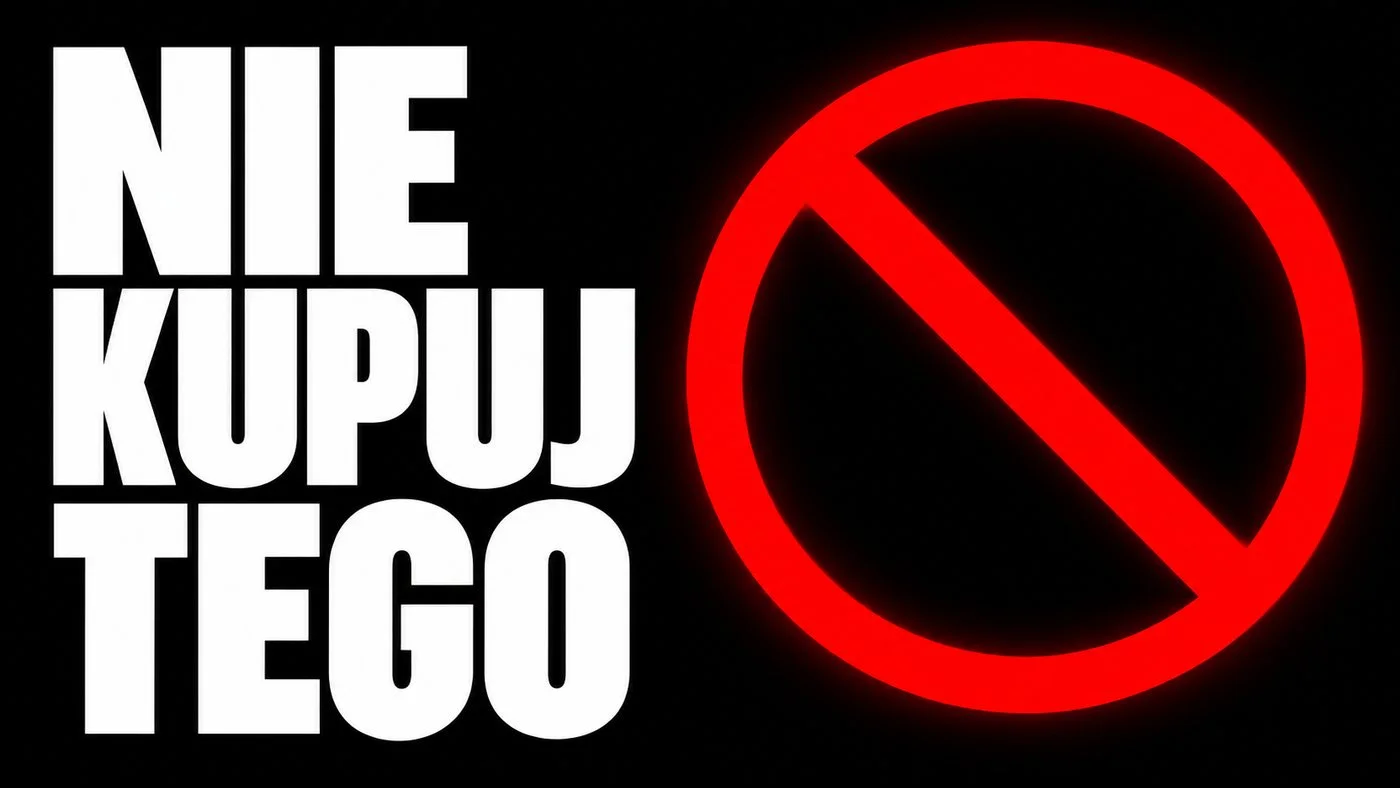
- Keep graphics off the words. My first "NIE KUPUJ TEGO" (a warning not to buy something) had the red sign slashing across the words. Shifting it sideways fixed the problem.
- Diacritics held up. Ł, Ś and Ę came out correct every time.
Treat this as my eye on six pictures from one session, nothing more; it says nothing about clicks. Only an A/B thumbnail test in YouTube Studio shows what your audience actually clicks.
Export at the size YouTube expects
YouTube recommends 1280x720 px (16:9), at least 640 px wide, in JPG, PNG or GIF. Size caps and the rules about which channels may upload custom thumbnails change, so confirm them in YouTube Help.
Image models rarely hand back that exact pixel count. Work in 16:9 and scale the final file:
| Model | Setting for 16:9 | Note |
|---|---|---|
| Nano Banana Pro | aspect_ratio: "16:9", resolution: "1k" | about 1376x768, enough for a thumbnail |
| Nano Banana 2 | aspect_ratio: "16:9", num_images up to 4 | handy for picking between versions |
| GPT Image 2.5 | "1536x1024" (3:2) | no 16:9 size here, crop the 3:2 frame |
| Z-Image Turbo | aspect_ratio: "16:9" | low-cost layout drafts |
One ffmpeg line fills and crops to exactly 1280x720:
ffmpeg -i thumbnail.png \
  -vf "scale=1280:720:force_original_aspect_ratio=increase,crop=1280:720" \
  -q:v 2 thumbnail.jpg
Budget for a season of thumbnails
You pay for each image delivered; a failed generation costs nothing. A plan for ten episodes:
| Stage | Model | Images | Total |
|---|---|---|---|
| Layout drafts | Z-Image Turbo | 3 per episode, 30 | 30 × $0.02 per image |
| Text variants | Nano Banana 2 | 4 per episode, 40 | 40 × from $0.07 per image |
| Finals with your face | Nano Banana Pro | 2 per episode, 20 | 20 × from $0.07 per image |
A leaner plan drops the drafts and does it all in GPT Image 2.5: three tries for each of ten episodes is 30 × $0.05 per image, and the quality setting does not change that price. A "from" price grows with resolution; for a 1280x720 thumbnail the base tier is all you need. Check every rate on pricing. You can add as little as $10, and unused funds stay on the account indefinitely.
Questions
Why did my thumbnail come out vertical when I used a selfie?
Nano Banana Pro copies the aspect ratio of the first reference image when you do not set one. Add aspect_ratio: "16:9" to the request, or pick 16:9 in Studio, and the output will be horizontal.
Can GPT Image 2.5 make a 16:9 thumbnail directly?
Not on Kadraris. It offers 1024x1024, 1536x1024, 1024x1536 and auto. Generate at 1536x1024 and crop to 16:9 with the ffmpeg command above.
Is it better to put the text in with AI or in an editor?
With Nano Banana Pro, Nano Banana 2 or GPT Image 2.5 the AI lettering was correct in my tests, so generating it saves a step. With FLUX.2 [pro] or Z-Image Turbo, especially for non-English words, leave space and type the text in an editor.
How do I know if a thumbnail will read on a phone?
Shrink a copy to 320 px across, hold the phone at a normal distance and glance at it. When the caption or the subject melts into the scene, calm the background down or cut a word.