Leonardo AI Alternative Without Tokens: Pay in Dollars per Image and Clip
Leonardo AI alternative with no token plan: Nano Banana Pro, GPT Image 2.5, Seedream 5.0 Pro, FLUX.2, Z-Image and Kling video, billed per file on one balance.
 Piotr Olszewski2026-10-227 minPolski
Some people look for a Leonardo AI alternative simply because they are tired of counting tokens in a monthly plan. The leading image and video models are also available from a prepaid balance. On Kadraris you can run Nano Banana Pro (from $0.07 per image), GPT Image 2.5 ($0.05 per image), Seedream 5.0 Pro, FLUX.2 [pro], Imagen 4.0, Z-Image Turbo and Qwen Image 3.0, and for video Kling 3.0 or Seedance 2.5. Images are charged per file, video per second, with no subscription. The same funds work in Studio and through the API.
Leonardo first: what it offers (October 2026)
Canva bought Leonardo.Ai in 2024, and it ranks among the biggest platforms for AI pictures and clips. From its documentation and help center (check leonardo.ai for current plans):
- Tokens power the web app. A free plan gives a daily token amount; paid plans give a monthly one. The token cost of each generation depends on the model and the settings.
- Leftover tokens go into a Rollover Bank. The bank is capped per plan and works only while you are subscribed, so after cancelling the banked tokens cannot be used.
- The API is sold separately. It runs on a pay-as-you-go USD balance which, per the docs, does not expire. That balance and the app tokens are not connected.
- A wide model list. Besides in-house Phoenix, Lucid Origin and Lucid Realism, it hosts third-party image models (FLUX.2 Pro, Seedream 5.0 Pro, GPT Image 2.5, Nano Banana Pro among them) and video models like Veo 3.1, Seedance 2.5 and Kling 3.0.
Anyone who depends on Phoenix, Lucid or Leonardo-only features will not find them elsewhere. A move pays off when the bulk of your output already comes from third-party models by Google, OpenAI, ByteDance or Black Forest Labs.
Reasons people move to per-file billing
- No plan to manage. One month you make 20 images, the next 400. A fixed allowance either hits the bank cap or runs dry.
- Money instead of tokens. Kadraris Studio shows the dollar price on the button before you generate.
- An API in the same account. The key that makes images also runs video, music and chat, and the chat side speaks the OpenAI and Anthropic SDK formats.
- A single bill. Studio and API share one prepaid, non-expiring balance; nothing is split across two products.
Which model for which image job
| Model | Producer | Best job | Price |
|---|---|---|---|
| Nano Banana Pro | final hero images, lettering, up to 4K | from $0.07 per image | |
| GPT Image 2.5 | OpenAI | long, exact prompts and edits | $0.05 per image |
| Seedream 5.0 Pro | ByteDance | posters and covers with words | from $0.0783 per image |
| FLUX.2 [pro] | Black Forest Labs | photoreal scenes built from several photos | from $0.0688 per image |
| Imagen 4.0 | straightforward text-to-image | $0.115 per image | |
| Qwen Image 3.0 | Alibaba | pages packed with text: infographics, storyboards | from $0.0576 per image |
| Z-Image Turbo | Alibaba | low-cost drafts and layout checks | $0.02 per image |
Reference limits: GPT Image 2.5 takes up to 16 images, Nano Banana Pro 14, Seedream 5.0 Pro 10, FLUX.2 [pro] 8, Qwen Image 3.0 3. Imagen 4 and Z-Image work from text only.
Things worth knowing before you start:
- Nano Banana Pro: three sizes (1K, 2K, 4K) and 10 ratios. Bigger output costs more, which is why the price reads "from".
- GPT Image 2.5: wants pixel sizes, not ratios (
1024x1024,1536x1024,1024x1536orauto). One flat price per image, even at top quality. - Qwen Image 3.0: accepts
negative_promptand long prompts, useful for layouts with lots of small lettering. - Z-Image: no input images, but a fraction of the price of the top models. I check framing and light with it before paying for a bigger model.
My side-by-side of the top three: Nano Banana Pro, GPT Image 2.5 or FLUX.2. Pair pages: GPT Image 2.5 against Nano Banana Pro, Z-Image vs FLUX.2 Pro. The full list is on the AI image generator page.
Results from my ten-model ranking
On September 27, 2026 I sent one set of prompts to ten image models, one try each. Among them was a grey-bearded man gripping a mug with two hands; skin, fingers and window light give away weak models fast.
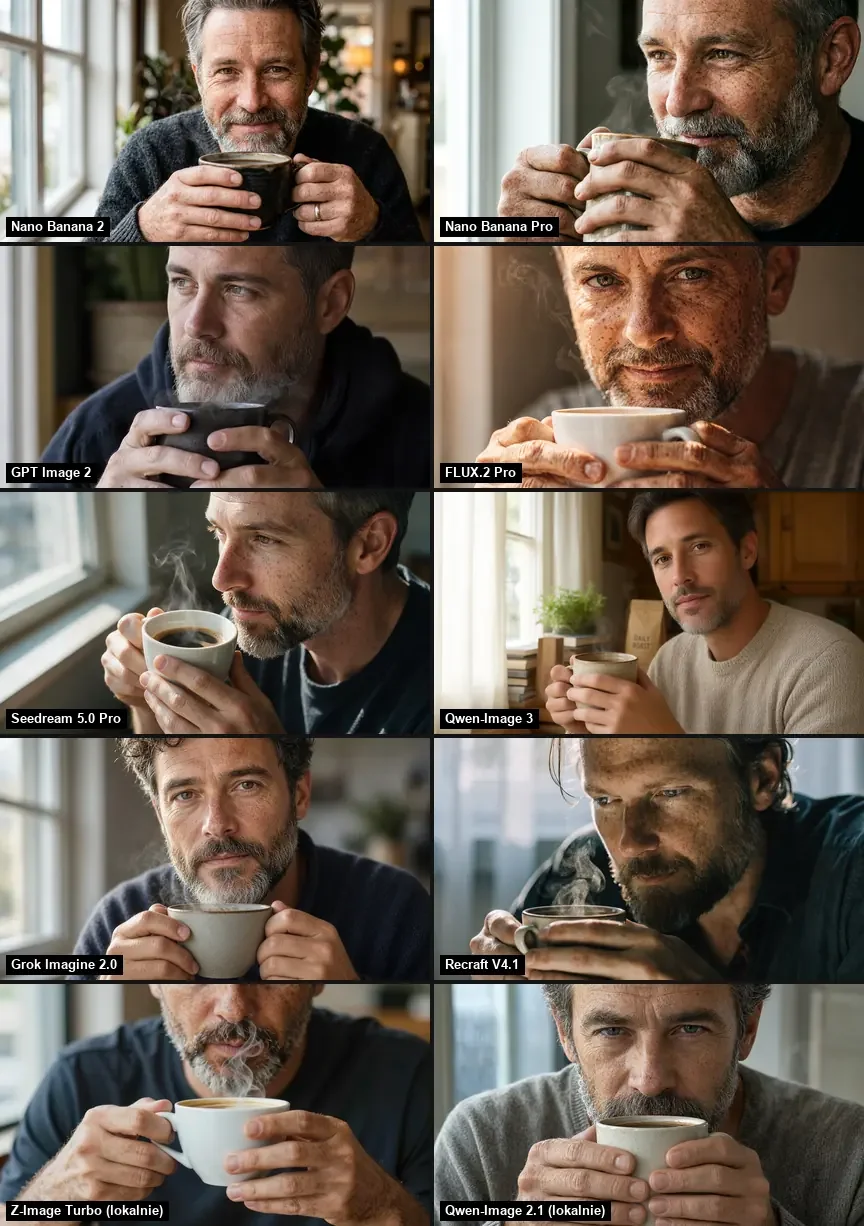
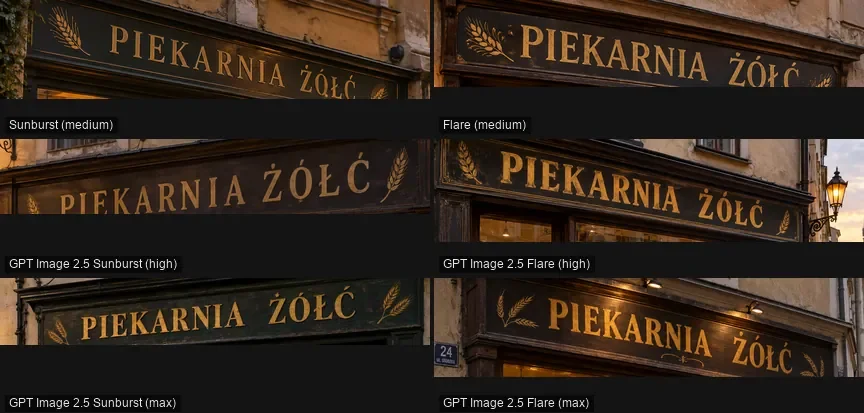
Over the full ranking, Nano Banana Pro had the top average, 9.0. With a shop sign full of Polish accents, GPT Image 2.5 made no errors at any quality setting; FLUX.2 [pro] missed two letters. If your images carry words, that gap counts. More on lettering: AI text in images.
Instead of training a model: references
Plenty of Leonardo users train a custom style or character. References come close with these models: put photos of the product, the character or the look in image_urls, then write what the scene should do with them.
This is not identical to a trained model. You attach the references to every request. In exchange you skip the training step and its cost. Keeping one face stable across stills and clips: consistent characters in AI video.
How I keep image costs low
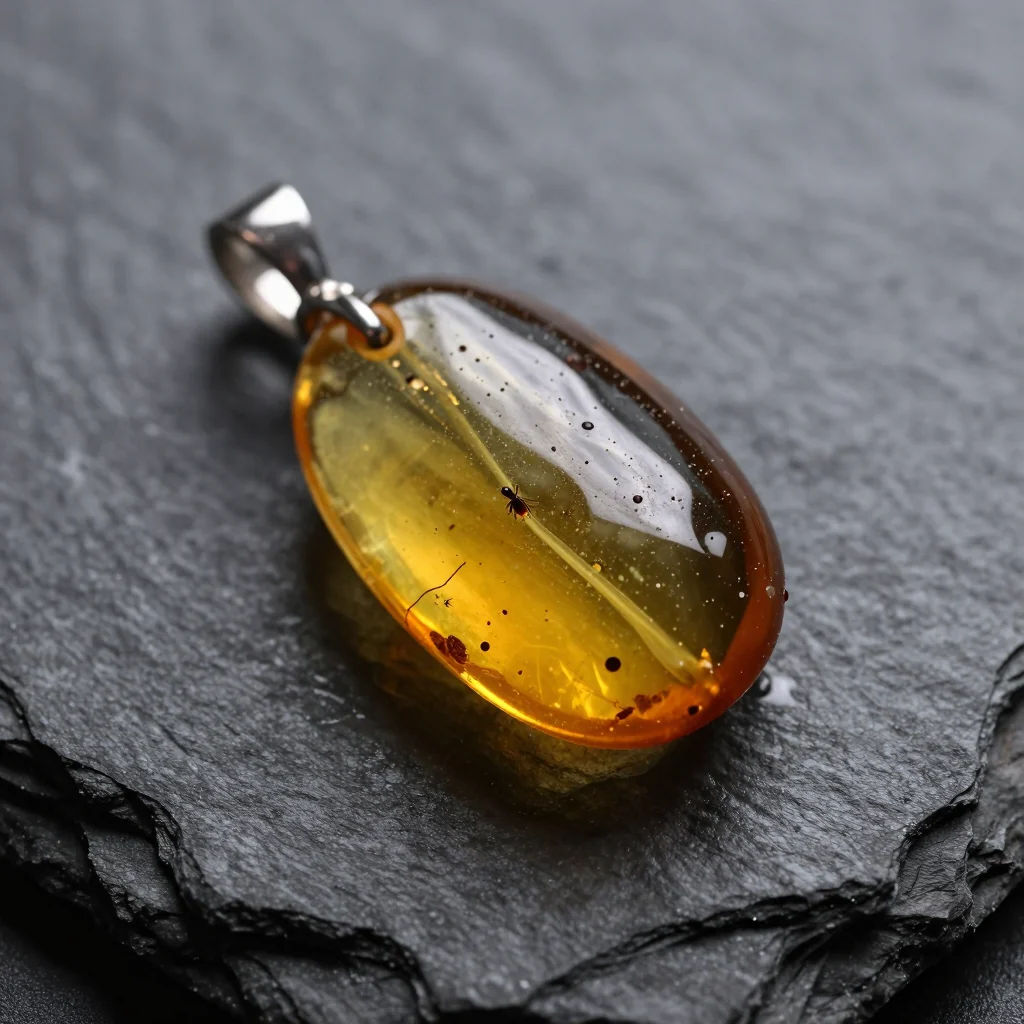
Layout and lighting get decided on the cheapest model; only the approved idea is rendered again with GPT Image 2.5 or Nano Banana Pro. The amber pendant below came from Z-Image Turbo on my own GPU, the same model Kadraris lists.

Short clips from the same funds
Stills are what Leonardo is famous for, yet clips are growing there too. Here video is paid from the very same funds, per delivered second:
- Kling 3.0: 3 to 15 s, up to 4K, optional sound and dialogue.
- Seedance 2.5: up to 30 s with sound, plus editing and extending existing footage.
- Veo 3.1 Fast: Google's 8-second shots in 720p, 1080p or 4K.
- PixVerse V6: budget short clips, 360p up to 1080p.
A Nano Banana Pro image can go straight into a video model as image_url. The process: image-to-video guide. Video models are listed on the AI video generator page.
A month of work, priced
There are no tokens to translate. You add funds from $10, and each job takes the amount you saw before clicking. The balance does not expire and failed jobs cost nothing.
| Job | Cost |
|---|---|
| 100 Z-Image drafts | 100 × $0.02 per image |
| 50 GPT Image 2.5 images | 50 × $0.05 per image |
| 30 Nano Banana Pro images | 30 × from $0.07 per image |
| 20 Seedream 5.0 Pro posters | 20 × from $0.0783 per image |
| 10 Kling 3.0 clips of 5 s | 50 seconds × from $0.0963 per second |
| 10 PixVerse V6 clips of 5 s | 50 seconds × from $0.0405 per second |
Tokens are worth it if most of the allowance gets used month after month. With changing volume or lots of different models, a balance is less hassle. Rates: pricing. Your own estimate: cost calculator.
From code, a shop or n8n
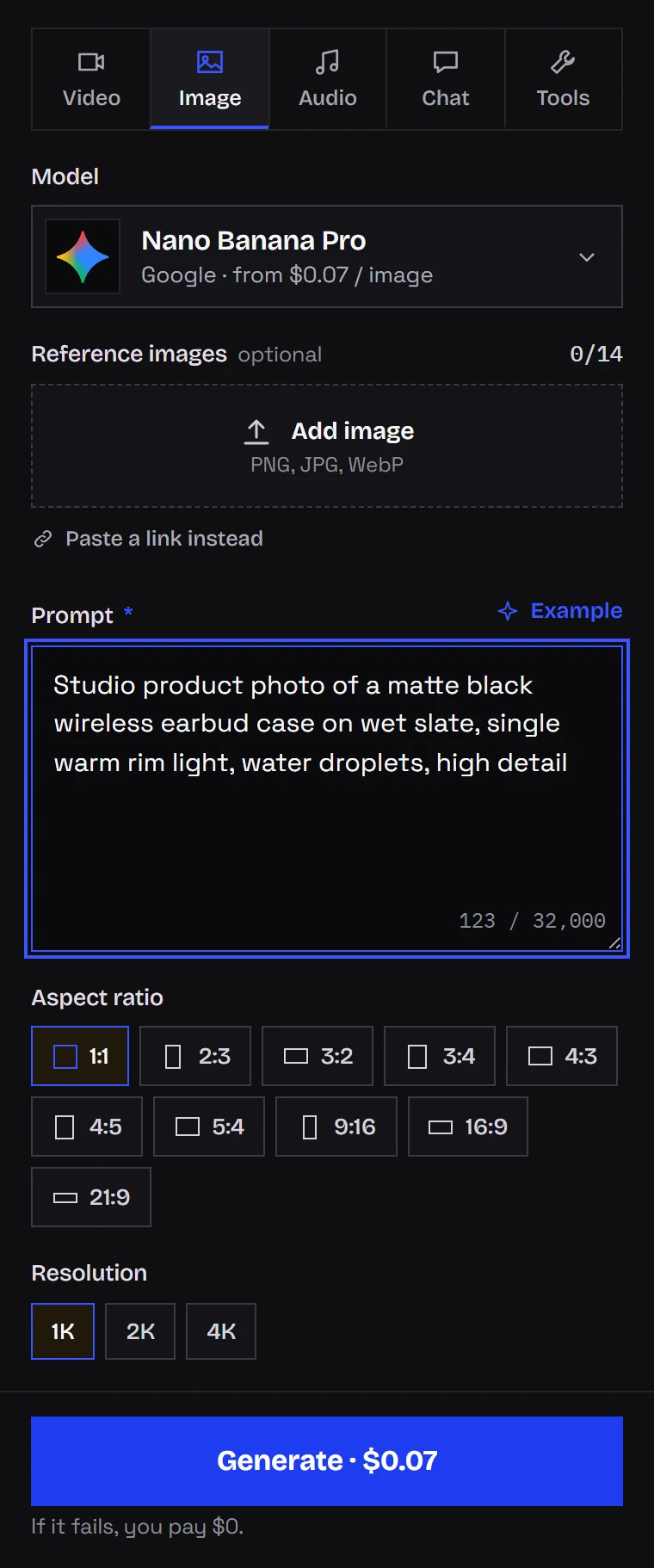
It is one request with your key. With ?wait=60 the server waits for the image and returns its URL:
curl "https://kadraris.com/v1/generate?wait=60" \
  -H "Authorization: Bearer $KADRARIS_API_KEY" \
  -H "Content-Type: application/json" \
  -d '{
    "model": "seedream-5.0-pro",
    "input": {
      "prompt": "Poster for a summer jazz night by the river, title \"BLUE HOUR\", art deco style, warm sunset palette",
      "aspect_ratio": "3:4",
      "resolution": "2K"
    }
  }'
Another model means another model value and its own fields (GPT Image 2.5 needs a pixel size, for instance). estimated_cost arrives before the result. A Python script with downloads: AI image generation in Python. Every field: generate docs. The key is created after you sign up, and the quickstart walks through the first request.
Questions
Will my Leonardo prompts work in these models?
Scene descriptions transfer fine. Settings tied to Leonardo's own models or presets do not; write them out as words about style, light and lens.
Can I use Phoenix or Lucid models on Kadraris?
No. They are exclusive to Leonardo. The Kadraris catalog is built from producers such as Google, OpenAI, Alibaba, ByteDance, Kuaishou and Black Forest Labs.
Does my Kadraris balance reset each month?
No. It is not tied to a billing cycle and does not expire. Only successful generations are charged.
Can I sell images made with these models?
Rights depend on each model producer's terms and on the service terms. Read them before client work. Without permission, leave out real people's faces and third-party logos or brand names.