Which AI Image Generator Wins in 2026? Ten Models, Five Prompts
Best AI image generator in 2026 by my own scores - ten models from Google, OpenAI, ByteDance, xAI and others rated on lettering, realism and cost per image.
 Piotr Olszewski2026-10-2213 minPolski
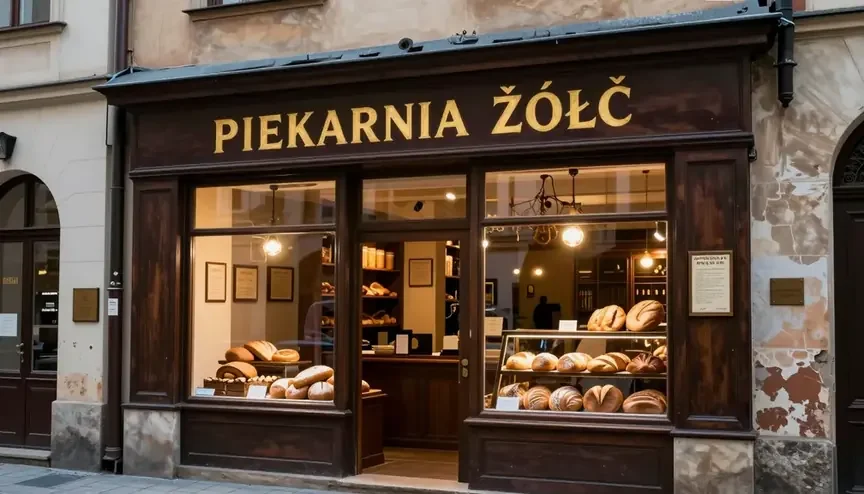
On 27 September 2026 I ran one set of five prompts through ten image models and graded each picture. Nano Banana Pro came out on top with an average of 9.0 out of 10 and a clean "PIEKARNIA ŻÓŁĆ" bakery sign. Nano Banana 2 was the only model to earn a full 10 on that sign. GPT Image 2.5 landed in the upper half with one flat price per image whatever quality you ask for. Below: the scoreboard, how I ran it, picks for typical jobs, a note on each model, and cost examples.
The scoreboard
The numbers below are taken from my ranking of image generators plus a separate GPT Image 2.5 write-up, both produced the same day with identical prompts (the write-ups are in Polish). Only models you can run on Kadraris are listed.
| Model | Strongest at | Price | Score |
|---|---|---|---|
| Nano Banana Pro | single best frame, 4K | from $0.07 per image | 9.0 |
| GPT Image 2.5 Sunburst | long chains of edits | $0.05 per image | 8.8 max / 8.7 high |
| GPT Image 2 | 16 ratios, 4K | from $0.0625 per image | 8.7 (medium) |
| GPT Image 2.5 | volume at one flat rate | $0.05 per image | 8.6 max / 8.5 high |
| Nano Banana 2 | lettering, 4 images a call | from $0.07 per image | 8.6 |
| Grok Imagine Image 2.0 | doing exactly what the prompt says | $0.045 per image | 8.6 |
| Seedream 5.0 Pro | portraits and posters | from $0.0783 per image | 8.5 |
| FLUX.2 [pro] | scenes from up to 8 references | from $0.0688 per image | 7.6 |
| Qwen Image 3.0 | whole pages of text | from $0.0576 per image | 7.6* |
| Z-Image Turbo | rough drafts | $0.02 per image | 5.7** |
\ The test listed it only as Qwen-Image 3, without a variant name. \\* Z-Image Turbo ran on my own RTX 4090 with the same prompts.
A "from" price rises with resolution. GPT Image 2.5 and Sunburst cost the same on Kadraris at every quality level.
Five prompts, one day: how the scores were made
I ran everything myself on 27 September 2026, through a different provider's API, not through Kadraris. The details are in the two write-ups linked above.
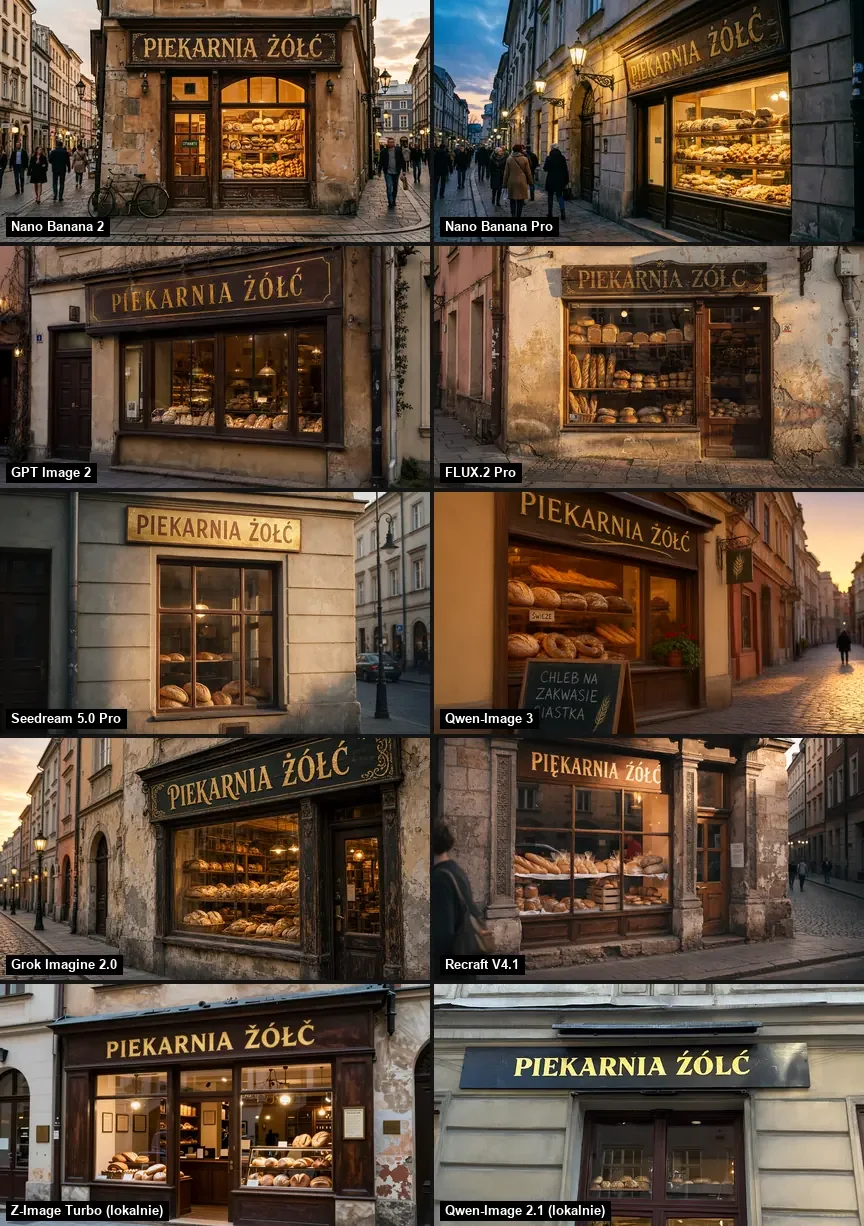
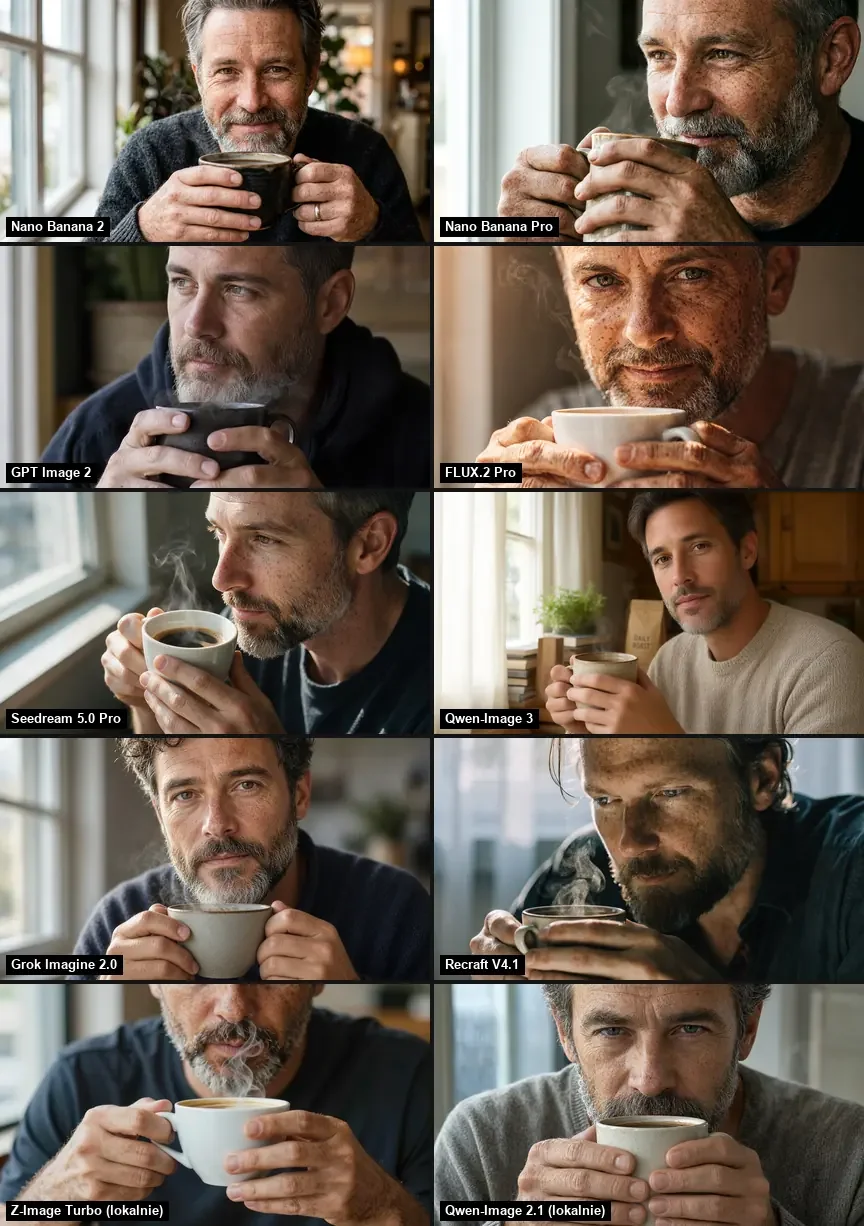
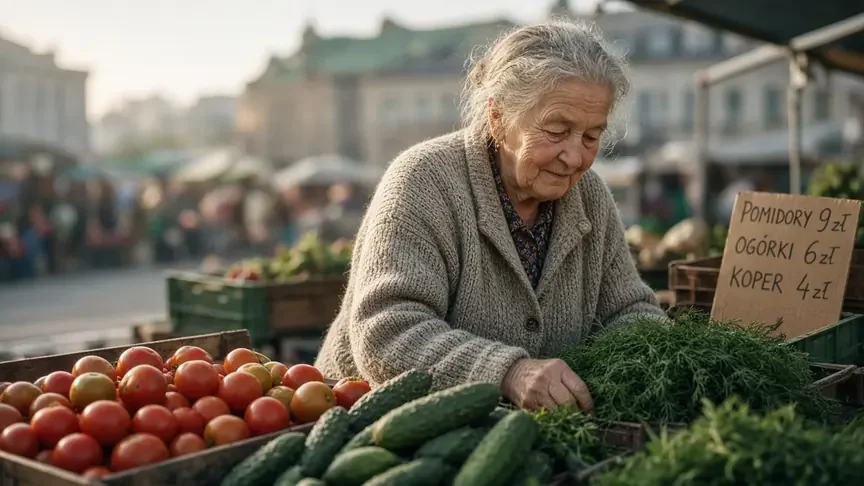
- The prompts: dill sold by an elderly stallholder; a bakery front in Kraków whose painted lettering must read "PIEKARNIA ŻÓŁĆ"; a text-free flat drawing of a laptop user with a llama beside them; a close portrait of a man of about forty with freckles and a coffee cup; overhead pierogi topped with onion and sour cream.
- Settings: widescreen 16:9, the "1K" size when available, and the same seed number whenever a model lets you set it.
- One attempt per prompt. I did not pick the best of several.
- Two models ran locally on the RTX 4090: Z-Image Turbo and Qwen-Image 2.1.
- The scores are my opinion, 0 to 10. Timings were measured on the other provider and may not match Kadraris.
Why the Polish sign: "ŻÓŁĆ" is four letters long and every one carries a diacritic. A missing dot or a wrong accent is visible at a glance, which makes it a fast stress test for lettering beyond English.
An earlier round, on 14 August, was a pure lettering check: three Polish text jobs given to five models, among them the Flash version of Nano Banana, GPT Image 2 and FLUX.2 [pro]. The model notes below mention it where it matters.
Every prompt, every model
| Model (setting) | Avg | Market | Sign | Illustr. | Portrait | Pierogi |
|---|---|---|---|---|---|---|
| FLUX.2 [pro] | 7.6 | 7.5 | 5 | 8.5 | 8.5 | 8.5 |
| Grok Imagine Image 2.0 | 8.6 | 8.5 | 9.5 | 8 | 8.5 | 8.5 |
| OpenAI 2.5 Flare (max) | 8.6 | 8.5 | 9.5 | 8.5 | 8.5 | 8 |
| OpenAI 2.5 Sunburst (max) | 8.8 | 8.5 | 9.5 | 8.5 | 9 | 8.5 |
| OpenAI GPT Image 2 (medium) | 8.7 | 8 | 9.5 | 9 | 8 | 9 |
| Gemini Flash Image (NB 2) | 8.6 | 9 | 10 | 8.5 | 8 | 7.5 |
| Gemini Pro Image (NB Pro) | 9.0 | 9 | 9.5 | 8.5 | 9 | 9 |
| Qwen-Image 3 | 7.6 | 8.5 | 9 | 8.5 | 5.5 | 6.5 |
| Seedream 5.0 Pro | 8.5 | 8.5 | 8.5 | 8.5 | 9 | 8 |
| Z-Image Turbo (local) | 5.7 | 8 | 5 | 3 | 6.5 | 6 |
Pick by the job in front of you
- The single strongest image: Nano Banana Pro, 9.0 average and never under 8.5 on any prompt.
- Good images at one predictable price: GPT Image 2.5, above 8 in my test, and the rate stays the same at any quality.
- Words inside the picture: Nano Banana 2 (10 on the sign, no wrong letters in August). Three more models scored 9.5 there: the Pro version of Nano Banana and both OpenAI generations.
- Faces and photo realism: Nano Banana Pro and Seedream 5.0 Pro, both 9 for the portrait with hands.
- 4K output: Nano Banana Pro (1K, 2K, 4K) or GPT Image 2 (4K, for example 3840x2160 at 16:9).
- Banners and several versions per call: Nano Banana 2, up to 4 images per request and ratios as wide as 8:1.
- Throwaway drafts: Z-Image Turbo, with a low score and lettering in English or Chinese only.
All of them run from the AI image generator page and the API on one balance.
Google: Nano Banana Pro and Nano Banana 2
Nano Banana Pro is Google's Gemini 3 Pro Image under another name. You can feed it as many as 14 references, choose between 10 shapes (widest 21:9, tallest 9:16) and three sizes up to 4K. Each call gives one picture, and a prompt may be 32,000 characters long. Its lowest grade was 8.5, the sign got 9.5, and three other prompts got 9 each. At the time of writing, the 4K tier was priced barely above 1K for this model, so I use it for print and large formats. Watch for one habit shared by the Nano Banana family: it sometimes adds lines of text nobody asked for. I read every word before a client does.
Nano Banana 2 is Gemini 3.1 Flash Image, built for speed: 1K results typically take 10-30 seconds, you get as many as 4 pictures per call, and 14 shapes are available, even 8:1 and 1:8. Output sizes go from 0.5K up to 4K, references again up to 14. Its perfect 10 on the bakery came from an extra touch: a correctly spelled "OTWARTE" sign (Polish for open) hanging in the doorway. The August lettering round also went without a single wrong letter, though the poster gained a date and street address the prompt never mentioned. Its low point was the pierogi (7.5), shaped more like gyoza.
Two comparison pages go deeper: the Pro model against OpenAI's 2.5 and Flash against Pro.
OpenAI: GPT Image 2.5, Sunburst and GPT Image 2
GPT Image 2.5 is the faster model of OpenAI's 2.5 generation. GPT Image 2.5 Sunburst takes longer per image and is built for many rounds of changes to one design without the subject drifting. Each takes 16 references at most, a quality value between low and max, and prompts of up to 32,000 characters. On Kadraris the sizes are 1024x1024, 1536x1024, 1024x1536 and auto.
In September neither variant misspelled the bakery at any of the three settings I tried (9.5 each time). Sunburst on max reached 8.8; the faster variant, Flare in the test and gpt-image-2.5 on Kadraris, got 8.6 at max and 8.5 at high. The surprise for me: on four of the five prompts the two produced almost the same picture, and Sunburst pulled ahead on fine detail such as hands. My test images were 16:9; on Kadraris you would get that by cropping a 1536x1024 frame.
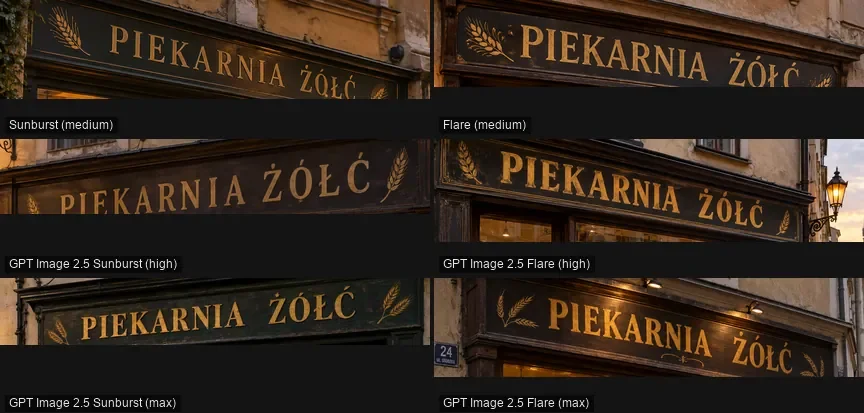
GPT Image 2 at medium averaged 8.7 and had no mistakes in the August typography test. With 16 shapes between 1:3 and 3:1 and sizes up to 4K, it is the OpenAI option on Kadraris when you need 4K. Related pages: Flare against Sunburst, the 2.5 generation against version 2, and OpenAI against Google's Flash model.
Seedream 5.0 Pro for portraits and posters
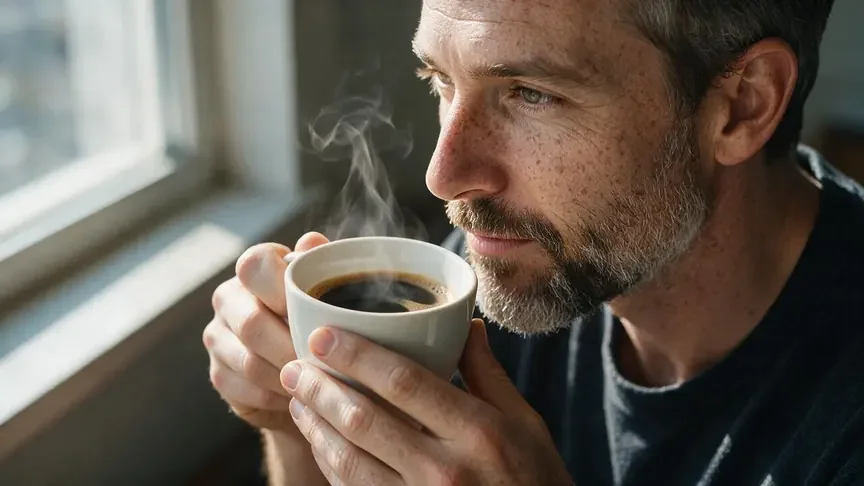
ByteDance aims Seedream 5.0 Pro at posters and covers that carry text. It takes up to 10 references, outputs 1K, 1.5K or 2K in 8 ratios, one image per call. Its 8.5 average hides a strong 9 for the portrait: freckles, steam rising from the mug and two correct hands. The sign in September was right (8.5), but the August typography test showed at least 4 errors with accents placed where they do not belong, so I zoom in on its lettering every time.
It is matched up against Google's Pro model and OpenAI's 2.5 on separate pages.
Grok Imagine Image 2.0 follows the prompt to the letter
xAI's model leaves your wording alone and skips the creative extras. It accepts up to 10,000 characters, 7 ratios and 1-4 images per call, from text only. It averaged 8.6, spelling the bakery correctly (9.5). Where it lost was waiting time: it was the slowest model in the main ranking at 71.5 seconds on average, measured on the other provider. When you want a handful of variants from a single request, it is a reasonable alternative to GPT Image 2.5 at its price.
FLUX.2 [pro]: strong photos, weak diacritics
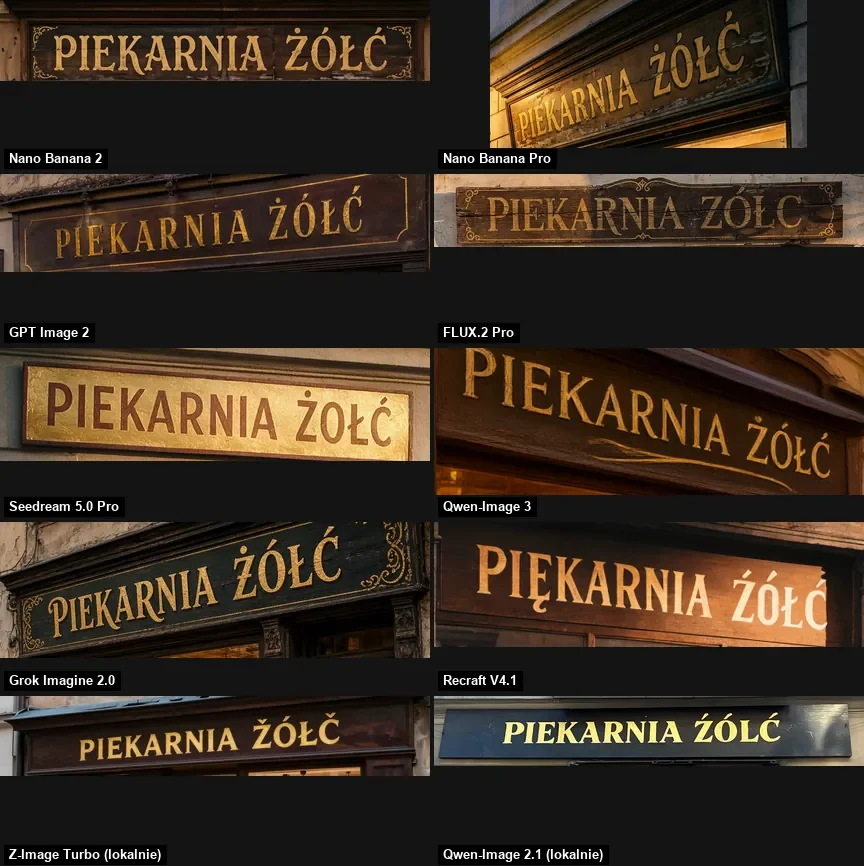
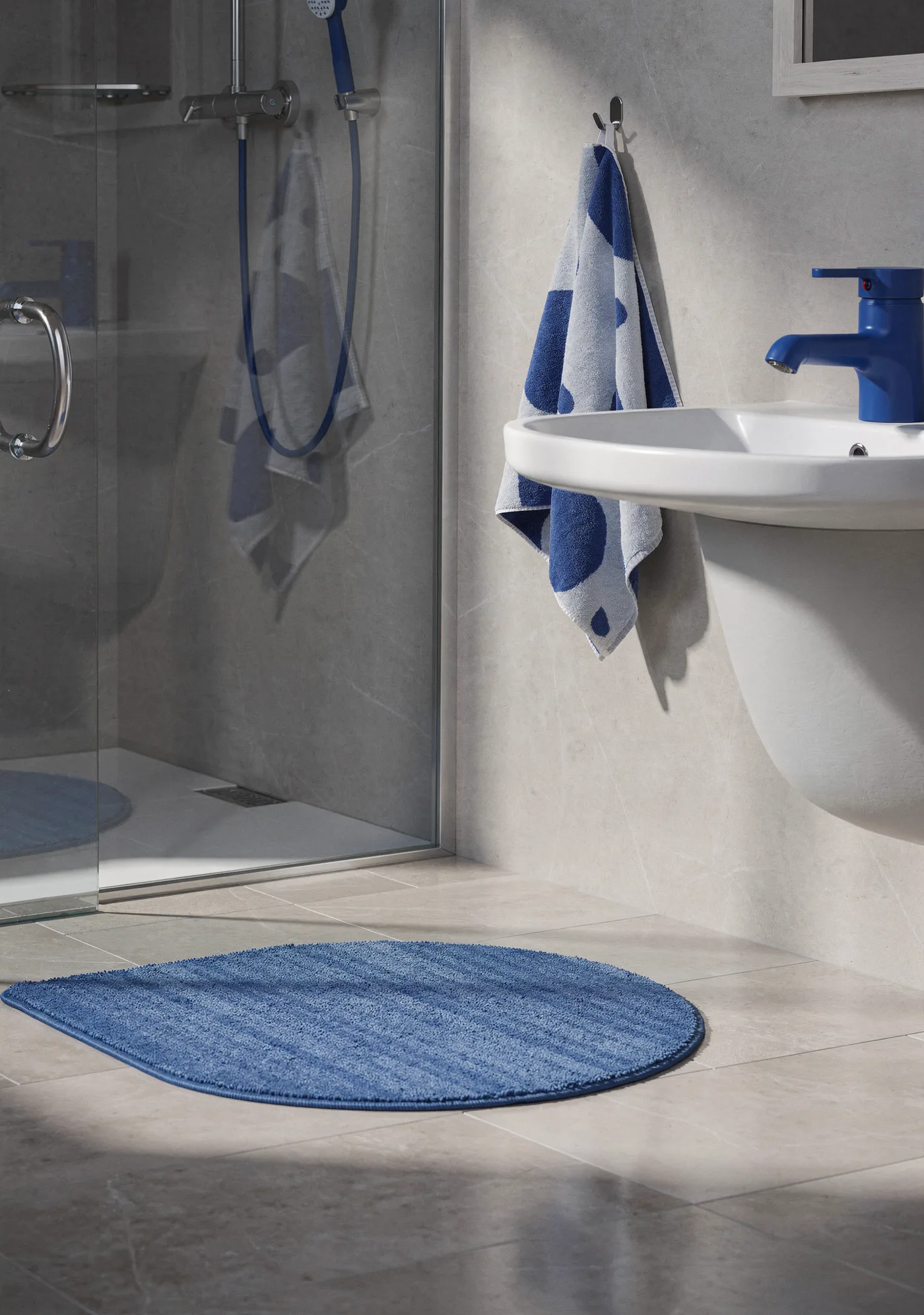
Black Forest Labs aimed FLUX.2 [pro] at realism and at assembling one scene from several references (8 at most), at 1K or 2K, in 7 shapes or auto, with prompts capped at 5,000 characters. Three of its five grades were 8.5, so the photographic side is solid. Diacritics are the problem. Its bakery came out spelled with a plain Z and C, losing both marks, for a 5. The August round found four or more wrong characters spread over its three images. When a FLUX.2 design needs non-English words, I keep a clean area free and add the type myself afterwards.
The FLUX.2 against Google Pro page has more.
Qwen Image 3.0 and Z-Image Turbo at the low end of the price list
- Qwen Image 3.0 from Alibaba reads long prompts (around 4,500 tokens), and its maker says text stays legible down to 10 px. 1K and 2K cost the same, with up to 4 images per call. In my run it handled the bakery well (9) and then stumbled on the face (5.5) and the dumplings (6.5).
- Z-Image Turbo, Z-Image Turbo, works from a text prompt only, offers 5 shapes, and its maker lists English and Chinese as the languages it can letter. Average: 5.7, because the sign became "ŽÓŁČ", and the illustration that was supposed to have no text got a magazine masthead. I use it for composition sketches. See also the Z-Image Turbo guide and its comparison with FLUX.2.
What a batch of images costs
Prices below are filled in from the live price list. For models with several resolutions, the shortcode shows the lowest tier.
| Job | Math |
|---|---|
| 30 social posts in GPT Image 2.5 | 30 × $0.05 per image |
| 4 banner options from one Nano Banana 2 call | 4 × from $0.07 per image |
| a set of 10 finished key visuals, Pro model | 10 × from $0.07 per image |
| 50 Z-Image drafts, then 5 Nano Banana Pro finals | 50 × $0.02 per image + 5 × from $0.07 per image |
| 20 rounds of edits on one design in Sunburst | 20 × $0.05 per image |
Larger sizes and other combinations can be priced in the AI cost calculator. Before you commit, Studio prints the amount on the Generate button and the API sends back estimated_cost. An image that fails is free. You add funds from $10, nothing renews monthly, and money on the account has no expiry date.
My own routine
- Layout gets settled first with a low-cost model such as Z-Image Turbo, or with OpenAI's flat-rate 2.5, because a wrong composition wastes every later render.
- Designs that carry words go to one of the three models that spelled cleanly, and I inspect each letter at full zoom. Tips in AI text in images.
- Anything headed for print or a campaign is rendered by Google's Pro model in 2K or 4K.
- When I have to combine several product shots into one scene, FLUX.2 [pro] does it.
You can open any of these in Kadraris Studio or call it with your API key, all paid from the same balance. The leading three get a dedicated three-way guide, and prompt writing is covered in the AI image prompt guide.
Questions
Will I get the same results if I run these prompts on Kadraris?
Same models, different route: I ran the test elsewhere, and available settings are not identical. The clearest case is GPT Image 2.5, which has three fixed sizes on Kadraris instead of 16:9. Generate one test image before a big batch.
Does a higher quality setting cost more in GPT Image 2.5?
No. Both OpenAI 2.5 variants charge one fixed amount per picture whether you pick low or max, so the choice is about speed and detail, not budget.
Which model should I avoid for text in languages with accents?
FLUX.2 [pro] and Z-Image Turbo mangled Polish marks in my runs, and Seedream 5.0 Pro sprinkled extra ones in August. Let them draw the image and add lettering yourself, or move the job to a model that spelled cleanly.
Why does Nano Banana sometimes add extra words to my image?
It is a habit I saw in both Nano Banana Pro and Nano Banana 2, for example invented dates on a poster. State "no other text" in the prompt and read every line of the result before you publish.